Category: Shopify, E-commerce Release & Integration Operations
Author: AorBorC Technologies
Published: September 23, 2026
Shopify has redesigned Rollouts so teams can plan a launch, run a temporary event, or test supported storefront changes with clearer timing, audience, and conflict controls.
That is useful release infrastructure. It is not the whole release.
A storefront can render correctly while an order reaches the wrong queue, an integration misses a field, finance cannot reconcile a payment, or support lacks the context to resolve an exception. Those outcomes depend on each merchant's implementation, not on Rollouts alone.
The practical distinction is simple: Rollouts govern exposure. A release plan governs whether the business still works.
What Shopify changed on September 22
Shopify's September 22 changelog describes a redesigned setup experience for Rollouts. Teams can choose whether they are preparing a launch, temporary event, or experiment, then configure timing and the percentage of eligible traffic the rollout should reach.
The redesigned flow lets teams combine theme changes with checkout and customer-account configuration changes in one rollout. Teams can see intended audience reach, review how experiment traffic is divided, and see conflicting settings directly in the setup flow.
Shopify's supporting documentation gives the three approaches different operating purposes. A Launch is for a change intended to remain and can reach eligible visitors gradually or at once. An Event runs for a defined period and then rolls back its managed changes. That rollback applies to the storefront resources managed by the rollout; the documentation reviewed does not describe it as reversing orders, payments, inventory movements, ERP postings, or other transactions created while the Event was active. An Experiment compares a treatment with a control before a broader decision.
These controls make storefront exposure more deliberate. They do not decide whether a change is operationally safe for a particular business.
What Rollouts controls—and what it does not
Rollouts are available on Shopify's Basic plan or higher. Experiments require the Grow plan or higher. Staff also need the relevant Rollouts, theme, checkout, customer-account, or app permissions for the changes they manage.
The documented scope has important boundaries. Rollouts support Online Store checkouts. Shopify says headless and custom storefront checkouts cannot be tested through Rollouts. Vintage themes are excluded, and Liquid templates cannot be changed as part of a rollout.
Within that boundary, Rollouts can stage an edit or replacement of the main theme, replace a checkout and accounts configuration, or combine those supported change types. That does not make Rollouts a general deployment layer for every commerce system.
The Rollouts documentation reviewed does not describe Rollouts as testing a merchant's catalog rules, tax setup, payment configuration, order routing, inventory reservation, warehouse process, ERP posting, finance reconciliation, support handoff, or third-party integration. Those checks become relevant only when the individual implementation depends on them.
A controlled audience is therefore not the same thing as a controlled operating change.
A checkout change is an operations change
For a simple store with few dependencies, a visual change may remain mostly visual. For a connected store, the buyer-facing experience is the first stage of a longer transaction.
An accepted checkout can create an order, reserve or decrement inventory, trigger payment records, send fulfilment instructions, update customer data, create accounting entries, notify support systems, and feed reports. The exact path differs by merchant.
That is why the release question cannot stop at “Did the new page load?” It must ask whether the intended transaction completed across every system that the business relies on.
This does not mean every rollout changes every downstream system. It means teams should identify which handoffs are in scope before launch, test those handoffs deliberately, and avoid assuming that storefront exposure proves back-office readiness.
Take a checkout configuration change for one market. The page can work for the intended visitor while a discount, tax amount, delivery method, payment reference, customer identifier, or currency arrives differently downstream. Only the merchant's own end-to-end evidence can show whether that difference is expected, rejected, repaired, or silently lost.
Why rollout analytics are not release evidence
Shopify provides analytics for active and ended rollouts, including traffic allocation and metrics determined by the rollout type and resources changed.
The documentation also sets two important limits. Teams cannot customize the available rollout metrics, and the same metric can produce different results for a Launch and an Experiment because Shopify uses different calculation approaches. Launch metrics are calculated over time from exposures, while Experiment metrics use the experiment pipeline.
Overlapping rollouts add another distinction. Shopify documents intended allocation and effective traffic separately. Here, eligible traffic means the visitors who meet the rollout's market, allocation, and—when applicable—experiment rules. Effective traffic can be recalculated as other rollouts start and end, and Launches receive traffic before Experiments. The percentage configured at setup should not be treated as a guaranteed observed treatment population without checking the active rollout context.
Those analytics can help teams understand audience and performance. They cannot, by themselves, prove that every accepted order reached the correct operational destination.
A conversion rate does not show whether a connector retried safely. Gross sales do not show whether the ERP received the correct tax, discount, currency, or customer reference. An order count does not identify records waiting in an exception queue.
Release evidence has to combine rollout analytics with implementation-specific transaction checks, system logs, reconciliation records, and named human review.
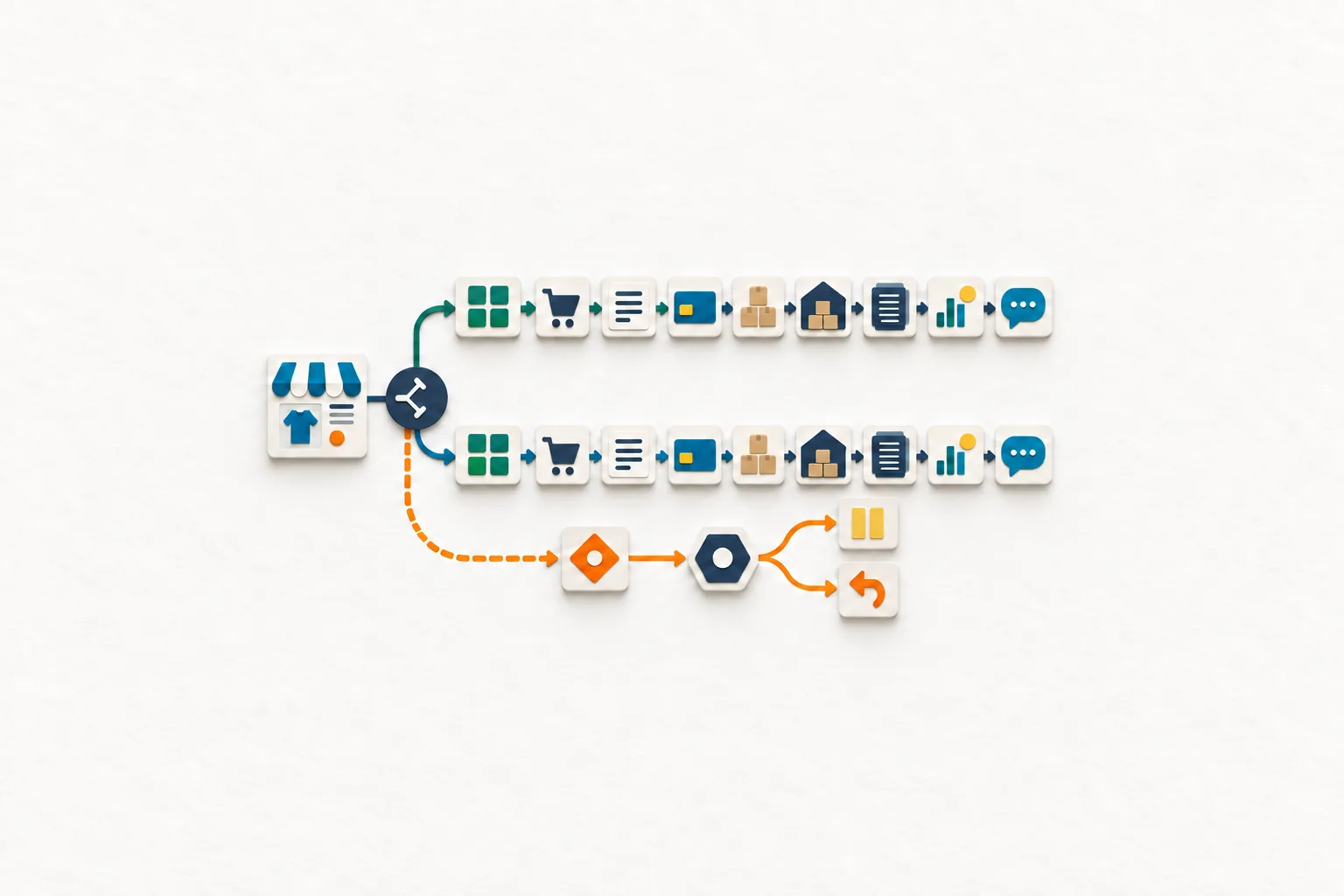
A ten-step storefront-to-ledger release plan
Define the change boundary. Record the intended outcome, rollout type, dates, plan eligibility, permissions, supported theme or checkout/account resources, applicable markets, and unsupported surfaces. Complete this step when the team can state exactly what Rollouts will—and will not—control.
Set exposure and ownership. Record the rollout's traffic allocation, the control/treatment split for an Experiment, and any conflicting settings. Assign owners for the buyer experience, connected operations, and final go-or-no-go decision. Complete this step when the audience rules and decision rights are unambiguous.
Capture the known-good baseline. Preserve the current theme and checkout configuration references, relevant integration versions, routing rules, and a small set of verified transactions. Complete this step when a reviewer can distinguish a release regression from an unrelated existing problem.
Design representative test journeys. Choose synthetic or approved scenarios that exercise the affected customer-account state, market, currency, discount, delivery option, payment path, tax treatment, or a controlled failure. Complete this step when each material rule has an expected result.
Verify the buyer-facing result. Test navigation, content, account behaviour, cart continuity, checkout completion, confirmation, and accessibility across relevant devices and markets. Complete this step when every planned buyer journey has reproducible evidence, not only a successful page load.
Trace each accepted order. Follow each test transaction through order creation, payment records, inventory handling, fulfilment routing, ERP or finance posting, reporting, and support visibility where those systems are connected. Complete this step when expected and observed identifiers reconcile at every in-scope handoff.
Exercise exception paths. Test an unavailable connector, failed validation, retry, or downstream rejection where relevant. Complete this step when failures become visible work with a named owner instead of silent gaps or uncontrolled duplicate processing.
Separate performance signals from control evidence. Review Shopify's rollout analytics, then review order-level and system-level evidence separately. Complete this step when the team has recorded both the aggregate signal and every unresolved transaction, reconciliation, or support exception.
Rehearse the exit decision. Decide what triggers a pause, end, rollback, or permanent application, and preserve the required recovery material. Complete this step when the decision-maker can act without inventing thresholds during an incident. Shopify warns that permanently applied changes cannot be reverted through Rollouts.
Close with a human-reviewed release record. Document the final configuration, effective audience, evidence reviewed, unresolved exceptions, decision owner, decision time, and follow-up work. Complete this step when finance, operations, support, and the next release team can understand what happened and why.
Risks and limits
The first risk is scope confusion. Rollouts support defined storefront resources, not every layer involved in commerce. Headless and custom storefront checkout teams need a separate release mechanism, while vintage themes and Liquid-template changes sit outside the documented Rollouts boundary.
The second risk is interpreting traffic control as risk removal. A smaller audience can reduce exposure, but one incorrectly routed order can still create inventory, customer-service, or finance work. The appropriate test depends on the actual implementation.
The third risk is relying on fixed analytics for a question they were not designed to answer. Shopify determines the available metrics, and Launch and Experiment calculations differ. Teams should preserve the rollout type, metric definition, intended allocation, and effective traffic before drawing a conclusion.
Active editing also needs discipline. Shopify notes that changing a treatment or control while an Experiment is active can affect its results. A team should record what changed and when instead of treating the experiment as one stable comparison after the underlying configuration has moved.
Finally, permanent application is a decision point, not a housekeeping step. Shopify warns that applying a rollout permanently cannot be reverted through Rollouts. The evidence and recovery plan should be reviewed before that action, not reconstructed afterward.
Where AorBorC fits
AorBorC helps teams turn a storefront change into an accountable operating release.
Our e-commerce store development work covers storefront structure, checkout readiness, migrations, apps, and the operational handoffs behind launch. Zoho QEngine implementation can support repeatable browser, checkout, and integration test coverage where it fits the environment. For businesses with custom back-office behaviour, ERP module development connects the release plan to order, inventory, warehouse, finance, approval, and reporting logic.
The emphasis is founder-led and human-reviewed: map the actual transaction, test the consequential paths, make exceptions visible, and give a named owner the evidence needed to decide.
Business takeaway
A controlled rollout can tell Shopify which eligible visitors receive a supported storefront configuration. It cannot decide whether your connected business is ready for the resulting transactions.
Use Rollouts for exposure. Use a release plan to prove the buyer journey, operational handoffs, exception path, reconciliation evidence, and recovery decision.
Your next move
Choose one planned theme or checkout change and trace one representative order from storefront to final operational record. Write down every system, owner, identifier, expected result, exception path, and rollback decision.
If that map exposes missing ownership or untested handoffs, plan the release with AorBorC before expanding traffic or applying the change permanently.
Sources checked
- Shopify Changelog: Plan launches, events, and tests with clearer and more granular controls in Rollouts
- Shopify Help Center: Types of rollouts and changes
- Shopify Help Center: Requirements and considerations for using rollouts
- Shopify Help Center: Rollout analytics
- Shopify Help Center: Managing rollouts