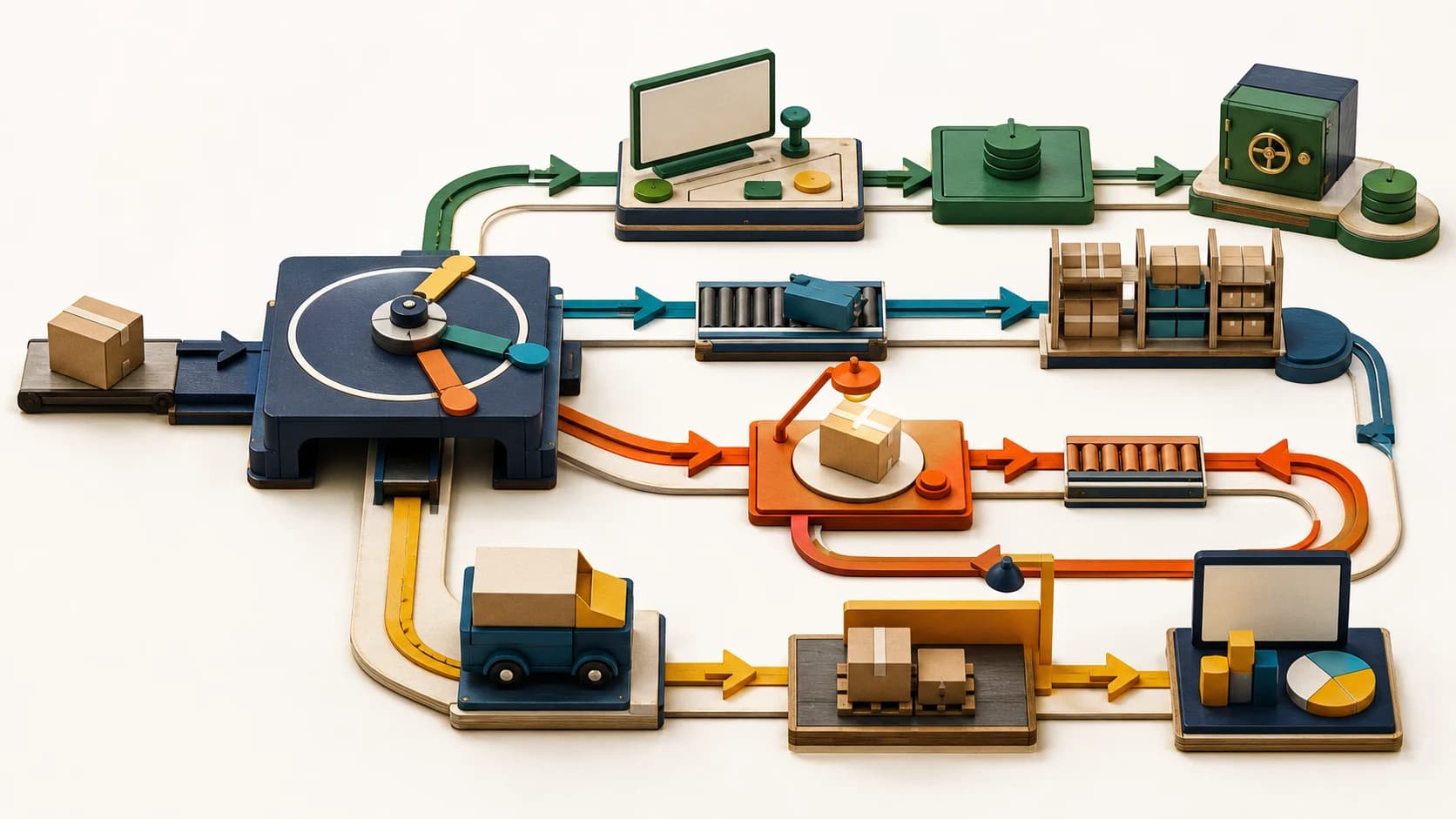
Confirmed does not mean ready to ship.
Odoo is an ERP and business-management platform that can run e-commerce, sales, accounting, purchasing, inventory, warehouse, and manufacturing workflows in one system.
Odoo Online 19.4's July release notes list separate changes across e-commerce, accounting, inventory, and purchasing. They include a default accounting journal for e-commerce orders, a Pay on Invoice provider, customer product selection for portal returns, stock-aging and past-date inventory views, stronger allocation tools, and improved purchase-order matching.
Taken together, the changes expose the operational handoffs teams still have to design. An online order can be confirmed without being paid, approved for release, allocated, invoiced, or ready for reporting. A return can be requested without being received, inspected, restocked, credited, or refunded.
AorBorC's view is straightforward: define the order-to-cash and return-to-stock states before switching on more automation. The system needs to know when an order becomes receivable, when stock can be promised, when a returned item becomes saleable inventory again, and which records finance can trust.
One deployment boundary matters before planning any upgrade. Version 19.4 is an Odoo Online-only interim release. Odoo's support documentation says these interim versions are not available on Odoo.sh or on-premise. Teams outside Odoo Online should use the release as a planning checklist, not assume the features are immediately available in their deployment.
What changed in Odoo 19.4
The release notes list changes in five parts of the operating system that teams often manage separately.
First, e-commerce orders can use a selected default accounting journal: the finance record group used to post and report transactions. That gives finance a clearer route for online sales, but the journal still has to match the company's channel, entity, tax, currency, refund, and reconciliation design.
Second, the new Pay on Invoice provider lets a customer confirm an order without paying immediately. Odoo's release note does not say the provider performs credit approval, applies credit limits, or controls warehouse release. Those are implementation questions. For B2B and account-based purchasing, teams still need to decide who is eligible, who approves the commercial risk, and what must happen before fulfillment.
Third, customers can select products to return through the portal. The release note does not describe downstream return authorization, receipt, restocking, refund, or credit-note automation. A cleaner request experience is welcome, but operations still needs rules for inspection, quarantine, repair, disposal, replacement, financial settlement, and reporting.
Fourth, inventory teams get more control through direct allocation from the forecast report, precise past-date inventory views, transfer-status notifications, easier packaging-barcode management, a stock-aging report that shows how long inventory has been held, and vendor purchase references on receipt transfers.
Fifth, finance and purchasing get stronger supplier-invoice and purchase-order matching. Odoo says the matching flow can check existing vendor-bill lines before creating new ones, summarize what matched, warn when price or quantity differs, and unmatch records when needed. The same release also adds bill-line prediction based on bill history and labels.
Designed well, these changes can support account-based purchasing, shorten the path from a received return to a clear disposition, surface aging stock for investigation, and reduce unresolved purchasing exceptions at month end. They do not produce those outcomes automatically.
Why operational leaders should care
The central question is not whether Odoo can record an order. It is whether every team agrees on what the order means at each stage.
A Pay on Invoice order may be commercially accepted but not yet approved for warehouse release. A customer return may be authorized but not yet received. A returned item may be physically present but not saleable. A vendor bill may reference a purchase order while still containing a price or quantity exception. A stock report may be technically correct while product units, warehouse locations, or packaging data remain inconsistent.
These distinctions become more important when Odoo is not the only system involved.
Shopify or another storefront may own catalog presentation and checkout. Odoo may own inventory, purchasing, fulfillment, manufacturing, and accounting. Zoho CRM may own the customer and sales relationship. Zoho Books or another finance system may remain the accounting source of truth. Custom apps may manage approvals, field operations, or exception queues.
The implementation job is to make those boundaries explicit. An integration should not turn "order confirmed" into "release stock" unless the commercial and finance rules agree. A portal return should not create saleable inventory before inspection. A predicted bill line should not post an account, tax, or management-reporting allocation without an appropriate review path.
The implementation checklist
Create a one-page state map for one unpaid order or customer return before adopting the 19.4 changes or preparing an equivalent workflow on another Odoo deployment. For every step, record the state, owner, source of truth, release condition, exception path, and accounting outcome. Then use this checklist to test the map.
- Map the full order state model. Separate quote, confirmed order, credit-approved order, invoiced order, paid order, allocated order, picked order, shipped order, canceled order, and returned order.
- Define the finance boundary. Decide which journal receives e-commerce orders and how channel, company, currency, tax, discount, shipping, refund, and payment-fee data will be represented.
- Set Pay on Invoice eligibility. Document which customers can use it, who approves credit, what limits apply, when fulfillment is held, and how overdue balances affect new orders.
- Map return states. Separate requested, authorized, received, inspected, restocked, quarantined, repaired, disposed, exchanged, refunded, and credited.
- Define inventory disposition rules. State exactly when a returned item becomes available, which location receives it, and who can change its condition or quantity.
- Test warehouse allocation. Use low-stock, split-warehouse, backorder, substitute-item, partial-shipment, and delayed-receipt scenarios before changing production rules.
- Review purchase and bill matching. Test partial receipts, partial invoices, price changes, freight, landed costs, quantity variances, duplicate bills, and intentional exceptions.
- Protect master data. Check SKU, unit-of-measure, packaging, barcode, vendor reference, warehouse, tax, and account mappings before relying on new reports or automation.
- Trace every integration. Confirm what Shopify, Zoho, marketplaces, payment providers, shipping systems, custom apps, and reporting tools send or receive at each state transition.
- Run a month-end rehearsal. Reconcile a sample set of online orders, unpaid invoices, returns, stock adjustments, vendor bills, credit notes, and warehouse transfers before rollout.
Where the hype is not useful
The release does not remove the need for operating policy.
Pay on Invoice is not a credit-control process by itself. A portal return is not a reverse-logistics design. A stock-aging report does not fix incorrect receipts, units, locations, or product records. Better purchase matching does not decide whether a variance is acceptable. Bill-line prediction can reduce data entry, but it should remain a reviewed suggestion where accounts, taxes, management-reporting allocations, or assets are affected.
It is also important not to treat an Odoo Online intermediary release as a universal deployment promise. Odoo.sh and on-premise teams need to assess what is available in their current major version, what can be configured safely, what would require custom development, and what should wait for a supported major upgrade.
The practical goal is not to recreate every new feature immediately. It is to use the release as a structured review of the workflows that already carry revenue, inventory, supplier commitments, and financial risk.
Related AorBorC service paths
AorBorC works across the system boundary, not just inside one module. Current systems may need a state-and-integration audit before they need another feature or custom module.
- Odoo implementation for sales, inventory, purchasing, accounting, manufacturing, approvals, and reporting.
- ERP module development for business-specific controls and exception workflows.
- E-commerce store development for catalog, checkout, order, return, and customer-account flows.
- Zoho integrations when CRM, Books, Inventory, Desk, Creator, Flow, Shopify, or another system must exchange clean operational data with Odoo.
AorBorC does not assume one platform should own every step. The useful architecture may keep Shopify at the storefront, Odoo at inventory and procurement, Zoho at CRM or finance, and a custom app in the exception workflow, with explicit ownership between them.
The founder-led AorBorC approach is to map the workflow before automating it, preserve human review where finance or inventory judgment matters, and build systems that remain understandable after launch.
Business takeaway
Odoo 19.4 is not important because it adds more screens. It is important because it makes the handoffs between online selling, receivables, returns, inventory, purchasing, and warehouse work harder to ignore.
The useful next move is to pick one revenue-critical path and test it end to end. Start with either an unpaid B2B order or a customer return. If the teams involved cannot agree on the state, owner, source of truth, exception path, and report at every step, fix that workflow before adding more automation.
When the gap spans storefront, ERP, finance, warehouse, Zoho, or custom applications, map one unpaid-order or return workflow with AorBorC.