Category: Shopify, Inventory & ERP Operations
Author: AorBorC Technologies
Published: September 29, 2026
Shopify has moved planned cycle and full stock counts onto the sales floor. That removes a practical gap between the person looking at a shelf and the administrator preparing the count.
It does not remove the control problem.
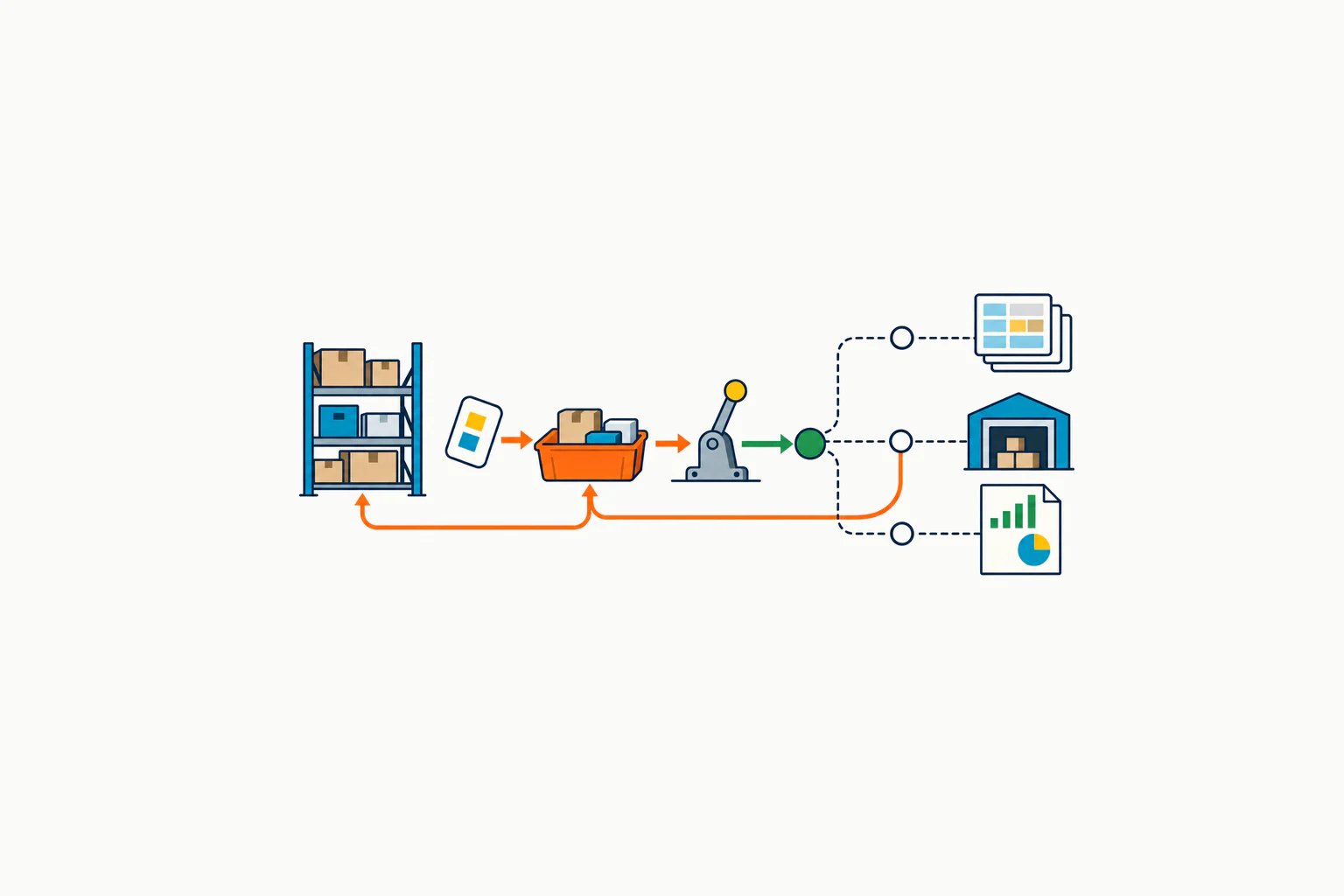
The useful control model is evidence → authorised decision → inventory adjustment → reconciliation. Counting captures an observation. An authorised user either routes it for separate review or completes it directly. Approval or completion applies the accepted quantities to Shopify. Connected operations decide whether the ERP mirrors that adjustment, receives it as an external transaction, or only reconciles against it.
A counted quantity is evidence, not yet an adjustment. Shopify changes inventory only after an authorised completion or approval; downstream systems still need an explicit ownership and reconciliation rule.
What Shopify changed
On September 28, Shopify announced that staff can run planned cycle and full stock counts in Shopify POS. A user with the required permissions in Shopify Admin creates and schedules the count, chooses the location and products, and makes it available at the selected location. POS staff with the required inventory permission can then scan barcodes or enter on-hand quantities.
The important detail in the Shopify changelog is what happens next: submitting a count from POS does not immediately change inventory. A user with the required Admin permission can review the completed count and discrepancies before approving it and applying the resulting adjustments. Shopify records what was counted, when it was completed, and who performed it.
The release requires Shopify POS Pro and Shopify POS version 11.16 or later.
This is different from Quick count. Shopify's POS inventory guidance describes Quick count as a staff-started adjustment that updates counted products when submitted. A planned stock count is created in Admin, lists the items to count, keeps the results for review, and gives counting staff a narrower permission boundary.
Evidence, authority, state change
Treat the four stages as different business events.
- Evidence: someone records what is physically present. Shopify's documented record includes the location, listed product, staff attribution, count-completion time, expected quantity, and counted quantity. If capture method or per-item timing matters, verify that the implementation retains it or record it separately.
- Decision: an authorised user requests separate review or completes directly. In review, the reviewer compares expected and counted quantities and may accept or reject individual items.
- Inventory adjustment: approval or direct completion updates Shopify and records the resulting change. The completed action cannot be undone.
- Reconciliation: connected systems mirror, receive, or compare that adjustment according to an explicit ownership rule.
The stages should not collapse into one button in the operating procedure. Shopify's detailed review guidance says a user in Shopify Admin can request manager review, or complete a count without that separate review, subject to permissions. Both approval and completion without review update inventory and cannot be undone. Rejected items are excluded from the update and need a new stock count.
That makes role design and variance policy business decisions, not setup details.
A Shopify-only store has one control problem
A store that uses Shopify as its only inventory record does not need an ERP project just because this feature exists. It still needs a controlled count.
The count scope must be clear. POS staff can count only the listed items. Several staff can participate, and Shopify attributes quantities to the person who recorded them. A network connection is required. If inventory changes during the count—for example, because of a sale—the affected product is marked outdated and can no longer be counted in that session.
The practical questions are therefore local: Which products and zones are included? Are sales, returns, receipts, and transfers continuing? Who handles an outdated item? What variance requires a recount? Who may complete without review? What evidence is retained after the irreversible update?
Without those answers, faster capture can produce a faster unexplained adjustment.
A connected stack needs one adjustment authority
An ERP or warehouse system changes the design question. The risk is not that Shopify has announced automatic duplication; it has not. The risk is that an implementation lets two systems independently correct the same physical gap.
Suppose Shopify expected 10 units and staff counted 8. Once approved, Shopify brings on-hand to 8 and records the resulting adjustment. If the ERP separately applies a two-unit decrease and a connector later replays the Shopify adjustment as another delta, the shortage can be applied twice. If each system waits for the other, neither changes.
For each location, inventory state, and integration path, define which system may apply a given physical variance and which systems only mirror or reconcile it. Verify whether the connector sends an absolute quantity, a delta, or an event with a usable reference. There is no universal answer, and connector behaviour must be inspected and tested rather than assumed.
Quantity agreement is not the same as finance approval. Inventory valuation, shrinkage treatment, landed cost, write-off accounts, and period-close evidence follow the accounting policy and capabilities of the ERP or finance system. Shopify's stock-count workflow should not be presented as automating those decisions.
A stock-count governance checklist
These are AorBorC implementation recommendations, not Shopify product claims, accounting advice, or a promise that a connector behaves in a particular way.
Native count — six controls
Freeze the count scope. Name the location, products or zones, schedule, operational cutoff, and count owner. Artifact: approved count brief. Owner: inventory operations lead.
Prove the floor setup. Confirm POS Pro, POS 11.16 or later, tracked inventory, network coverage, permissions, devices, scanners, and the manual-entry exception. Artifact: location readiness record. Owner: store systems lead.
Choose the movement rule. Decide whether sales, returns, receipts, transfers, picks, and shipments pause or remain live; list how each live movement is recognised. Artifact: movement-control matrix. Owner: warehouse or store manager.
Assign physical coverage. Divide shelves, bins, back-room stock, and counters so every storage area is covered without counting the same physical units twice, while preserving Shopify's staff attribution. Artifact: zone-and-counter sheet. Owner: count supervisor.
Route outdated and missing items. Define how an inventory change during the count, an unlisted product, a missing barcode, or an inaccessible unit becomes a recount or follow-up. Artifact: count-exception queue. Owner: inventory controller.
Set review rules. Define variance thresholds, recount triggers, evidence requirements, rejected-item handling, and who may approve or complete without separate review. Artifact: variance and authority policy. Owner: operations director.
Connected systems — four conditional controls
Join the available evidence. Capture the available count and adjustment references, location, product, expected and counted quantities, counter, captured, submitted, or applied timestamps, reviewer, and rejected items. If Shopify or the connector exposes no stable shared key, create an internal correlation record rather than implying a native cross-system ID. Artifact: count-to-adjustment audit record. Owner: systems analyst.
Name the adjustment authority. For each location, inventory state, and integration path, state which system may apply the variance and how the others mirror or reconcile it. Document whether the connector carries an absolute quantity, a delta, or a referenced event. Artifact: inventory-adjustment contract. Owner: solution architect.
Design replay and correction. Specify ordering, idempotency, retry, duplicate detection, failure ownership, and how an incorrect approved adjustment is corrected without hiding the original event. Artifact: integration exception runbook. Owner: integration lead.
Run boundary tests and reconcile. Exercise no variance, material variance, rejected item, concurrent sale, receipt or transfer, network interruption and recovery—not offline counting—duplicate delivery, retry, and correction. Confirm the intended quantity change is applied once and finance treatment is separately reviewed. Artifact: signed scenario and reconciliation pack. Owner: QA and finance leads.
What this feature does not solve
Shopify's guidance does not describe an automatic movement freeze. Instead, it says an inventory movement makes the affected POS-count item outdated; the business still needs a rule for what happens next.
It does not prove that a physical variance is theft, shrinkage, damage, a receiving error, a fulfilment error, or a bad product master. It records a difference that needs the right reason and follow-up.
It does not define within-location bin control, inventory valuation policy, landed-cost treatment, general-ledger posting, procurement action, or the behaviour of an ERP connector. Those belong to the wider operating system.
Risks and limits
Availability is bounded: the POS path requires POS Pro, POS 11.16 or later, the relevant permissions, and a network connection. Only products listed in the planned count can be counted from POS. Inventory movements can make items outdated during the session.
Shopify's Admin workflow also permits completion without a separate manager review. Teams that require separation of duties must encode that requirement in roles, procedure, and evidence rather than assuming the interface enforces it in every path.
Approval updates inventory and cannot be undone. A later correction is a new controlled event; it should not erase the first decision from the audit trail.
Finally, the double-correction example is an architecture risk to test, not a claim that Shopify or every integration causes duplicate adjustments. Shopify-only operations can use the native workflow without adding an ERP. Connected operations must verify their own connector, version, mappings, and source-of-record rules.
Where AorBorC fits
AorBorC can configure the store and count workflow as part of e-commerce store development, then trace the approved change through Shopify adjustment history, the verified connector path, ERP or WMS inventory records, and finance evidence where applicable.
For connected operations, Odoo implementation can define warehouse, valuation, procurement, and finance ownership, while ERP module development can add an exception queue, idempotent handoff, reason capture, and reconciliation evidence where the connected design needs additional controls.
AorBorC's founder-led Zoho, AI, and rescue work starts with one variance: human-reviewed AI may organise evidence, while a named person owns material adjustments and system tracing.
Business takeaway
Do not let two systems apply the same physical variance. Count once, make one authorised adjustment, and reconcile every downstream record.
The most useful result is not a faster stocktake. It is a count whose scope, decision, adjustment, integration outcome, and finance treatment can still be explained at month end.
Run one variance trace before rollout
In a development store or isolated test location, create a planned count for two synthetic tracked SKUs. Record known variances, request review, approve one item, and reject the other. Confirm only the approved item changes. Create a separate stock count for the rejected item, approve the final result, then trace the records the implementation actually produces through every connected system. Each intended variance should change quantity once, every exception should have an owner, and test quantities should be restored through a controlled correction.
If that trace crosses Shopify, Odoo or another ERP, warehouse processes, and finance reporting, plan the inventory-control review with AorBorC.
Sources checked
- Shopify Changelog, Run stock counts in POS, published September 28, 2026. Used for the release scope, Admin/POS split, review-before-adjustment behaviour, audit trail, POS Pro requirement, and version floor.
- Shopify Help Center, Changing inventory quantities in the Shopify POS app, checked September 29, 2026. Used for the distinction from Quick count, listed-item scope, concurrent counting, outdated-item behaviour, network requirement, and permissions.
- Shopify Help Center, Performing and reviewing inventory stock counts, checked September 29, 2026. Used for pause/resume, staff attribution, review and completion paths, rejected items, immediate updates, adjustment history, and irreversible approval.