Category: Odoo and ERP Operations
Author: AorBorC Technologies
Published: November 25, 2026
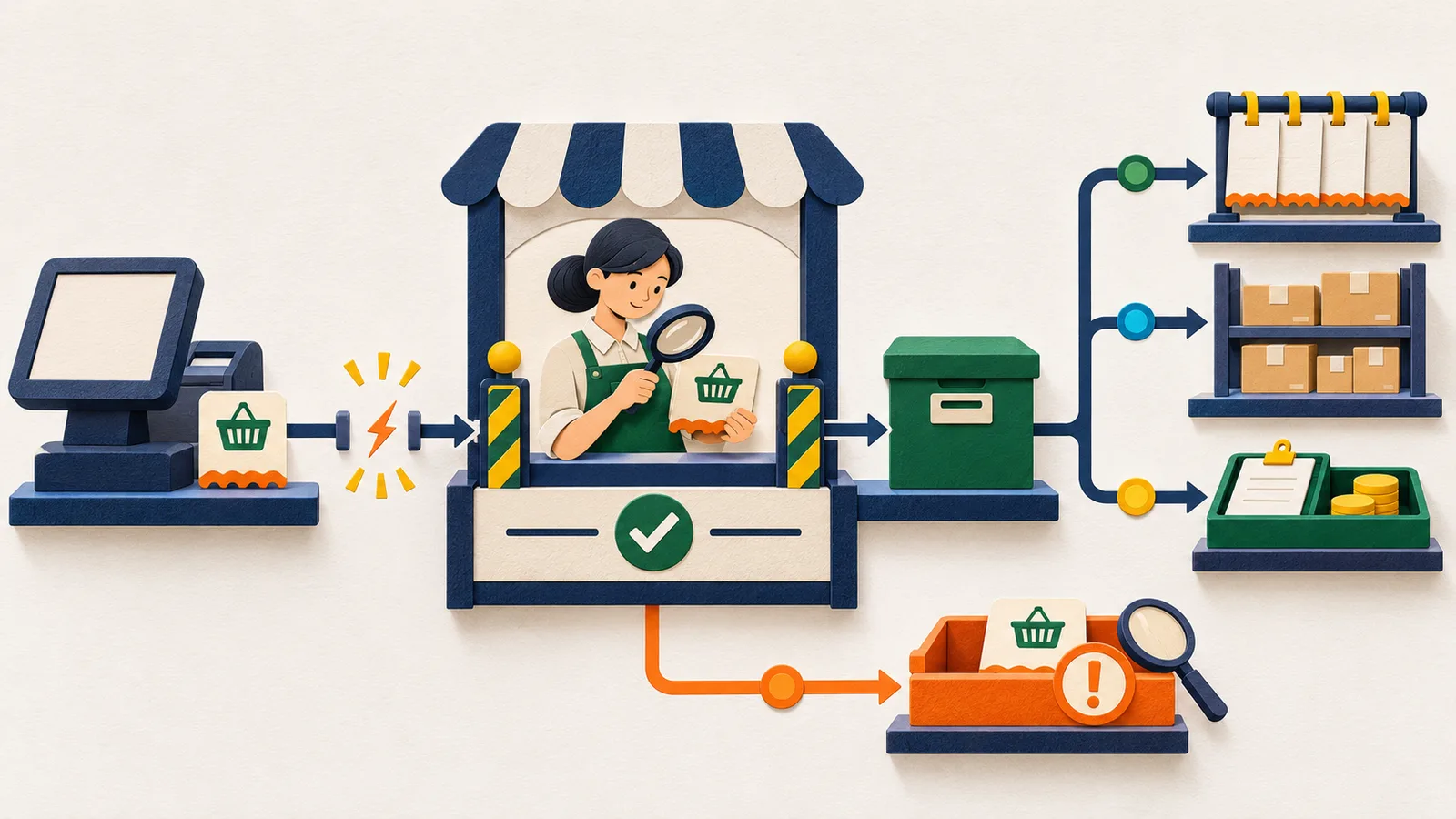
A POS can appear connected while an order remains only on one device. Until the authoritative Odoo server record exists, the rest of the operation may not know the transaction happened.
That is the operational reason to look at a Point of Sale sync fix Odoo merged into its public 20.0 branch on November 24, 2026. The change addresses a narrow but important failure path: a sync request can be lost while the server remains reachable enough that the POS does not fully switch to offline mode.
In Odoo's reproduction, an order sent from a restaurant POS with preparation printing stayed only on that device after the request failed. It did not become visible in the backend or on other devices until another order triggered a later sync. The fix puts a lost order back into the pending queue, retries after a successful automatic connection check, and stops a failed cancellation request from blocking later order synchronization.
Odoo also added regression coverage on 20.0 for a different path: an order first synced as a draft, then paid offline and reloaded. The related code correction landed on the saas-19.4 branch and replaced a call to a method that no longer existed. Keeping the paths separate matters. One concerns a brief lost request; the other concerns recovery of a paid-offline order after reload.
This is useful upstream evidence. It is not proof that every Odoo Online, Odoo.sh, or on-premise database was affected, or that every deployment already contains the change.
Reconnection is a technical event. Recovery is a business record that arrives once and reconciles everywhere it should.
A normal-looking terminal is weak evidence. For an operating team, the practical test is that one local order becomes one authoritative Odoo server record, with no missing or duplicate order, and that every record which should exist agrees. Records that should not exist should remain absent.
Check whether this applies to your POS
Start with the deployed environment, not the branch headline.
| Situation | Practical decision |
|---|---|
| Any current Odoo deployment | Record the version, hosting model, and deployed build. Do not infer behavior from another version or treat an upstream branch commit as installed. |
| The POS sends orders to a preparation printer or display | The lost-request reproduction is directly relevant to the route between the device, backend order, and preparation flow. |
| Orders can be drafted online and paid while connectivity is unavailable | Test that path separately from a brief dropped request; it has different state and recovery conditions. |
| The POS creates stock moves, invoices, accounting entries, or external handoffs | Include only those configured consequences in the acceptance test. Do not assume the commit proves them. |
The distinction between a brief request loss and a sustained outage is operationally important. Odoo's documented offline mode stores offline orders in the browser cache and syncs them when connectivity returns. The lost-request fix covers a case where the POS may not classify the device as fully offline at all.
Four states make the recovery test visible
Use four plain states for one synthetic transaction:
- Recorded locally: the operator can see the local order and its device, session, and order identifier. This is not yet proof of business completion.
- Transmission attempted: the POS tried to send the order, and the test records the failure condition and time.
- Accepted once by Odoo: the authoritative backend shows one matching order that authorized processes and, where the configuration supports it, other devices can see.
- Configured consequences reconciled: preparation, stock, payment, tax, invoice, finance, integration, reporting, or support records agree where the workflow is meant to create them.
The fourth state includes intentional absence. A preparation-only order that has not been paid should not produce a payment or finance record merely because the preparation ticket exists.
This model is more useful than a binary online/offline label. It tells the team which business effect is complete, which is still local, and who must resolve the difference.
Keep a one-order proof sheet
Use one row for each synthetic transaction. The sheet should be short enough for the POS owner, Odoo administrator, finance owner, and integration owner to review together.
| Field | Evidence |
|---|---|
| Test identity | Device, POS session, local order identifier, tester, build, date, and safe test database |
| Failure condition | Brief lost request or sustained outage, the point at which it occurred, and the expected local state |
| Local evidence | Pending state, visible lines, total, payment state, and any preparation action before recovery |
| Backend acceptance | Matching Odoo order identifier, sync time, record count, backend visibility, and, where supported, visibility from another authorized session |
| Preparation | One applicable kitchen or preparation instruction, with no missing or duplicate instruction |
| Inventory | The expected stock movement and quantity only after the configured business event creates it |
| Payment and cash session | One payment result, the correct tender and amount, and agreement with the session close where payment applies |
| Tax, invoice, and finance | The expected documents and totals where configured; no premature document where they are not |
| ERP and e-commerce handoffs | The expected correlated business effect or record set in each connected system that this POS workflow is configured to update |
| Reporting and support | The transaction appears in the intended operational report, while unresolved exceptions remain visible to an owner |
| Intentional absences | Records that should not exist for this transaction state |
| Exception and recovery | Observed difference, safe recovery action, owner, final disposition, and retained evidence |
In the working copy, add columns for the expected result, observed result, status, evidence link, and owner. The sheet prevents teams from mistaking a recovered POS screen for evidence that stock, payment, and finance have reconciled.
Do not broaden a narrow upstream fix into a claim that every downstream system is now safe. The value of the release evidence is that it gives implementation teams a precise failure mode to add to their own acceptance pack.
An eight-step POS recovery checklist
1. Verify the deployed build
Owner: Odoo administrator or implementation partner. Evidence: version, hosting model, deployed build or update confirmation, and the exact recovery behavior under review. Treat a public branch commit as a reason to inspect, not as deployment evidence.
2. Choose one safe synthetic order
Owner: POS process owner. Evidence: test product, quantity, price, tax treatment, tender path, preparation route, and expected records. Use an isolated or neutralized database with payment, email, webhook, and integration actions disabled or routed to test endpoints. A synthetic order is a test transaction that cannot affect live cash, stock, customer, or reporting records. Do not inject network faults into a live cash session.
3. Map the expected record path
Owner: business analyst or ERP owner. Evidence: a short before-and-after map from local order to backend order and every configured consequence. Mark both required records and intentional absences.
4. Test a brief lost request separately
Owner: QA or technical lead. Evidence: timed test result for the transient request-loss path, including the local pending state, retry, backend acceptance, and any failed cancellation-request behavior relevant to the configuration. Keep this distinct from a full offline-mode test.
5. Test sustained offline recovery and the commit-described reload path separately in QA
Owner: QA and POS owner. Evidence: expected-versus-observed result for the applicable draft, payment, offline, reconnection, and reload sequence. Test the source-described reload path only with synthetic data in an isolated database. Do not turn browser reload into an operator recovery step. Odoo's user documentation warns not to close or reload the browser or clear its cache before offline data has synchronized. Make that instruction explicit in the operator runbook.
6. Prove one backend order
Owner: Odoo administrator. Evidence: one matching authoritative order record, visible in the backend and, where the configuration supports multiple devices, from another authorized session, with no missing or duplicate backend order. Compare stable identifiers and business fields; do not rely on a similar total or timestamp alone.
7. Reconcile every applicable consequence
Owner: process owners for preparation, inventory, finance, and integrations. Evidence: the one-order proof sheet. Confirm the records that should exist and the absence of records that should not. Where Shopify, another e-commerce channel, a warehouse tool, a finance system, or a support workflow is connected, trace only the handoffs this transaction is configured to trigger.
8. Retain the exception path as a regression test
Owner: support or release owner. Evidence: approved test result, operator recovery instruction, alert or reconciliation query, unresolved-exception owner, and next review date. Repeat the pack after an Odoo upgrade, POS customization change, payment-method change, preparation change, or integration release.
Risks and limits
- The official commits describe specific code paths. They do not establish that every Odoo 20 POS deployment experienced the problem.
- A merge into the public
20.0branch does not establish rollout timing for Odoo Online, Odoo.sh, or an on-premise database. - The lost-request reproduction uses a restaurant POS and preparation printing. Other configurations need their own expected record map.
- The paid-offline reload wording describes a specific failure path from the commit. It is not a general instruction to reload a POS while unsynchronized work remains local.
- One successful test proves only the selected build, configuration, data, and failure condition. Keep a small set of representative paths in the regression pack.
- A backend order can exist while a configured preparation, stock, payment, invoice, accounting, reporting, or external handoff is still missing or duplicated. Reconcile each applicable boundary independently.
Where the hype is not useful
The useful story is not that offline POS is now “solved.” Network behavior, browser-held state, device recovery, custom modules, payment methods, and connected systems still vary by deployment.
The practical value is narrower and stronger: Odoo published a concrete failure mode and recovery change that teams can turn into a repeatable acceptance test. That test should prove business records, not only a green connection indicator.
AorBorC's implementation view
AorBorC is a founder-led Zoho, AI, and business-systems partner. Our Odoo implementation work maps POS, catalog, order, inventory, warehouse, and finance behavior around the real operating flow, including the failure and recovery states that a standard happy-path demo misses.
For custom stock, accounting, approval, or reporting logic, our ERP module development work keeps identifiers, state transitions, permissions, tests, and reconciliation ownership explicit. We also use repeatable regression-test thinking where it fits: one synthetic transaction, independently expected results, retained evidence, and a named human reviewer before release.
The goal is not to turn one upstream fix into a large project. It is to make the smallest safe acceptance pack reusable across upgrades, rescues, customizations, and integrations.
Business takeaway
A green terminal is not proof of a complete sale. Prove that one local order becomes one backend order, then reconcile every configured record that should follow.
Choose one safe test database, one synthetic order, and one configured downstream path. Test a brief dropped request separately from a longer outage. If your team wants help building the evidence pack or reviewing the POS-to-ERP handoff, plan the Odoo project with AorBorC.