Category: Odoo and ERP Procurement
Author: AorBorC Technologies
Published: November 19, 2026
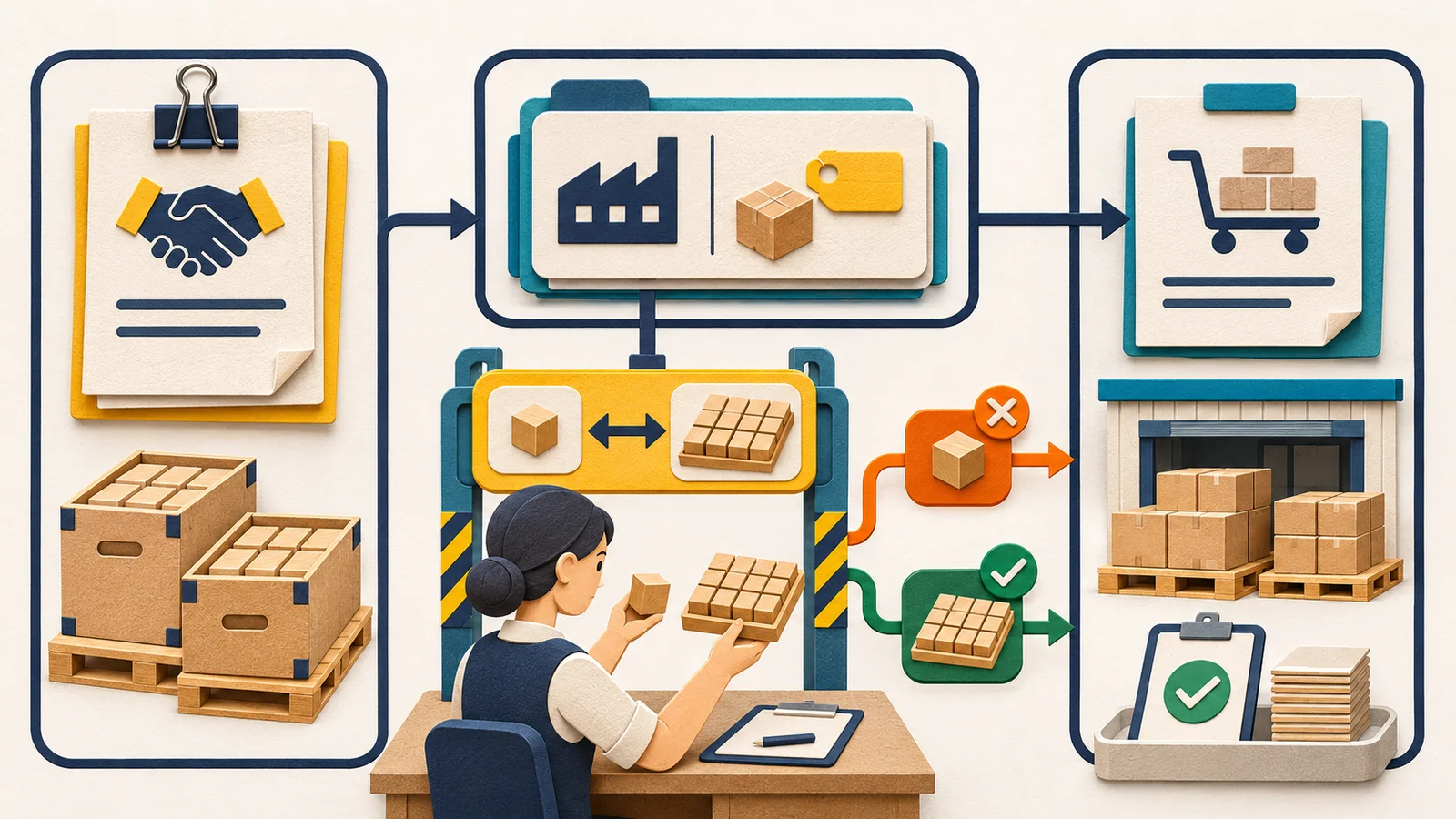
Odoo's official 20.0 branch contains commit 1d057fd, with a committer timestamp of November 18, 2026 at 22:41 UTC. The affected path links a confirmed blanket-order line, its generated vendor-pricelist record—the supplier price record Odoo can use during purchasing—and later replenishment.
A blanket order is a long-term purchase agreement with a vendor for recurring purchases at predetermined prices. Odoo's blanket-order documentation says confirmation adds a vendor line carrying vendor, price, and agreement details for replenishment. Its unit-of-measure documentation separately explains that the Unit field on a vendor-pricelist line can supply the vendor-preferred unit to a request for quotation (RFQ), and that automated replenishment creates purchase orders in the purchase unit.
Odoo also allows teams to edit the products, quantities, and prices on a confirmed blanket order. The commit fixes one specific gap: after confirmation, changing an agreement line's product or unit of measure (UOM) did not update those fields on its generated supplier price record, although price changes were already synchronized.
The operational point is larger than one patch:
A post-confirmation product or purchase-unit edit is not operationally complete until the blanket-order line, generated supplier price record, and next replenishment purchase order agree.
A saved form is not evidence that the purchasing chain now agrees.
This needs review only if your team uses Odoo 20 blanket orders, changes the product or purchase unit after confirmation, and later uses the linked supplier price record in RFQs or automated replenishment. If those conditions do not apply, this patch is not an operational task for your team.
What the Odoo 20 fix changes
The official commit documents a reproducible unit-of-measure problem. Its example begins with a confirmed agreement line priced at 10 per Unit. The line is then changed to 120 per Dozen. Before the fix, the linked vendor-pricelist record could still express 120 per Unit. A replenishment request for 24 Units could therefore produce a purchase order subtotal of 2,880 instead of 240.
For a product change, the generated supplier price record could remain associated with the former product while retaining the agreement price. The commit proves that stale association; it does not demonstrate a resulting purchase order with the wrong product.
The patch copies the blanket-order line's product, product template—the shared parent record behind product variants—and unit into the linked supplier price record when the product or unit changes. It does not infer a negotiated price or recalculate that price merely because the unit changed. In Odoo's replenishment regression test, the line is explicitly changed to both Dozens and 120 before 24 Units is checked at a normalized price of 10 per Unit and a subtotal of 240; a separate test verifies the supplier-record fields.
This is not evidence that every Odoo 20 blanket order is wrong. It is a specific failure path involving a confirmed blanket-order line whose product or unit was changed on an affected build.
The source proves inclusion in the upstream 20.0 branch, not deployment to any particular database. Verify the deployed revision, obtain provider confirmation, or reproduce the corrected behavior in a safe test database. The patch changes future write() behavior and contains no migration or backfill for supplier price records that were already stale.
Why operational leaders should care
The supplier price record is not passive reference data. It is where a negotiated agreement becomes automated buying. If it retains the old product or unit, automation can carry that mismatch into later replenishment.
The verified defect is narrow: the supplier price record can retain the former product association or express the agreement price in the wrong UOM. The commit demonstrates the transaction consequence only for the UOM case, where replenishment produced an incorrect purchase-order price and subtotal.
Odoo's UOM documentation also shows that purchase quantities are converted for internal warehouse documents. If an identified affected purchase order progressed into receipt, billing, approval, or reporting, inspect those records as conditional downstream exposure. The sources do not say those records are automatically wrong.
- Procurement: compare the generated RFQ or purchase order with the agreement and supplier price record. The commit directly demonstrates an incorrect replenishment-PO price and subtotal; RFQ exposure follows from Odoo's documented vendor-line UOM selection but is not exercised by the commit test.
- Inventory and warehouse: if an affected purchase order was received, compare the purchase UOM with the converted quantity on the receipt.
- Finance and approvals: where configured workflows depend on purchase-order values, an affected order can distort a budget check, bill match, accrual input, cost report, or approval route. Extend the review only when the order reached that state.
- E-commerce and integrations: this matters only where a separately configured storefront, forecast, or integration ultimately causes Odoo replenishment. The patch does not change Shopify or another external system; the check is whether an affected Odoo supplier price record shaped the generated purchasing document.
- Analytics: reports built from an identified affected supplier or purchase-order field may inherit the mismatch. The commit does not identify any specific report as affected.
The risk is easy to miss because each screen can look plausible in isolation. The agreement shows a negotiated price. The product has a vendor. The replenishment job creates a purchase order. The control has to compare the meaning across those records, including the unit conversion and extended value.
The three-record control
Use one small evidence chain only for confirmed lines whose product or UOM changed while the deployment may have lacked the fix.
| Record | Compare | Evidence |
|---|---|---|
| Blanket-order line | Agreement and line ID, vendor, intended product variant and template, purchase UOM, and unit price | Current values plus reliable edit evidence, if the deployment records it |
| Generated supplier price record | Agreement reference, vendor, intended variant and template, UOM, and price | Supplier-info ID and a side-by-side comparison |
| RFQ or purchase order generated after the edit | Product, UOM, quantity, price expressed in that UOM, and line subtotal | Document ID and an independent calculation |
If an identified affected purchase order progressed, verify the receipt UOM conversion. Add finance review only when the order was billed, posted, or consumed by a relevant report.
The goal is not to make procurement staff inspect code. It is to give the buyer, warehouse owner, finance reviewer, and ERP administrator one shared result they can verify.
A practical Odoo 20 audit checklist
1. Verify the deployed build
Record the hosting model and environment version plus one of: a deployed revision containing 1d057fd, a later verified official revision containing it, provider confirmation, or a safe reproduction of the corrected behavior. Do not treat the displayed Odoo 20 version label as proof that this specific fix is installed.
2. Find the applicable agreements
List confirmed blanket-order lines whose product or UOM changed after confirmation during the possible pre-fix exposure window. If reliable history is unavailable, a current line-to-supplier-record mismatch identifies an unresolved defect, but it does not prove whether earlier purchase orders were affected; inspect their dates and values separately.
3. Preserve a before-change snapshot
Before correcting anything, retain the agreement-line ID, generated supplier-info ID, vendor, product variant and template, UOM, price, available edit and build evidence, and potentially affected RFQ or purchase-order IDs. Include currency or validity only when it affects the comparison. This prevents a rescue exercise from erasing its own evidence.
4. Compare the linked vendor record
Confirm that the supplier price record's agreement reference, vendor, product variant and template, UOM, and price match the blanket-order line. Independently normalize the price into the inventory UOM.
5. Test the unit conversion
Use the actual purchase and inventory UOM pair and at least one quantity that exposes the conversion—for example, 24 units against a dozen price. Verify the normalized unit price and line subtotal. Add a rounding edge case only when the configured UOM ratio or rounding requires it.
6. Trigger a safe replenishment path
In a non-production test copy, sometimes called staging, generate the RFQ or purchase order that the agreement is supposed to feed. Capture the selected vendor, agreement, product, purchase UOM, quantity, unit price, and subtotal. A successful scheduler run is not enough. If external demand feeds replenishment, retain its source reference and the resulting Odoo document ID without assuming the external system caused the defect.
7. Inspect open purchasing documents
Review RFQs and purchase orders generated after the applicable product or UOM edit and before the fix was deployed or the supplier price record was corrected. Recalculate their commercial value. Do not overwrite a document already sent to a vendor without a buyer-approved correction and communication path.
8. Trace warehouse and finance consequences
Classify identified affected documents by state. Recalculate draft RFQs and purchase orders. For a document already sent, use a buyer-approved correction and supplier communication path. If goods were received, reconcile ordered and received UOMs. If a bill or accounting entry was posted, route correction through the approved finance process. The sources do not establish that bills, valuation, or reports were changed automatically.
9. Put control around post-confirmation edits
Decide whether product and unit changes are allowed on a confirmed agreement. If they are, require a named reviewer, a reason, a supplier-record comparison, and a regenerated RFQ or replenishment test. For higher-risk changes, closing the old agreement and approving a new one may leave clearer evidence.
10. Keep the regression case
Retain two regression cases. One changes the UOM and price, then verifies the supplier-record UOM and the replenishment purchase order's normalized price and subtotal. The other changes the product, then verifies the supplier-record variant, template, and UOM and confirms that the generated record is no longer associated with the former product. Keep both in the regression tooling used for Odoo updates and procurement integrations.
Where the hype is not useful
This commit is not a reason to declare all Odoo 20 procurement data unreliable. It is a reason to ask whether the affected edit path exists in a specific environment and whether earlier records need review.
The fix is also not a substitute for procurement control. Software can keep fields synchronized, but it cannot decide whether a buyer was authorized to change the product, whether the revised unit reflects the vendor agreement, or whether an already-sent purchase order should be amended.
Finally, automation is not the business outcome. A replenishment job that finishes without an error may still create a commercially wrong document. The useful evidence is the agreement-to-supplier-to-order comparison, followed by receipt and finance checks where the affected order progressed that far.
AorBorC's implementation view
AorBorC is a founder-led Zoho + AI business-systems partner with delivery spanning Odoo, Shopify and e-commerce operations, custom ERP modules, integrations, and reporting. We treat this as an ERP master-data and transaction-chain problem, not a one-line patch announcement. Our Odoo implementation work maps the purchasing configuration, supplier records, replenishment rules, warehouse units, approvals, and finance handoffs around the business process.
Where the standard flow needs a controlled extension, our ERP module development keeps the data contract and review path explicit. Retain the product, unit, price, and subtotal cases in the regression tooling used for Odoo updates and procurement integrations.
Our preferred first phase is a bounded rescue audit: verify the deployed build, find post-confirmation edits, compare the three records, inspect open documents, and leave repeatable regression cases for the next upgrade. That turns a one-time correction into a durable procurement control.
For teams choosing one partner to inspect the surrounding Zoho, Shopify, Odoo, custom-app, integration, and reporting dependencies, the AorBorC company profile explains our founder-led delivery and rescue/audit approach.
Business takeaway
Verify the deployed Odoo build, then inspect confirmed blanket orders whose product or unit changed after confirmation.
For one applicable agreement, prove the blanket-order-line, supplier-price-record, and replenishment-purchase-order chain. Only when an identified affected purchase order progressed should the review extend to its receipt and finance records. If your team needs an Odoo procurement audit or a controlled remediation plan, plan the ERP workflow with AorBorC. Bring the environment version, agreement IDs, supplier records, open purchase documents, and one recent replenishment example.