Category: Odoo, ERP & E-commerce Warehouse Operations
Author: AorBorC Technologies
Published: November 14, 2026
Two fixes committed to Odoo's official 20.0 codebase on November 13 expose one useful implementation lesson.
The first addressed transfers created on behalf of portal or public users—including accepted customer-portal quotations and e-commerce orders—that could skip configured automatic batches or waves while equivalent staff-confirmed orders were grouped. The second addressed a new automatic batch that could admit compatible Ready transfers beyond its configured maximum number of transfers or stock moves and, when Odoo's delivery feature (stock_delivery) is installed with a non-zero Maximum weight, beyond its cumulative computed weight.
Warehouse automation is not proven when a setting is saved. It is proven when every order-entry path reaches the same warehouse queue and each new automatic batch stays inside its cumulative limits.
These are upstream code commits, not proof that a particular Odoo Online, Odoo.sh, or on-premise database already contains the fixes. Before changing a live warehouse flow, identify the deployed build and reproduce the relevant behavior with synthetic orders in a safe environment.
The warehouse flow in plain language
The terminology matters because an order, a warehouse transfer, and a batch are not the same record.
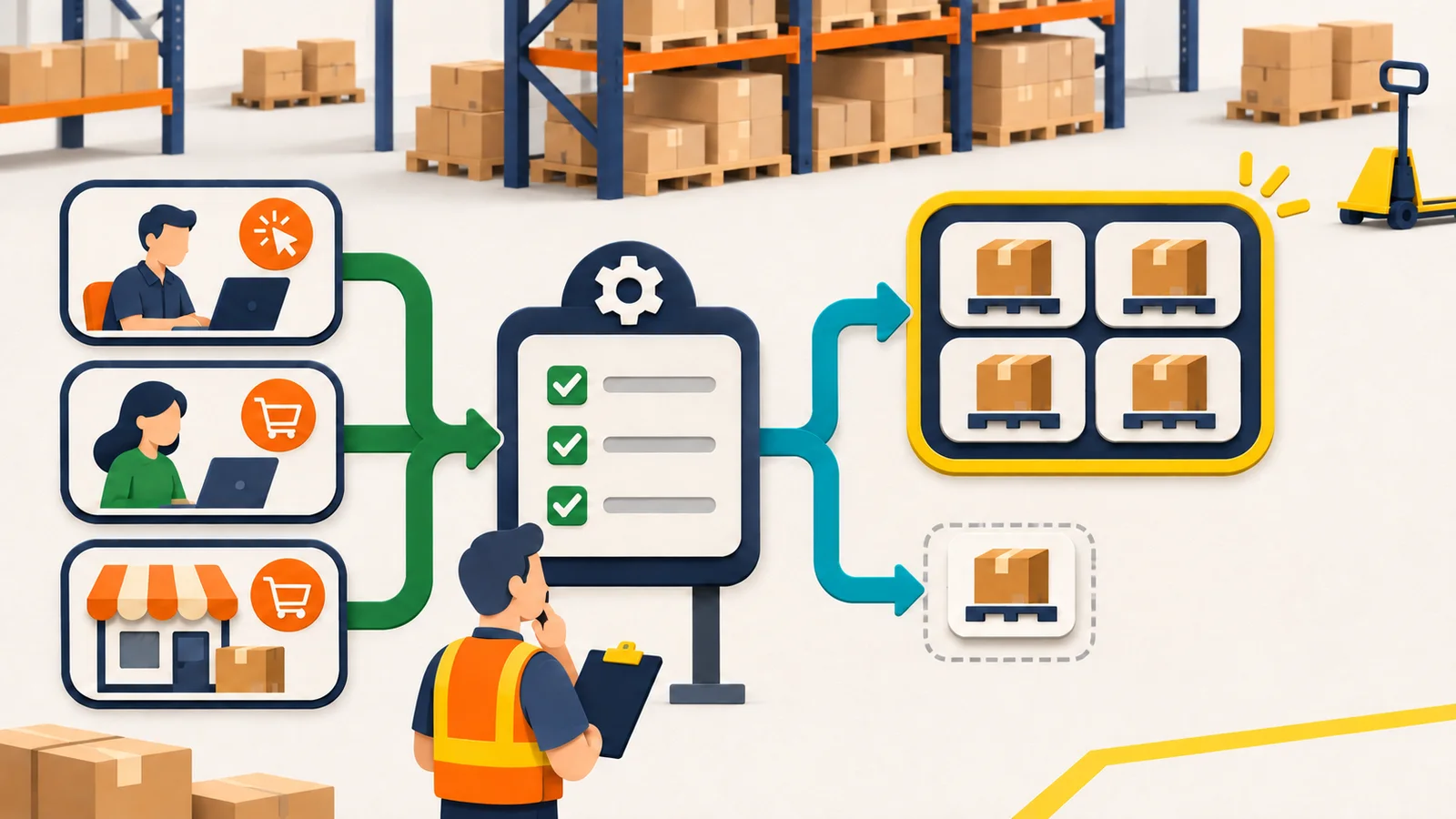
- A staff member, portal customer, or webshop visitor confirms an order.
- Odoo creates one or more warehouse transfers, often called pickings, for the stock work.
- When stock is available and reserved, a transfer can become Ready.
- Its operation type—such as Pick or Delivery—defines the rules for that warehouse step.
- An automatic batch can group whole compatible transfers. A wave contains selected product lines from transfers—Odoo splits the transfers before grouping those parts—and therefore needs separate coverage.
- Configured limits decide whether another eligible transfer can join a new automatic batch.
That chain crosses sales, e-commerce, inventory, warehouse execution, shipment updates, reporting, support, and sometimes an external storefront or ERP connector. A successful checkout and a saved operation-type screen do not prove the chain behaves consistently.
What changed in Odoo 20
1. The order origin could change the warehouse result
Odoo's first commit explains that when Batch, Wave & Cluster Transfers was enabled and an operation type was configured to create batches or waves automatically, work created on behalf of a portal or public user could miss that automatic grouping. Odoo names customer-portal quotation acceptance and e-commerce orders as examples. Equivalent orders confirmed by an internal user were grouped.
The underlying check depended on the current user belonging to an internal warehouse group. Portal and public users do not receive that group, even when server-side work runs on their behalf. The fix checks whether the feature is enabled rather than treating the initiating user's permissions as the feature switch.
That does not give a portal customer warehouse access. It makes the server-side warehouse behavior detect the enabled feature independently of the customer-facing identity that triggered the order.
2. A new automatic batch could outgrow its configured cap
The second commit concerns creation of a new automatic batch. The new-batch path did not enforce the evolving batch totals: the maximum-transfer limit was not applied, while stock-move and weight checks considered the initiating transfer plus each candidate rather than the cumulative batch. The fix creates the batch first and then admits candidates only while that batch accepts them.
The fix creates the batch with the current transfer and then admits additional compatible transfers only while the evolving batch accepts them. This is a cumulative-boundary problem: checking one candidate is not enough if the decision ignores what has already entered the batch.
The word lines needs care. Odoo's Maximum lines setting counts stock.move records in the transfers. It does not count stock.move.line detailed-operation rows, sales-order lines, storefront items, quantities, or distinct SKUs.
The limit fix is about new automatic batches. It should not be generalized into a claim about every manual batch, every wave rule, every vehicle constraint, or every historical transfer.
Why operational leaders should care
Neither commit proves that a merchant lost an order, missed a shipment, or posted an incorrect invoice. The documented failures are narrower: eligible work could miss automatic grouping, and a newly created automatic batch could exceed configured admission limits.
The operational risk comes from what teams build around those assumptions.
- E-commerce and portal orders: a customer-facing route can create the same commercial order but send its warehouse work down a different grouping path from a staff-confirmed order.
- Warehouse execution: supervisors may plan labor, carts, docks, or delivery work around batch size and weight boundaries that need to hold cumulatively.
- Inventory and fulfilment: Ready-but-unbatched transfers can remain outside the queue the team expects to process, even though the order itself exists.
- Integrations: an external storefront, marketplace, custom portal, or order-import service needs its own trigger-path regression case. A successful API call does not prove the resulting transfer joined the expected Odoo batch. The commits do not identify Shopify as affected; this is a regression-test recommendation for any external order source.
- Reporting and support: dashboards that count batches without reconciling eligible unbatched transfers can present a clean view of an incomplete queue.
- Finance and procurement: these commits do not change invoices, journals, purchasing, or valuation directly. Those teams still need shipment and order-status handoffs to close, but the code change should not be described as a finance fix.
For an Odoo implementation, the control therefore has two separate assertions:
- Trigger parity: test the portal and public paths named by the fix, plus every connector path used by the implementation, to confirm that otherwise equivalent eligible transfers receive the same grouping result. The commit itself does not establish that every integration identity or import path was affected.
- Capacity enforcement: each candidate transfer is checked against the totals already in the batch, not only against its own size.
Build a trigger-by-limit test matrix
In a safe test database, start with fixed prerequisites: enable Batch, Wave & Cluster Transfers, configure automatic grouping on the relevant operation type, keep the warehouse and grouping values consistent, provide enough stock for the intended Ready state, and test one non-zero limit at a time. Run a weight-limit case only when stock_delivery is installed, a non-zero Maximum weight is configured, and product weights are populated in the configured weight unit.
| Order trigger | Grouping check | Transfer-limit check | Line-limit check | Weight-limit check | Evidence to retain |
|---|---|---|---|---|---|
| Staff confirms a sales order | Establish the internal-user baseline | Allow work at or below the cap; keep out the transfer that would exceed it | Count stock moves, not storefront lines | Populate product weights and verify the cumulative boundary | Order, transfer, operation type, batch, totals, timestamps |
| Customer accepts a portal quotation | Match the eligible staff result | Apply the same cumulative boundary | Apply the same stock-move boundary | Apply the same boundary where weight is configured | Portal trigger, resulting transfer, grouping decision, exception |
| Public Odoo e-commerce checkout | Match the eligible staff result | Apply the same cumulative boundary | Apply the same stock-move boundary | Apply the same boundary where weight is configured | Checkout order, resulting transfer, grouping decision, exception |
| External storefront or order integration | Treat as a separate origin, not proof by analogy | Verify its created transfer follows the same rule | Verify mapping and stock-move creation first | Verify units and product-weight completeness | Source ID, Odoo order ID, transfer ID, batch ID, reconciliation result |
Use simple boundary fixtures before realistic mixed orders:
- Set maximum transfers to
2, then create three compatible Ready transfers. - Set Maximum lines to
4, then use compatible transfers containing2 + 2 + 1stock.moverecords. - Set maximum batch weight to
25, then use compatible transfers weighing10 + 15 + 1in the configured unit.
For each case, capture the totals immediately before and after the admission decision. On this upstream path, a transfer whose own stock-move count—or, with stock_delivery, computed weight—already exceeds a non-zero cap fails the initial automatic-batch eligibility check. The cited fix does not split that transfer.
Test automatic waves separately. The first fix explicitly covers automatic batch and wave paths, but the second commit and its changed creation path concern new automatic batches. Do not treat one passing batch test as complete wave coverage.
A ten-step implementation checklist
Confirm applicability and deployment. Record the hosting model, Odoo version, deployed build or support confirmation, installed stock and delivery modules, custom modules, and the exact operation type under test. Artifact: deployment and applicability record. Owner: Odoo administrator.
Capture the configuration baseline. Export or screenshot the global Batch, Wave & Cluster Transfers setting, automatic batch or wave settings, grouping criteria, reservation method, auto-confirm behavior, Maximum transfers, Maximum lines—the count of
stock.moverecords—and, when exposed bystock_delivery, Maximum weight. Artifact: signed configuration baseline. Owner: warehouse system owner.Define equivalent synthetic orders. Hold product, quantity, warehouse, route, customer or destination class, carrier, and stock availability constant. Change only the trigger: staff, portal acceptance, Odoo e-commerce, or external integration. Artifact: fixture register. Owner: QA lead.
Prove trigger parity. Trace each order to its sales record, stock transfer, Ready state, batch or wave, and exception outcome. A matching order record is not enough; compare the warehouse result. Artifact: trigger-path evidence. Owner: order-to-cash process owner.
Test the transfer cap at the boundary. Run below, at, and above the configured maximum. Confirm the candidate that would exceed the cap does not enter that batch. Do not assume what subsequent batch creation should look like without observing and documenting it. Artifact: transfer-boundary test. Owner: warehouse QA.
Test the Maximum lines boundary independently. Build fixtures whose
stock.movecounts reach and cross the limit. Compare those records with detailed-operation rows, storefront items, and sales-order lines so the team does not count the wrong object. Artifact: line-boundary test. Owner: inventory lead.Test weight only with trustworthy data. Confirm that
stock_deliveryis installed, Maximum weight is non-zero, the configured weight unit is correct, and product weights are complete. Verify the computed transfer weights and cumulative batch total. A passing rule over incomplete or zero product weights is weak evidence. Artifact: weight-data and boundary report. Owner: catalog and warehouse leads.Exercise negative and exception paths. Test incompatible grouping values, insufficient stock, feature-disabled behavior, backorders, custom routes, retries, and any connector-created order path. Confirm exceptions remain visible to a human owner. Artifact: exception matrix and recovery runbook. Owner: support lead.
Inspect existing work before rollout. Search for eligible Ready transfers without a batch and for batches already beyond the intended limits. The upstream commits do not claim to repair historical records automatically. Review, regroup, or leave them with an explicit decision—do not bulk-change live warehouse work without approval. Artifact: pre-rollout reconciliation. Owner: warehouse supervisor.
Release with monitoring and closure. After the deployed fix is confirmed, monitor eligible-unbatched transfers and over-limit batches by source path and operation type. Reconcile storefront or portal order, Odoo sales order, transfer, shipment status, and downstream customer or finance status. A named human approves the evidence and rollback path. Artifact: release decision and reconciliation report. Owner: business systems owner.
AI can help compare logs, group exceptions, or flag a missing path. It should not approve a larger batch, regroup live stock work, or mark a cross-system incident closed without a warehouse or operations reviewer.
Risks, limits, and where the hype is not useful
These commits are focused fixes, not a warehouse redesign. They do not remove the need to test custom stock modules, route rules, reservations, connectors, retries, reports, or operator practices.
Do not assume that every Odoo 20 database was affected or has already received the fix. Applicability depends on the enabled feature, automatic operation-type settings, eligible transfers, the affected code path, installed modules, and local customizations.
Do not treat a configured maximum weight as proof of vehicle, carrier, labor, dock, or legal safety compliance. It is a software admission boundary and is only as reliable as its configuration and product-weight data.
Do not infer retroactive repair. If reconciliation finds Ready transfers without a batch or automatically created batches beyond their intended limits, review them explicitly. The commits neither establish that such records exist in every database nor claim to change historical records.
Most importantly, do not turn a code diff into a customer incident story. The useful public lesson is how to verify a control, not to invent damage the source does not establish.
The AorBorC view
AorBorC approaches an Odoo implementation from the operating flow outward: who creates the order, which stock records follow, how exceptions appear, and what evidence proves the handoff closed.
For e-commerce store development, checkout readiness includes the warehouse path behind the storefront. A placed order is not operationally complete if its transfer quietly misses the queue the warehouse relies on.
When standard configuration is not enough, ERP module development should preserve the same two invariants: source identity must not accidentally change the business rule, and every cumulative boundary must be enforced on the path that creates the work.
Business takeaway
Treat warehouse automation as a tested contract, not a saved setting. If the same eligible order produces different grouping because of its origin—or if a new automatic batch can cross its configured cap—the control is not ready for peak-volume reliance.
Your next move
Choose one operation type and one representative order. Run it through staff confirmation, portal acceptance, and e-commerce or integration creation, then test one transfer-count, stock-move-count, or weight boundary just below and just above the cap. If the deployed build, exception path, or cross-system closure is unclear, plan an Odoo warehouse control review with AorBorC.
Sources checked
Checked November 14, 2026.