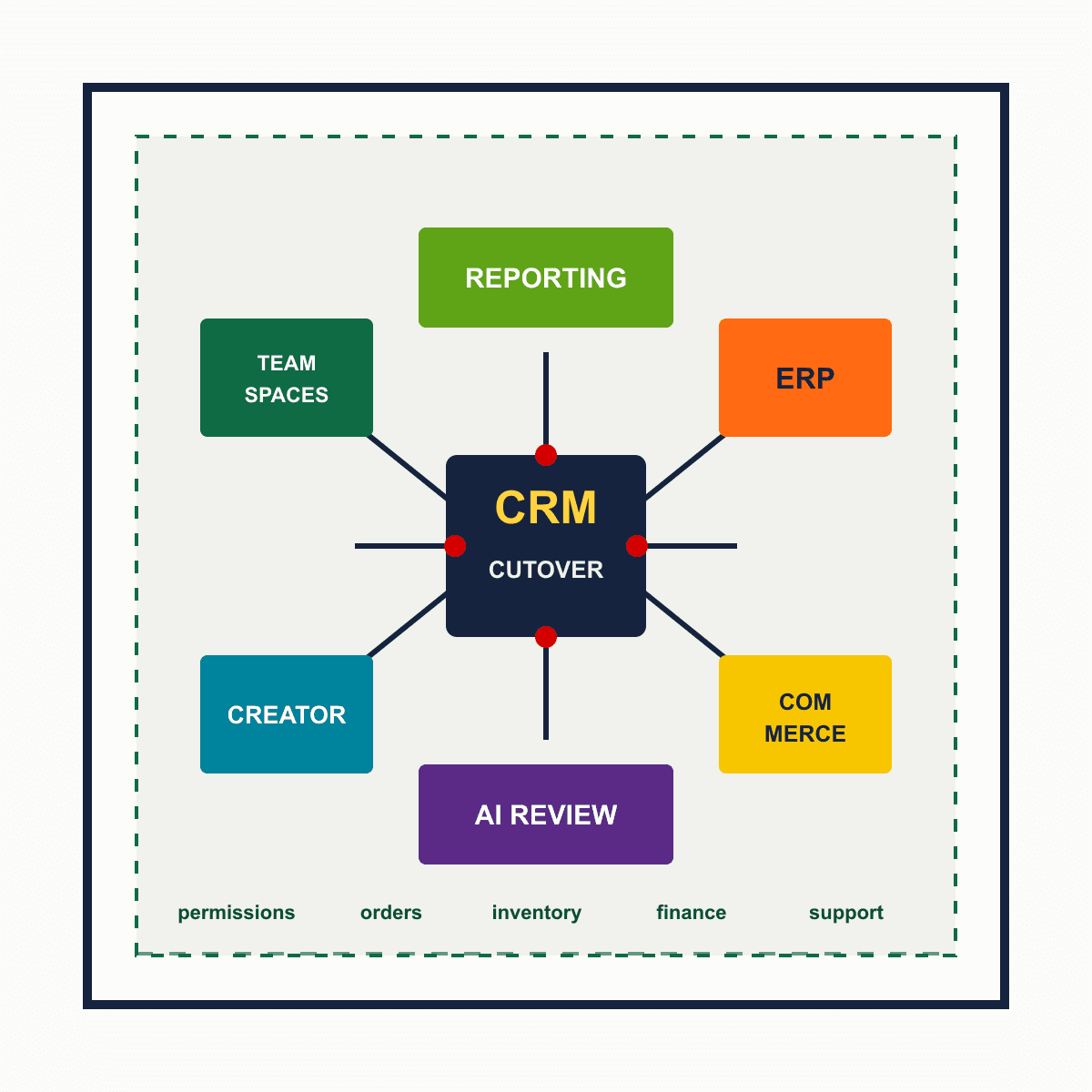
Zoho CRM Next Gen UI Is Now an Operations Cutover
Slug: zoho-crm-next-gen-ui-operations-cutover
Category: Zoho CRM Operations
Author: AorBorC Technologies
Publish date: 2026-07-09T21:56:31.799Z
PR angle: Zoho CRM's old interface is no longer a preference setting. The removal starts July 15, 2026, so operational leaders should treat the move to Next Gen UI as a controlled CRM cutover, not a cosmetic training task.
Zoho has put a date on the end of the old Zoho CRM interface. According to Zoho's official notice, the old UI removal begins after July 15, 2026, with Free, Standard, and Professional accounts moving between July 15 and July 17, and Enterprise, Ultimate, and bundle accounts moving between July 21 and July 24.
The tempting response is to send users a short "new UI is coming" note and wait. That is the wrong level of response for teams that run sales, service, quoting, delivery, finance follow-up, or e-commerce operations through CRM.
AorBorC's view: this is a workflow cutover. The visible UI is only the top layer. Under it sit permissions, teamspaces, module layouts, Creator tabs, Deluge functions, Projects integration, dashboards, ERP handoffs, Shopify or e-commerce order context, and AI assistant behavior. Those are the pieces that need review before the switch becomes mandatory.
What changed
Zoho says the old CRM UI will be removed after July 15, 2026. All users have already been moved to the Next Gen UI with the option to revert, but that revert path is now going away.
The Next Gen UI also brings operational changes that matter beyond screen layout: Teamspaces, Team Modules, Connected Records, Connected Workflows, module views, CRM Teamspace access to Zoho Projects, an Interactions tab, and dark mode.
Separately, Zoho has announced CRM Teamspace access for Zoho Projects, updates to the Zoho CRM and Zoho Creator integration flow, and multi-model support for Zia Record Assistant. Taken together, the CRM operating model is shifting toward team-owned workspaces, tighter project execution, controlled app integration, and more configurable AI assistance.
Why operators should care
A sales leader may see a cleaner CRM. An operations leader should see a routing change.
Teamspaces can reshape which teams see which modules. Team Modules can move process ownership closer to the people doing the work. Connected Records and Connected Workflows can change how sales, delivery, finance, and support pass work between each other. Projects inside CRM Teamspaces can pull implementation and onboarding work closer to account records.
That is useful, but only if the underlying process is mapped.
For ERP and e-commerce teams, the risk is sharper. CRM is often the front office layer for quotes, customers, sales orders, service cases, subscription changes, and account notes. Those records may feed Odoo implementation work, Zoho Books or Inventory flows, product catalogs, Shopify/e-commerce operations, checkout readiness checks, inventory/order handoffs, ERP modules, finance workflows, integrations, and reporting. If the CRM interface changes how teams navigate or update those records, downstream systems can inherit bad data faster.
The hype is not useful here. This is not a reason to rebuild everything. It is a reason to audit the places where CRM behavior touches revenue, delivery, support, inventory, and finance.
A practical cutover checklist
Use the deadline to run a short, controlled cutover review.
Map the daily paths. List the five to ten CRM actions users perform every day: lead intake, quote creation, deal stage changes, handoff to delivery, support escalation, renewal follow-up, order context lookup, invoice follow-up, or abandoned-cart rescue.
Test Teamspaces against actual teams. Confirm sales, operations, finance, support, warehouse, procurement, and delivery users can find the modules they need without overexposing data they should not own.
Review custom modules and team modules. If a custom module exists because CRM is supporting a real operating process, decide whether it belongs inside a Teamspace, a Team Module, Zoho Creator, Odoo, or another ERP module.
Check Zoho Creator integrations. Zoho's updated CRM-Creator integration flow now includes Teamspace selection, developer assignment, user permissions, environments, and ownership restrictions. Test each Creator app tab, related list, permission set, and deactivation behavior before the old UI path disappears.
Validate ERP and finance handoffs. Follow a record from CRM to quote, order, invoice, payment, inventory adjustment, purchase request, or Odoo/Zoho ERP workflow. Look for fields that users update manually because the integration is incomplete.
Test e-commerce operations. If Shopify or another storefront feeds CRM, confirm product catalog references, checkout context, abandoned checkout alerts, customer records, order status, fulfillment notes, return cases, and reporting still land where teams expect.
Re-check dashboards and Analytics. A cleaner UI does not fix stale reporting. Validate ownership, stage definitions, custom fields, tagged views, query tables, and cross-system metrics before leaders rely on updated dashboards.
Control AI model usage. If Zia Record Assistant or custom buttons use multiple LLMs, decide which tasks can use AI, which require Zoho-hosted models, which need human review, and where prompts should never touch sensitive customer, finance, or inventory data.
Run a rescue pass on automations. Look for Deluge functions, workflows, webhooks, Flow jobs, and third-party integrations that are understood by only one person. Document trigger, owner, failure mode, and rollback path.
Train on workflows, not screenshots. Show users how a lead becomes a customer, how a quote becomes an order, how a ticket becomes an escalation, and how a project becomes billable work inside the new operating model.
Where AorBorC fits
AorBorC is a founder-led Zoho and AI business-systems partner. This kind of change is exactly where implementation discipline matters more than product excitement.
For Zoho teams, we can audit CRM, Creator, Books, Desk, Analytics, Flow, QEngine, and integrations before the cutover. For ERP and e-commerce teams, we can map the handoffs between CRM, Odoo, Shopify, product catalogs, checkout readiness, inventory, orders, warehouse steps, finance workflows, approvals, and reporting. For AI-enabled teams, we can keep assistants useful without letting model choice become uncontrolled automation.
The best outcome is boring: users move to the new CRM interface, the operating paths still work, and the business gains cleaner team ownership without breaking the systems that run revenue.
Risks and limits
Zoho's migration is automatic, but that does not mean every internal workflow is ready. Custom apps, old user habits, undocumented automations, weak permissions, brittle reports, and e-commerce or ERP integrations can still cause operational drag.
Do not use the UI change as an excuse for a giant CRM redesign unless the current system is already failing. The better first move is a focused audit: prove what works, fix what blocks daily work, and defer cosmetic preferences until after the cutover is stable.
Business takeaway
The Zoho CRM Next Gen UI deadline is a useful forcing function. Treat it as a small operational audit window: team ownership, app permissions, ERP/e-commerce handoffs, reporting, and AI governance should all be checked before July 15, 2026.