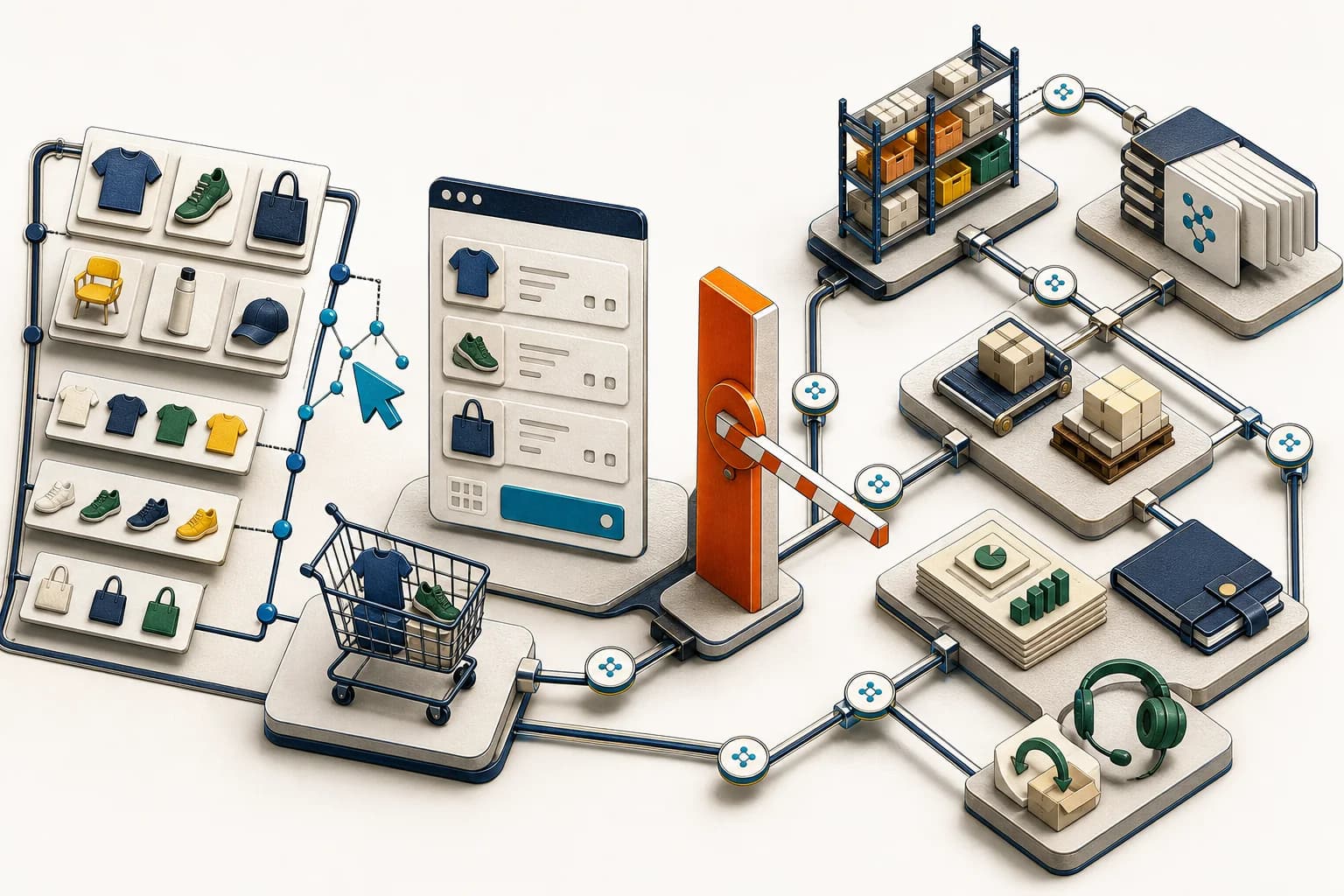
Agentic commerce is not a new sales channel until catalog data, cart math, checkout rules, inventory, and the ERP handoff survive a real transaction. Shopify has given compatible browser-based AI agents structured storefront tools. That makes the operating system behind the store more important, not less.
Category: E-commerce
On August 5, Shopify announced WebMCP support for Liquid and Hydrogen storefronts. Shopify says the tools are live on every Liquid storefront—its theme-based storefront model—with no installation or configuration, and on storefronts built with the Hydrogen developer preview for headless commerce.
That automatic storefront rollout is the news. Its usable reach is narrower: compatible-agent support is currently limited to Chromium-based browsers through an origin trial, an experimental browser rollout mechanism, and WebMCP remains a proposed standard. “Live on every Liquid storefront” does not mean every shopper or browser can use it today.
An agent that supports WebMCP can search the catalog, retrieve products and variants, read or change the shopper's cart, open checkout, navigate to order history, and search store policies. The actions happen in the shopper's visible browser tab and use the live storefront session. Chrome's documentation says WebMCP requires an open tab or webview, cannot be called headlessly, and becomes discoverable to a client only after that client visits the site.
That is a meaningful interface change. It is not evidence that the whole order workflow is ready for an agent.
What changed
WebMCP is a proposed web standard that lets a page register structured tools with the browser. Instead of reading page code and trying to imitate clicks, a compatible agent can call a named tool with structured inputs and receive structured results.
Shopify's current storefront tool set covers four practical areas:
- Catalog: search products, collections, articles, and pages; browse collections; retrieve product and variant details; and open a selected variant.
- Cart: read cart contents, add or remove lines, change quantities, or clear the cart.
- Checkout and orders: take a non-empty cart to checkout or take an authenticated shopper to order history.
- Store information: search the merchant's published policies and frequently asked questions.
Shopify's WebMCP documentation says catalog results can include price and availability, while product details can include variants and in-stock option combinations. Cart changes use the same standard storefront actions available to apps. If a theme opens a cart drawer after an update, an agent can trigger that visible behavior too.
The boundary matters. The current proceed_to_checkout tool takes the shopper to checkout; it is not documented as completing payment or placing the order. The order-history tool navigates to the relevant page and asks the shopper to log in when necessary.
WebMCP is also gated by browser security boundaries. Chrome documents origin-isolation requirements and a tools permissions policy, including separate handling for cross-origin iframes. Those details matter when a storefront or app embeds commerce surfaces across origins.
Why operational leaders should care
The storefront is becoming a structured interface for software acting with a shopper. That exposes the quality of the records and workflows already underneath it.
A catalog entry is no longer only copy on a page. It can become the input an agent uses to choose a product, variant, quantity, and route to checkout. Product titles, options, prices, availability, collection membership, policies, and support answers therefore need the same ownership as an API contract.
A cart update is not proof of a completed order or a correct downstream lifecycle. Before order creation come discount, tax, shipping, address, identity, and payment checks. After order creation come the configured inventory outcome, fraud handling, fulfilment, cancellations, refunds, payouts, and finance reconciliation. The WebMCP tools do not remove those controls. They give another interaction surface a cleaner route into the storefront.
For a Shopify store connected to Odoo or another ERP, the full chain may include:
- product and variant masters moving into the storefront;
- the sellable stock quantity moving back to Shopify;
- the shopper or agent selecting a variant and changing the cart;
- the shopper reviewing the cart and completing checkout, after which Shopify creates the commercial order;
- the ERP receiving the correct customer, tax, discount, shipping, line, and connector-supported payment-status or reference fields;
- inventory allocating stock and the warehouse releasing work;
- finance matching the order, invoice, payment, payout, refund, and fees;
- analytics and support receiving the final state rather than a premature success signal.
If any link is stale or ambiguous, WebMCP can make the action easier without making the result correct.
The AorBorC view: treat the agent as another interaction surface
AorBorC is not treating WebMCP as a reason to rebuild every storefront or add an agent to every journey. We treat it as another interaction surface at the edge of a long-lived business system—like a mobile app, POS terminal, marketplace connector, integration, or human operator—with a defined behavioural boundary and test contract.
That contract should answer four questions:
- What do the documented tools read or change in the shopper's live session?
- Which action must remain visible to and confirmed by the shopper?
- Which system owns product, availability, price, order, inventory, finance, and support truth?
- What evidence proves the complete transaction worked after the storefront action ended?
This is where human-reviewed AI is useful. Let the agent reduce discovery and cart friction. Keep payment authorisation with the shopper, and assign named operational owners to support exceptions, policy edge cases, inventory mismatches, refunds, and financial corrections. Use automated tests to prove repeatable behaviour while people remain accountable for contextual outcomes.
A ten-step WebMCP readiness checklist
Set five measurable release outcomes before testing: the correct product and variant are selected; ambiguity causes no cart change; checkout remains visible to the shopper; one tester-completed checkout produces exactly one downstream order even when a connector event is retried; and inventory plus finance records reconcile to that order.
Record the storefront and browser scope. Identify whether the store uses Liquid or the Hydrogen developer preview, the active theme, markets, languages, currencies, apps that alter the cart, and the compatible Chromium origin-trial setup. Verify tool registration in a visible browser. Record origin isolation and any cross-origin iframe use; WebMCP is not a headless remote-commerce endpoint.
Audit catalog search as a decision path. Test broad, specific, misspelled, and ambiguous shopper requests. Confirm the returned products, collections, titles, prices, links, and availability are current and appropriate for the selected market.
Test variant selection. Use products with multiple sizes, colours, unavailable combinations, and similar names. Confirm the intended variant is visible before it enters the cart and that partial option requests resolve safely. Treat bundles and selling plans as compatibility or negative tests unless the live store proves the expected behaviour.
Exercise every cart action. Read an empty and populated cart; add a line; change quantity; remove a line; and clear the cart. Confirm totals, theme behaviour, cart drawers, app extensions, and analytics events remain correct. Test an ambiguous request and verify that it asks for clarification without changing the cart.
Prove checkout is a shopper-visible handoff. Confirm that a non-empty cart reaches the correct checkout with the selected lines and quantities. Let the tester review and complete checkout, then test discounts, shipping, tax, address rules, payment methods, customer identity, and any checkout validation separately. Do not record success merely because the checkout page opened.
Trace availability into the configured inventory outcome. Compare the availability shown during discovery with the inventory position used at checkout and the configured allocation, decrement, backorder, or oversell result after the tester completes the order. Include low stock, multi-location, bundle, and concurrent-purchase compatibility scenarios.
Reconcile the ERP and warehouse handoff. Trace one Shopify order and its lines into one Odoo or other ERP order using stable identifiers. Verify the expected stock record, procurement or replenishment action, pick-pack-ship work, fulfilment update, cancellation or return path, and retry behaviour. A retried connector event must not create a second order, reservation, shipment, or finance consequence.
Verify finance consequences. Match order totals, tax, shipping, discounts, payment status, refunds, fees, payout references, invoices or sales entries, inventory valuation, and the reporting period. Define who reviews a mismatch and how a duplicate or partial event is recovered.
Test policies and the order-history boundary. Ask questions whose answers live in shipping, return, warranty, privacy, and service content. Check for conflicts between storefront copy and operational practice. Verify that navigation lands at the expected login or order-history boundary, then test customer-account authorisation separately. Shopify does not document the WebMCP tool as returning order records itself.
Keep visible browser-agent tests in the release suite. Re-run the journey after catalog imports, theme changes, app releases, discount updates, checkout changes, ERP connector changes, warehouse configuration changes, and policy edits. Keep these interactive browser-context scenarios alongside—not disguised as—headless release tests. Preserve the prompt, selected records, browser, expected result, downstream IDs, and exception owner as release evidence.
Risks, limits, and where the hype is not useful
WebMCP does not make poor catalog data trustworthy. It makes structured access to that data easier. A duplicate product, stale price, misleading option, incorrect availability state, or outdated return policy can still produce a confident but wrong path.
It does not turn the current browser tools into unattended order completion. The documented tool navigates to checkout. Payment, order creation, and downstream processing still need their own controls and evidence.
It is not yet a universal browser capability. Current support is limited to Chromium-based browsers through an origin trial, and the standard remains proposed and subject to change. A normal shopper journey must continue to work without a compatible agent.
It also should not be confused with every product labelled MCP or agentic commerce. These Shopify WebMCP tools serve agents that shoppers bring to the storefront in their browser. That is different from a merchant building an agent against Shopify Storefront MCP or other Shopify MCP servers, and different again from using MCP to deploy a Zoho Creator application. The authority, data, test plan, and recovery path are not interchangeable.
Related AorBorC service paths
AorBorC's e-commerce store development work covers catalog architecture, checkout readiness, integrations, reporting, and launch QA. Our AI solutions work can prototype and test shopper-agent journeys while keeping payment and operational exceptions outside the model's authority.
For the downstream order, inventory, procurement, warehouse, finance, and reporting layer, see Odoo implementation.
Business takeaway
Agent-ready should mean transaction-ready. Before treating WebMCP as a new commerce channel, prove that one agent-assisted discovery and cart journey, followed by tester-completed checkout, can move through order creation, inventory, fulfilment, ERP, finance, support, and reporting without losing identity or ownership.
Your next move
Choose one high-volume product with multiple variants and one operational complication—low stock, a discount, multiple locations, a return rule, or an ERP handoff. Run agent-assisted discovery and cart updates in an approved test environment, let the tester complete checkout, and reconcile every resulting record. If the chain is unclear, plan a Shopify and operations readiness review with AorBorC before describing the store as agent-ready.