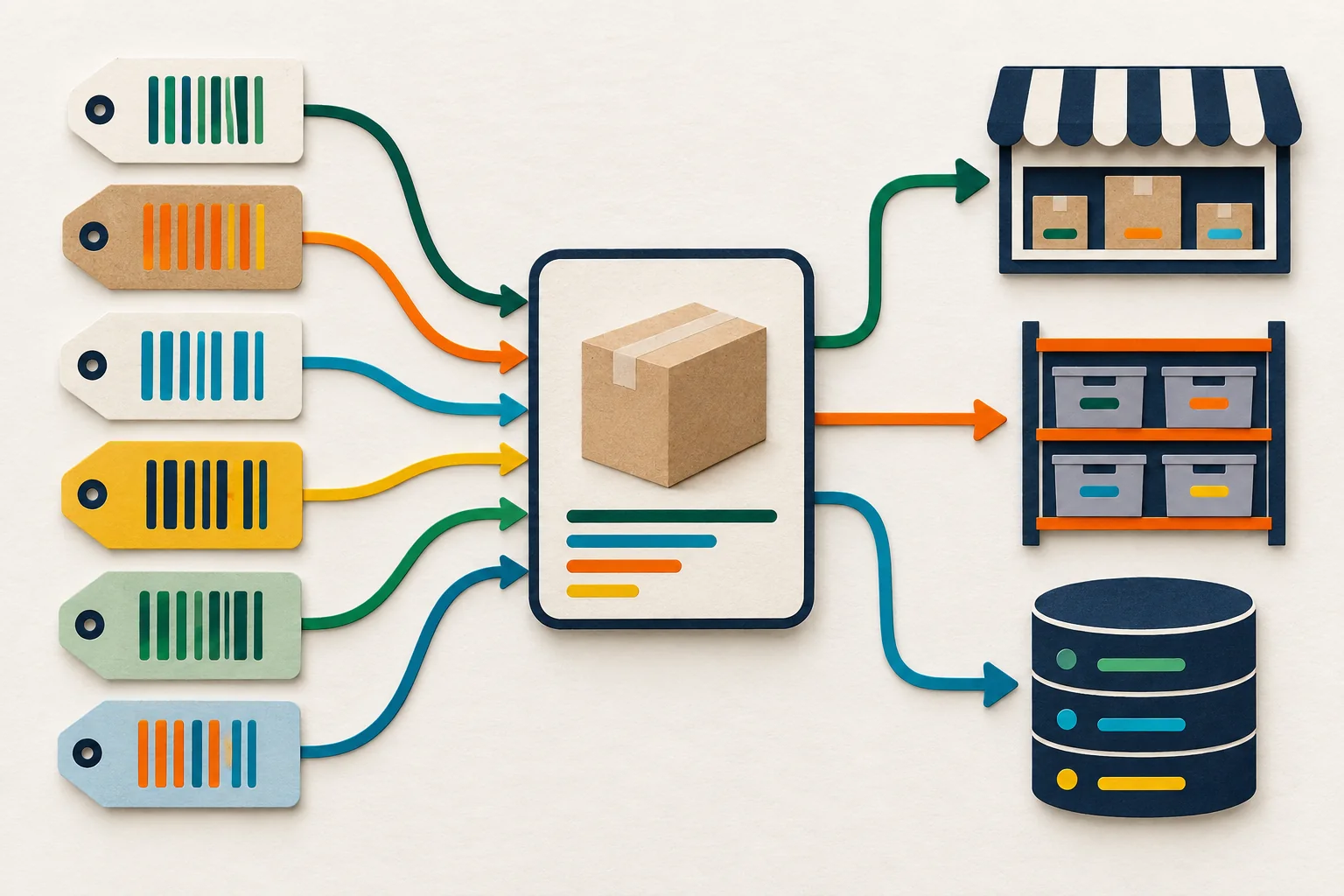
One sellable item can have several valid barcodes. Your systems still need one controlled product identity and a clear rule for every code that crosses between them.
Category: Shopify, E-commerce & Catalog Operations
Author: AorBorC Technologies
Published: September 8, 2026
A manufacturer, supplier, private-label seller, and marketplace may use different codes for the same item. That is ordinary catalog work—but only codes for the same sellable unit belong together. A different quantity, pack level, unit, inventory treatment, or tax treatment may require a separate variant or packaging relationship.
Shopify's multiple-barcode support represents that reality. The operational question comes next: does POS find every code, does the ERP receive them, and can a sync write back without deleting a valid value?
The release turns product identity from a one-field assumption into an integration contract worth testing.
What Shopify changed
On September 8, Shopify announced that one product variant can hold up to 20 barcodes. Merchants can manage the set in Admin and mobile, use the bulk editor and a Variant Barcodes CSV column, and search through any associated barcode.
Typed values include UPC, EAN, ISBN, GTIN, and ASIN, with format validation; Custom values are also available. Existing barcode data stays in place, so merchants do not need a migration simply to keep the current value.
Compatibility is the important detail. Shopify says channels continue to read the first barcode. Separately, an API client reading the singular ProductVariant.barcode field sees the first entry. That preserves prior singular-field behavior, but it also makes ordering meaningful. The first entry becomes a compatibility choice for a destination that cannot consume the complete set.
Merchant capability and API migration are two timelines
Shopify's September 8 developer notice documents a new barcodes connection in Admin GraphQL API version 2026-10. It also documents the plural input on productSet, productVariantsBulkCreate, and productVariantsBulkUpdate; those paths can write the full set. The older singular ProductVariant.barcode field is deprecated but still works and returns the first value. Writing through that singular field updates the first barcode while preserving the others; clearing it promotes the next entry. Shopify has not announced a removal date.
Sending barcodes replaces the complete set, and one input cannot send both barcode and barcodes. To add one value, an integration must preserve every retained value in the new set. This is a testing concern, not evidence of existing loss.
Shopify's versioning guidance treats the next quarterly version as a release candidate. Version 2026-10 is scheduled to become stable October 1, so production adoption should follow a compatibility review.
Separately, Shopify announced September 1 that POS version 11.14 can scan or search any associated barcode during checkout, receiving, and inventory work. It does not mean online checkout, inventory quantities, ERP mappings, or every third-party channel changed.
The real story is product identity
A barcode identifies an item in a commercial context; it need not be the record's permanent identity. AorBorC recommends a governed mapping that survives code additions, retirements, and reordering. Shopify, ERP, warehouse, and reporting systems may each keep a durable local key; a crosswalk proves which records represent the same sellable unit. Barcodes become aliases attached to that mapping, whether Shopify or another system owns the catalog.
Where a one-value handoff can lose context
Shopify explicitly warns that an integration reading only the singular field can silently see one barcode without learning that others exist. It names ERP, marketplace, POS, and supplier-feed integrations as examples worth checking.
The likely effects depend on how each implementation uses the value:
- Catalog and channel feeds: A destination may receive the first code while a supplier or marketplace expects another. That is a mapping problem, not proof that the catalog item itself is wrong.
- Receiving and warehouse work: Staff may scan an alternate packaging code successfully in one surface but fail to find the item in a connected tool that imported only one value.
- Orders and checkout: Shopify did not announce a change to order identity or online checkout. Risk appears only when a downstream handoff uses a barcode, rather than a durable variant or line-item reference, to decide which item an order contains.
- ERP and procurement: An Odoo implementation or another ERP may use native records, packaging data, a custom module, or middleware to map identifiers. Audit the deployed design; do not assume either one-value or full-set behavior.
- Finance and reporting: Barcode support does not change valuation, tax, revenue, or accounting rules. Reconciliation can still become ambiguous if reports join transactions to products by whichever barcode happened to arrive first.
The safe question is not “Does this platform support multiple barcodes?” It is “Can every handoff prove which durable item each code belongs to?”
A practical product-identity record
Document durable local keys, the crosswalk, every alias's type and source, the first-barcode rule, who may change the set, the last sync evidence, and the exception owner. A Zoho Creator app or another custom ERP module can hold this record when native systems do not share the same shape. AI may flag suspicious changes, but a person should approve merges and destructive replacements.
A ten-step implementation checklist
Export a timestamped baseline. Capture stable variant IDs, SKUs, first barcodes, additional barcodes, destination keys, and the system that owns each record before changing an integration.
Confirm the same sellable unit. Check quantity, pack level, unit of measure, inventory treatment, and tax treatment before attaching another code as an alias.
Map the durable local keys. Keep each system's stable record key and maintain an explicit crosswalk showing which records represent the same variant.
Describe every alias. Record each code's type, source, intended channel, status, effective date, and accountable owner instead of storing an unexplained list.
Inventory and classify every handoff. Include Admin, mobile, CSV, POS, supplier feeds, marketplaces, middleware, custom apps, ERP, and reports; mark whether each reads the full set, reads the first value, ignores barcodes, or uses another key.
Set the first-barcode policy. For every one-value destination, specify which code stays first, why it has priority, and who may change that order.
Stage the API migration separately. Test version
2026-10in the normal release process while preserving working merchant, POS, and legacy API paths until their evidence is clear.Make complete-set writes safe. Read the current set, preserve retained values, reject conflicting updates, and store before-and-after evidence before replacing the set.
Trace one representative variant end to end. Add, reorder, retire, export, import, scan, sell, receive, and reconcile its codes through the exact POS, supplier, marketplace, ERP, and reporting paths in use.
Review exceptions before expansion. Reconcile every result to the same variant and inventory item, obtain human approval for collisions or reassignment, document rollback, and only then widen the rollout.
Risks, limits, and false assumptions
The new capability does not establish global barcode uniqueness, correct bad supplier data, or decide which identifier a marketplace should receive. Typed values can be format-validated, but validation is not proof that the code belongs to the intended product. Custom values need their own governance.
Do not infer that every app or connector understands the full set. Do not make the first barcode the master identity merely because older readers return it. Do not retry a complete-set write blindly after a timeout; first confirm what Shopify stored, then compare it with the intended authoritative set.
Finally, test permissions and volume with the exact API version, app, plan, and catalog involved. Release notes describe supported vendor behavior. They do not replace implementation evidence.
Where the hype is not useful
“Twenty barcodes per variant” is not a reason to add twenty values, and it is not automatic ERP modernization. More aliases help only when each has a legitimate source and destination. The feature does not repair duplicate products, inconsistent units, stale supplier records, poor packaging definitions, or reports joined on mutable fields.
The useful work is quieter: map the durable records, govern their aliases, inspect the readers and writers, preserve the full set, and prove the same sellable unit survives every handoff.
The AorBorC view
AorBorC is a founder-led Zoho and AI business-systems partner that designs and audits Shopify-to-ERP handoffs across catalogs, checkout readiness, inventory, orders, procurement, warehouse work, finance, integrations, and reporting. Our e-commerce store development work tests catalog behavior beyond the storefront, including the long-lived operational record around it.
Human-reviewed AI can help surface anomalies. Accountable owners still decide which records are the same, which code has priority, and whether a change is safe to release.
Business takeaway
More identifiers improve lookup only when every system keeps them attached to the same product record.
Shopify has made a real catalog improvement. Use it to inspect which records represent the item, which codes are aliases, what older connections receive, and how complete-set updates are tested and recovered.
Your next move
Choose one high-volume or exception-prone variant that legitimately has more than one code. Trace it from catalog entry through POS, supplier or marketplace feeds, receiving, warehouse, ERP, orders, and reporting. If any step cannot show the same durable item and the intended barcode set, fix that boundary before a broad rollout.
Plan a catalog and integration handoff review with AorBorC.
Sources checked
- Shopify Changelog: Multiple barcodes in variants, published September 8, 2026.
- Shopify developer changelog: Variants now support multiple barcodes, published September 8, 2026.
- Shopify Changelog: Scan and search variants with multiple barcodes, published September 1, 2026.
- Shopify developer documentation: API versioning, checked September 8, 2026.