

- What is a Zoho Power User?
A Zoho power user goes beyond basic CRM tasks. They customize workflows, build automations, create tailored modules, and integrate Zoho with other tools to streamline business processes. - Why Power User Training Matters:
- SMBs using CRM tools report a 53% boost in customer retention.
- Example: Purolite achieved a 271% ROI and saved over 800 hours annually with trained Zoho power users.
- Training ensures your team maximizes Zoho’s features, improving efficiency and decision-making.
- How to Train Power Users:
- Prerequisites: Basic Zoho CRM knowledge, tailored by role (e.g., sales reps, managers, or developers).
- Training Formats: Choose between cost-effective virtual classrooms or personalized one-on-one sessions.
- Customization: Align training with your workflows, focusing on automation, custom modules, and integrations.
- Advanced Features to Master:
- Automation Tools: Workflows, Blueprints, and Macros to simplify tasks.
- Custom Modules & Fields: Track unique data and improve processes.
- Analytics & Reporting: Build dashboards for actionable insights.
- Integrations: Connect Zoho apps like Zoho Creator, Zoho Desk, and Zoho Books.
- Measuring Success:
Track metrics like feature usage, error reduction, and ROI. Use feedback loops and mentorship to ensure continuous learning.
Quick Comparison of Training Formats:
| Feature | Virtual Classrooms | One-on-One Sessions |
|---|---|---|
| Interaction | Group-based, collaborative | Direct, personalized |
| Flexibility | Scheduled, often recorded | Fully flexible |
| Cost | Budget-friendly for groups | Higher per-user cost |
| Customization | Limited | Highly tailored content |
Takeaway: Zoho power user training isn’t just about learning the software – it’s about transforming your business operations for better efficiency and growth. Ready to get started?
Core Components of an Effective Power User Training Program
Creating a successful Zoho power user training program involves more than just scheduling sessions. It requires a thoughtful approach to prerequisites, training formats, and customization to ensure clear, measurable results. Start by evaluating the foundational skills of your team before deciding on the best training format to meet their needs.
Prerequisites for Power User Training
Before diving into Zoho’s advanced capabilities, it’s essential for power users to have a solid grasp of the basics. At a minimum, they should be comfortable navigating Zoho CRM, creating records, and generating simple reports. While having a Zoho CRM account isn’t mandatory, hands-on access significantly enhances learning outcomes.
Prerequisites should be tailored to each role. For example:
- Sales reps need to master basic CRM tasks like managing contacts and tracking leads.
- Managers should focus on pipeline tracking and team performance metrics.
- Administrators require a deeper understanding of system configurations and workflows.
For users working with developer-level features, the requirements are even more advanced. They should have experience with HTTP requests, proficiency in programming languages like Java or Python, and familiarity with web application development. Knowledge of Deluge Scripting, HTML, CSS, and JavaScript is also essential for building custom interfaces or integrations.
Assessing your team’s current knowledge is a vital first step – it helps avoid wasting time on material they already know and ensures the training is targeted and efficient.
Training Formats: Virtual Classrooms vs. One-on-One Sessions
Once the foundational skills are in place, the next step is determining the best training format. Both virtual classrooms and one-on-one sessions have their advantages, and the choice largely depends on your team’s preferences, budget, and learning style.
- Virtual Classrooms: These mimic the traditional classroom experience but online. Features like video conferencing, chat tools, screen sharing, and digital whiteboards create an interactive environment. This format is ideal for teams that thrive on group discussions and collaborative learning. It’s also a cost-effective option when training multiple users with similar needs.
- One-on-One Sessions: These offer a highly personalized experience. Trainers can focus on individual workflows, answer specific questions, and provide tailored guidance. This format works well for users with unique challenges or varying skill levels, though it tends to be more expensive per participant.
Here’s a quick comparison of the two formats:
| Feature | Virtual Classrooms | One-on-One Sessions |
|---|---|---|
| Interaction | Group-based, real-time engagement | Direct, individualized attention |
| Flexibility | Scheduled sessions, often recorded | Fully flexible scheduling |
| Cost | Budget-friendly for groups | Higher cost per user |
| Personalization | Some customization possible | Highly tailored content |
| Collaboration | Encourages peer interaction | Limited peer interaction |
Ultimately, the success of either format depends on the quality of the trainer and the engagement of the learners. Providing additional support, like follow-up resources or Q&A sessions, can further enhance the learning experience.
Customizing Training for Business Needs
After identifying prerequisites and selecting a training format, the focus should shift to aligning the program with your specific business workflows. Generic training rarely produces power users who can make a real impact. Instead, start by mapping out your current processes and then demonstrate how Zoho can be integrated to improve them.
Customizing training by role is crucial. For instance:
- A sales representative doesn’t need to learn about API integrations.
- A developer, on the other hand, may need detailed technical training on advanced features.
Using real-world examples during training makes the content immediately relevant. Incorporating actual business data (while adhering to privacy standards) allows users to tackle real challenges, making the training more practical and engaging.
Automation should be a key focus. Rather than simply showcasing Zoho’s capabilities, demonstrate how its features can solve specific workflow issues, such as reducing manual data entry, improving follow-ups, or creating consistent reports.
It’s also essential to teach power users how data flows between Zoho CRM and other tools in your tech stack. They should understand how to maintain data integrity and ensure seamless integration across applications.
Finally, effective training doesn’t end with the initial sessions. Ongoing support and periodic updates are vital to keeping users proficient as their needs evolve. Regular check-ins and refresher courses help ensure the training remains aligned with your business goals and keeps users confident in their skills.
Advanced Zoho Features for Power Users
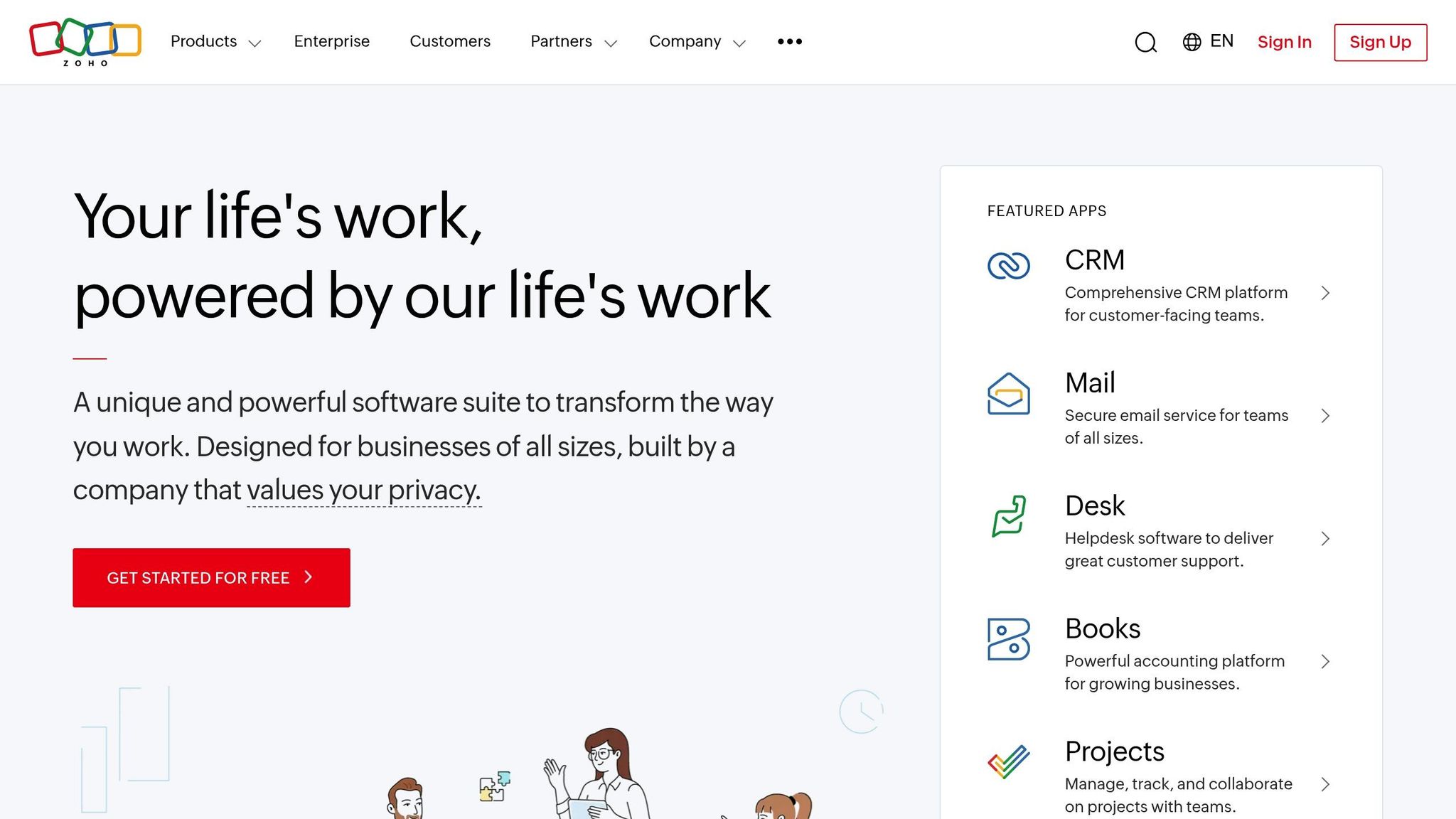
Once you’ve got the basics down, it’s time to explore Zoho’s advanced features to take your business operations to the next level.
Automation Tools: Workflows, Blueprints, and Macros
Automation is a game-changer for power users, offering tools that simplify tasks and improve efficiency. Zoho provides three standout options for automation:
- Workflows: These are perfect for automating repetitive tasks based on specific triggers. For example, a workflow can assign a lead to the right team member, send a welcome email, and create a follow-up task – all without manual intervention.
- Blueprints: These guide users through structured processes that require human input. Instead of automating every step, blueprints ensure consistency by enforcing specific actions – like having users complete required fields or attach documents before moving a deal forward.
- Macros: These allow you to bundle multiple actions into a single click. For instance, a "Deal Won" macro could update the deal’s status, generate an invoice, send a congratulatory email, and schedule an onboarding call – all in one go.
These tools are designed to cut down on manual work. Imagine a scenario where a sales rep uses a macro to handle all post-sale tasks in seconds, freeing up time for more strategic activities. Once automation is in place, you can further customize Zoho with tailored modules and fields.
Custom Modules and Fields
While Zoho’s standard modules work for most businesses, power users can benefit from customizing the system to fit unique needs. Custom modules let you track information beyond what standard options offer, while custom fields help capture specific data.
Every custom field should have a clear purpose. For example:
- Use text fields for short answers.
- Picklists ensure consistent data entry.
- Lookup fields link records across modules, creating relationships between data points.
Custom modules shine when used strategically. For instance, a consulting firm might set up a "Projects" module that ties together contacts, deals, and project milestones. This setup allows the firm to track progress, allocate resources, and manage billing in one place.
Designing a solid data structure is key to avoiding headaches later. Once your custom setup is in place, Zoho’s analytics tools can turn your data into actionable insights.
Analytics and Reporting Dashboards
Zoho’s analytics tools go beyond simple reports, enabling users to dive deep into their data. Power users can create dashboards, build custom reports, and use visualizations to make sense of complex information.
Dashboards combine charts, KPIs, and real-time data in a single view. Tailor them to the audience:
- Sales managers might need an overview of team performance and pipeline health.
- Sales reps could focus on personal targets and upcoming tasks.
Custom reports are another powerful feature. By merging data from different modules, you can uncover insights like lead conversion rates or sales performance by region. The key isn’t just creating reports but also knowing how to interpret and present the findings effectively.
Integrations with Other Zoho Apps
Zoho’s ecosystem offers plenty of opportunities to expand functionality through integrations. By connecting different Zoho apps, you can create workflows that eliminate data silos and streamline operations.
Some key integrations include:
- Zoho Creator: Build custom applications that work seamlessly with your CRM data.
- Zoho Desk: Link support tickets to CRM records for a complete view of customer interactions.
- Zoho Books: Sync financial data for accurate invoicing and expense tracking.
Even basic API knowledge can help you connect Zoho to external systems, opening up even more possibilities.
Data Migration and API Utilization
Data migration and API management are essential skills for power users who want to maintain system integrity. Migrating data isn’t just about importing spreadsheets – it involves mapping fields, cleaning data, and managing duplicates. Testing with small datasets ensures a smooth process before moving everything over.
APIs are another critical tool, enabling real-time data syncing across systems. While developers often handle the technical side, understanding concepts like rate limits, authentication (e.g., OAuth 2.0), and error handling can help you communicate requirements and troubleshoot issues.
Security is a top priority when working with APIs or migrating data. Be mindful of authentication protocols, encryption, and industry compliance standards. Regular audits and monitoring are essential to keep everything running securely.
Hands-on practice is the best way to master these advanced features. With the right training, you’ll gain the confidence to handle complex scenarios and know when to bring in technical support.
Designing and Delivering Customized Training Programs
Creating an impactful Zoho power user training program requires more than just teaching basic navigation. The most successful programs are built on a thorough understanding of your business needs. In fact, research shows that training programs aligned with business objectives are nearly nine times more effective, making the design phase a make-or-break step for success.
Steps to Develop a Tailored Training Plan
Start by conducting a training needs analysis to pinpoint the learning requirements that align with your business goals.
Set clear and measurable objectives using the SMART framework. For instance, instead of a vague goal like "improve sales", aim for something like "increase lead conversion rates by 15% within six months through enhanced CRM use." This level of clarity ensures you can connect specific Zoho features to tangible business outcomes.
Next, perform a skill gap analysis to identify where your team currently stands versus where they need to be. Some team members might be comfortable with basic tasks like data entry but struggle with advanced tools like automation or custom reporting. Understanding these gaps helps you prioritize training content effectively.
Involve key stakeholders early in the process, including department heads, IT teams, and end users. Getting everyone on the same page from the beginning ensures smoother implementation and continued support.
When designing the curriculum, focus on tailoring the content to fit your unique workflows. Generic training often fails to resonate because it doesn’t reflect the day-to-day tasks of your team. For example, if your sales team uses a specific lead scoring system or your customer service team has unique escalation procedures, integrate those into the training to make it more relevant.
Choose the right delivery methods based on your team’s needs and schedules. For complex topics that require interaction, instructor-led sessions are ideal. Online modules provide flexibility, while hands-on workshops are perfect for building practical skills. Video tutorials can be a great on-demand resource for troubleshooting or quick guidance.
Once your tailored curriculum is ready, the next step is to ensure the program evolves through ongoing evaluation and feedback.
Feedback Loops and Continuous Learning
A well-designed training program doesn’t stop after the initial sessions. Continuous learning and adaptation are key, especially as your business grows and Zoho rolls out new features.
Establish structured feedback loops to gather input on both short-term impressions and long-term results. Schedule follow-ups at 30, 60, and 90 days to evaluate how well the training is being applied. Ask targeted questions about feature usage, challenges, and areas where additional support might be needed.
Track metrics that align with your business objectives. Instead of focusing solely on completion rates, monitor changes in behavior, such as increased use of automation, improved data accuracy, or faster task execution. For example, in Q3 2024, HCSS – a construction software company – boosted the use of targeted software features by 25% among trained users through personalized learning journeys and careful tracking of pre- and post-training behavior (Docebo Case Study, 2024).
Build a knowledge base filled with quick guides, video tutorials, and troubleshooting resources. Many users prefer solving problems independently, and having these materials readily available can minimize frustration and maintain productivity.
You might also consider creating a network of internal champions – power users who can provide peer support. These individuals can answer questions, share tips, and reinforce training concepts in day-to-day operations.
How AorBorC Technologies Supports Training
AorBorC Technologies brings a unique approach to Zoho training by combining expertise in customization with a deep understanding of your workflows. Their programs don’t rely on generic examples; instead, they’re designed around your actual system configurations.
For businesses using custom modules, specialized workflows, or complex integrations, AorBorC creates training that addresses these specific needs. Their expertise in Zoho Creator application development is especially valuable for teams that require custom applications integrated into their CRM training. This ensures users grasp how various Zoho apps work together to streamline your business processes.
AorBorC Technologies also provides ongoing support to adapt your training as your organization scales, new Zoho features are introduced, or workflows evolve. Their experience with Zoho One implementation means they can design programs that cover the entire ecosystem, rather than focusing on isolated tools.
sbb-itb-058cafb
Measuring Success and Driving Continuous Improvement
Once your customized training program is up and running, the next step is making sure it keeps improving. How? By measuring results and gathering feedback. The effectiveness of your training shows up in post-session performance improvements. In fact, companies that rely on data-driven insights are 58% more likely to hit their revenue goals, which makes tracking progress a must for any Zoho power user training strategy.
Key Performance Indicators for Training Success
Choosing the right metrics is key to knowing whether your training efforts are paying off. Focus on KPIs that align with your business goals.
Here are some metrics to keep an eye on:
- Feature usage: Are users engaging with advanced tools like workflow automation, custom reporting, or API integrations? An uptick in usage within 30–60 days signals success.
- Error reduction: Look for fewer duplicate records, incomplete entries, or workflow errors. Improvements in these areas often show up within the first month.
- Time to proficiency: How quickly are new power users becoming skilled? This is especially important when onboarding new hires or expanding roles for existing team members.
- Business impact: Track metrics tied to your goals, such as lead conversion rates, customer response times, or report generation speeds. For example, if your training focuses on CRM automation, measure changes in sales cycle length or lead nurturing efficiency.
- Employee satisfaction: Surveys can reveal how confident users feel with Zoho’s features and how they perceive the training’s value.
- Training ROI: Compare the total cost of training – including trainer fees, materials, and employee time – to productivity gains and cost savings from fewer errors.
Gathering Feedback and Iterative Improvements
Once you’ve established your KPIs, the next step is gathering feedback to refine your program. Don’t just rely on standard satisfaction surveys – dig deeper to understand how well the training meets real-world needs.
Use multiple channels to collect feedback:
- Anonymous surveys: These encourage honest responses.
- One-on-one interviews: These provide detailed insights.
- Focus groups: These help explore specific challenges in depth.
Craft specific, actionable questions. Instead of asking, “Was the training helpful?” try, “Which Zoho features have you used in the past two weeks?” or “What workflows are still challenging for you?”
Timing matters too. While immediate feedback captures first impressions, the most valuable insights often come 30–90 days later, after users have had time to apply what they’ve learned.
Keep surveys short and straightforward – stick to 5–7 key questions tied to your goals. Use a mix of rating scales and open-ended questions to gather both numbers and narratives.
Acting on feedback shows your commitment to improvement. For example, Starbucks used its feedback platform to gather over 150,000 customer suggestions, with 40% of their product development directly influenced by this input.
"We all need people who will give us feedback. That’s how we improve." – Bill Gates
To make feedback actionable, categorize suggestions by themes and priorities. Then, share updates with participants about changes made based on their input. This transparency builds trust and encourages ongoing participation.
Sustaining Proficiency Through Mentorship
Training programs end, but learning shouldn’t. To keep skills sharp, structured mentorship can fill the gap between formal training and daily application.
Internal champion networks are a great way to leverage your most skilled Zoho users as mentors. Employees with mentors are twice as likely to feel engaged at work, and companies with mentoring programs often see a 20–30% boost in performance metrics. Identify top performers and formalize their roles as mentors.
Set clear goals for mentorship relationships. Provide agendas for sessions to ensure productive discussions focused on real challenges. Mentors should help solve actual workflow issues, not just offer general advice.
Peer learning communities can also provide ongoing support. Regular meetups or virtual sessions allow power users to share tips, tackle challenges, and explore new Zoho features together. For instance, Cruise Automation’s mentoring program grew from 200 to nearly 1,000 engineers due to high demand, proving how scalable these initiatives can be.
To measure mentorship success, check in regularly with mentors and mentees. Track metrics like problem resolution times, feature adoption rates, and overall job satisfaction. Rotating mentor-mentee pairings periodically can also expose team members to different perspectives and expertise.
Conclusion: Getting the Most from Zoho with Power User Training
Committing to Zoho power user training is about more than just learning the software – it’s about reshaping how your business runs. The numbers back it up: a 2023 Zoho survey found that 58% of U.S. small businesses using CRM tools were "very satisfied" with their operations, compared to only 30% of businesses without CRM systems. Advanced training takes these benefits even further.
Achieving Zoho mastery goes beyond understanding the basics. Power user training opens the door to automation that cuts down manual tasks, advanced analytics that inform smarter decisions, and customization that aligns Zoho with your unique business needs. This kind of training delivers clear results, boosting efficiency and cutting administrative burdens – helping your business run smoother and smarter.
To make the most of training, start with a plan. Set specific goals that tie into your business objectives, introduce training in manageable stages, and design sessions around your actual workflows. Using real data during training makes the process more hands-on and meaningful. Businesses with well-trained teams using integrated CRM systems consistently report improved productivity.
But training isn’t a one-and-done effort. The best programs include ongoing support, refresher courses, and regular feedback to keep your team sharp and up-to-date with new features. Sustaining these benefits requires expert guidance and a long-term commitment to learning.
If you’re ready to fully leverage your Zoho tools, working with seasoned professionals can make all the difference. Since 2013, AorBorC Technologies has been a trusted Zoho partner, offering advanced training and Deluge scripting expertise. Their certified specialists create customized programs that seamlessly integrate Zoho apps into your workflows, ensuring your training is practical, relevant, and impactful.
FAQs
How can becoming a Zoho power user benefit my business operations?
Becoming proficient with Zoho can make a noticeable difference in how your business operates. By fine-tuning workflows, automating those tedious, repetitive tasks, and enhancing how you connect with customers, Zoho’s tools can help you work smarter, not harder.
With features like smooth app integration, in-depth analytics, and the ability to tailor the platform to your needs, you can simplify daily operations and make informed, data-backed decisions with ease.
The result? You save time, increase productivity, build stronger relationships with your clients, and set the stage for growing your revenue. When you truly understand and utilize Zoho’s full range of tools, you’re setting your business up for success.
How do I decide between virtual classroom training and one-on-one sessions for my team?
The right training format for your team hinges on factors like your objectives, team size, and budget. Virtual classrooms are a solid choice for larger groups. They offer structured, cost-efficient sessions that work well for delivering consistent training, especially when your team is spread across different locations. This approach is particularly useful when everyone needs to get up to speed on shared tools or standard workflows.
For a more tailored experience, one-on-one sessions shine. They provide personalized and flexible learning, making them ideal for tackling complex topics or filling specific skill gaps. Ultimately, the best format depends on what your team needs to achieve and how they learn most effectively.
How can I ensure my team continues to effectively use Zoho’s advanced features after completing power user training?
To get the most out of Zoho’s advanced features, start with a clear plan for ongoing training. This should include regular updates on new features, hands-on learning sessions, and occasional refreshers to reinforce best practices.
Encourage your team to dive into tools like customized views, workflow automation, and data enrichment. These features can simplify processes and improve efficiency. Keep an eye on key performance indicators (KPIs) and system usage stats to spot opportunities for improvement and ensure you’re getting value from the platform.
It’s also important to stay up-to-date with Zoho’s latest releases. Schedule regular reviews to discuss new features and explore how they can enhance your business operations. This forward-thinking approach will help your team stay on top of their game and fully leverage Zoho’s capabilities.