
Managing vendor costs is critical for businesses aiming to reduce expenses and improve supplier relationships. ERP tools simplify this process by centralizing vendor data, automating workflows, and providing real-time insights into spending. Here’s a quick look at five leading ERP solutions for vendor cost management:
- Oracle NetSuite: Offers real-time spending visibility, automated budget alerts, and a vendor portal for streamlined communication. Ideal for growing companies but requires technical expertise for customization.
- Microsoft Dynamics 365 Business Central: Integrates well with Microsoft tools, tracks costs across departments, and simplifies invoice matching. A good fit for mid-sized businesses already using Microsoft software.
- Sage X3 ERP: Focused on industries like manufacturing and distribution, with multi-currency and global procurement features. Best for businesses with complex supply chains.
- Odoo ERP: Modular and open-source, allowing businesses to start small and scale up. Offers essential vendor management features but may need additional support as data grows.
- SAP Business One: Designed for SMEs, with advanced inventory tools, demand forecasting, and vendor collaboration features. High licensing fees might be a drawback for smaller budgets.
Each platform has strengths and challenges, so selecting the right one depends on your business size, industry, and budget.
Quick Comparison
| ERP Tool | Key Strengths | Limitations | Starting Cost |
|---|---|---|---|
| Oracle NetSuite | Real-time insights, scalable | Complex setup, high customization cost | Subscription-based |
| Dynamics 365 | Microsoft integration, user-friendly | Limited non-Microsoft compatibility | $70/user/month |
| Sage X3 ERP | Multi-currency, global operations | Dated interface, complex setup | Varies by usage |
| Odoo ERP | Modular, affordable | Performance issues with large data | $31.10/user/month |
| SAP Business One | Inventory tools, SME focus | High fees, steep learning curve | $3,000/user (on-premise) |
Choose based on your business needs, budget, and operational complexity.
1. Oracle NetSuite
Oracle NetSuite is a cloud-based ERP solution that brings together financial management, procurement, and vendor relationship tools in one place. This integration eliminates the hassle of switching between systems when tracking vendor costs or analyzing spending.
Vendor Cost Management Features
NetSuite’s procurement module provides real-time visibility into vendor spending across departments and locations. It tracks purchase orders against budgets and sends alerts as spending approaches preset limits, helping teams avoid budget overruns.
With its three-way matching feature, NetSuite compares purchase orders, receipts, and vendor invoices to ensure accuracy. Any discrepancies are flagged for review, reducing the risk of overpayments. The system also calculates early payment discounts automatically, showing potential savings for terms like 2/10 net-30.
Spend analytics tools break down vendor costs by category, department, or time frame. This helps users identify high-cost suppliers and spot trends that could lead to volume discounts or better contract terms. Detailed reports, such as annual vendor spending summaries, make it easier to consolidate purchasing proposals and streamline procurement strategies.
Pricing Structure
NetSuite uses a subscription-based pricing model that scales based on company size and the features selected. Costs vary depending on the scope of deployment and functionalities required, with additional expenses for implementation and ongoing customization.
Customization and Scalability
NetSuite’s SuiteScript platform allows businesses to customize workflows to fit their specific vendor management needs. For example, companies can create automated approval chains for high-value purchase orders or add custom fields to track performance metrics relevant to their industry.
The system is designed to handle multi-subsidiary operations, making it ideal for organizations with multiple locations or business units. Each unit can maintain its own vendor lists and approval processes while consolidating spending data at the corporate level for comprehensive reporting.
With SuiteFlow, routine tasks like sending payment reminders for early payment discounts or triggering purchase order approvals can be automated – no coding required.
Support for Vendor Collaboration
NetSuite’s vendor portal gives suppliers direct access to purchase orders, payment statuses, and performance metrics. This self-service feature reduces back-and-forth communication, keeping vendors informed about payment schedules and outstanding invoices.
For suppliers who prefer automated processes, NetSuite supports electronic data interchange (EDI). This minimizes manual data entry and reduces errors that could lead to billing disputes or payment delays.
The platform also tracks vendor performance, recording metrics such as delivery times, quality, and invoice accuracy. Procurement teams can use this data to make informed decisions during contract renewals and negotiate better terms or address performance concerns.
Next, we’ll take a closer look at Microsoft Dynamics 365 Business Central and its approach to vendor cost management.
2. Microsoft Dynamics 365 Business Central
Microsoft Dynamics 365 Business Central combines finance and procurement functions to give businesses a clear picture of vendor costs. This cloud-based ERP solution simplifies vendor management while ensuring detailed cost tracking across all operations.
Vendor Cost Management Features
Business Central’s purchase order system tracks expenses from requisition to payment, offering visibility into spending commitments before they turn into actual costs. It calculates landed costs – like shipping, duties, and handling fees – to reflect the full vendor expense in financial reports.
The platform’s budget control tools help prevent overspending by comparing purchase orders against existing budget limits. If an order exceeds the budget, it’s flagged for approval before proceeding. This automated process helps procurement teams stick to their budgets without constant manual monitoring.
It also streamlines three-way matching by identifying discrepancies between orders, receipts, and invoices. Any mismatches in quantities, prices, or terms are flagged, allowing accounts payable teams to address issues before payments are processed. This reduces duplicate payments and billing errors, which can lead to inflated vendor costs.
Spend analysis tools break down vendor expenses by department, project, or location. Users can generate reports to identify spending trends, pinpoint major suppliers, and uncover opportunities for discounts based on purchase volumes. The system also monitors compliance with payment terms and highlights when early payment discounts are available. These features work together to create a smooth and efficient vendor cost management process.
Pricing Structure
Business Central operates on a per-user, per-month subscription model, with pricing starting at $70 per user monthly for the Essentials plan and $100 per user monthly for the Premium plan. The Premium plan includes advanced features like inventory management and manufacturing tools for more detailed cost tracking.
Implementation costs depend on factors like data migration and customization. Microsoft partners typically charge $150–$200 per hour for configuration and training services. For small to medium-sized businesses, the total first-year cost – including licenses and implementation – usually ranges from $15,000 to $50,000.
Customization and Scalability
Business Central integrates with Microsoft’s Power Platform, allowing businesses to create custom workflows without heavy coding. For example, companies can automate vendor payment approvals, set alerts for underperforming vendors, or design custom dashboards to monitor cost metrics.
The system also supports multi-company operations, making it easy for organizations with subsidiaries to maintain separate vendor lists and approval processes while consolidating reporting at the parent company level. This is especially helpful for businesses operating across different states or countries with varying procurement rules.
With Power Automate, Business Central connects seamlessly to other Microsoft apps. This enables workflows like sending vendor performance updates via email or automatically updating Excel sheets with spending data. These integrations minimize manual input and ensure vendor cost data stays up to date across all systems.
Support for Vendor Collaboration
Business Central includes a vendor portal where suppliers can check order statuses, view performance metrics, update order confirmations, provide shipping notifications, and submit invoices electronically. This speeds up processing times and reduces errors.
The system also supports electronic invoicing in formats like EDI and XML, cutting out paper-based processes and shortening the time between receiving invoices and approving payments. Automated invoice matching further accelerates the accounts payable process while maintaining accuracy.
Vendor performance tracking is another key feature. Metrics such as on-time delivery rates, quality scores, and invoice accuracy are calculated automatically and made available in standard reports. Procurement teams can use this data for vendor reviews and contract negotiations, helping to improve terms or address performance concerns.
Next, let’s dive into Sage X3 ERP and how it approaches managing vendor relationships and costs.
3. Sage X3 ERP
Sage X3 offers a robust solution for managing vendor costs, blending financial and procurement tools into a unified system. What sets it apart is its seamless integration capabilities and multi-currency support, making it ideal for manufacturing and distribution companies operating in complex enterprise environments.
Vendor Cost Management Features
Sage X3 provides end-to-end visibility into vendor costs through its purchase-to-pay cycle. This feature tracks expenses from initial requisitions to final payments, ensuring organizations have a clear picture of their financial commitments. It also calculates total landed costs by incorporating freight, insurance, customs duties, and handling fees directly within purchase orders, giving businesses an accurate view of vendor-related expenses in financial reports.
The system’s commitment accounting feature reserves budgets as soon as a purchase order is created. This helps departments stay within their spending limits, with real-time alerts notifying budget managers when orders near predefined thresholds.
For companies dealing with international suppliers, Sage X3 streamlines multi-currency transactions by automatically updating exchange rates and performing hedging calculations. This allows businesses to lock in exchange rates at the time of purchase order creation, reducing the risks of currency fluctuations and ensuring precise global financial reporting.
To maintain accuracy, Sage X3 automates the verification process across orders, receipts, and invoices. Any discrepancies in quantities, prices, or terms trigger invoice reviews, helping to avoid overpayments or duplicate charges.
Advanced spend analytics provide a detailed breakdown of vendor expenses by product category, business unit, project, or region. This data enables businesses to identify major suppliers, monitor spending patterns, and explore opportunities for volume discounts or contract renegotiations. Additionally, vendor performance metrics, like delivery reliability and quality ratings, equip procurement teams with the insights needed to make strategic sourcing decisions.
Pricing Structure
Sage X3 uses a concurrent user licensing model, allowing businesses to manage costs based on actual system usage. Pricing varies depending on the modules selected, the level of customization required, and the overall complexity of the implementation. When deploying Sage X3, organizations should plan for expenses related to software licenses, configuration, data migration, training, and ongoing maintenance.
Customization and Scalability
Sage X3’s 4GL development environment makes it easy for businesses to customize screens, reports, and workflows. This flexibility allows companies to implement custom approval hierarchies and cost allocation rules without requiring advanced programming skills.
Built for multi-site operations, Sage X3 offers centralized vendor master data management while supporting decentralized purchasing processes. Individual sites can maintain their own approved vendor lists and purchase order limits, while corporate headquarters retains a consolidated view of overall cost data. This structure strikes a balance between local autonomy and centralized cost control.
Integration is another strength of Sage X3. With web services and APIs, it connects seamlessly to external systems like supplier portals, expense management tools, and business intelligence platforms. These integrations reduce redundant data entry and ensure consistent vendor cost information across the organization.
Support for Vendor Collaboration
Sage X3 enhances vendor collaboration through its supplier portal, which provides secure access to orders, delivery schedules, and payment statuses. Vendors can confirm orders, submit shipping notifications, and send invoices electronically, speeding up communication and reducing processing delays.
The system also supports electronic data interchange (EDI), enabling automated document exchanges like purchase orders, shipping notices, and invoices. This minimizes errors and accelerates procurement workflows.
Vendor performance scorecards track key metrics such as on-time delivery, quality ratings, and invoice accuracy. Procurement teams can use these insights to negotiate better terms with top-performing suppliers or address issues with those falling short.
Next, we’ll take a closer look at how Odoo ERP handles vendor cost management with its modular, open-source approach.
4. Odoo ERP
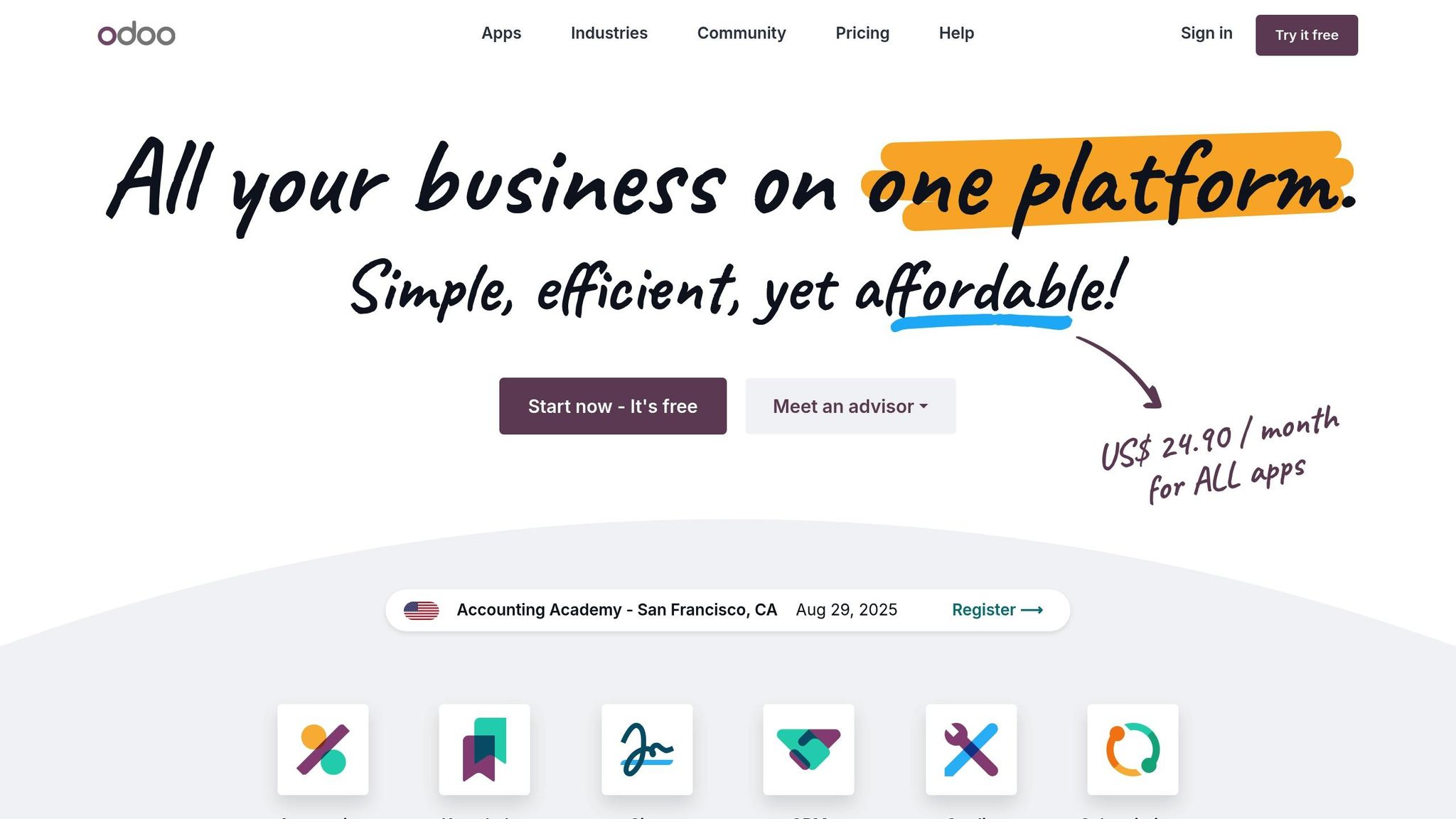
Odoo ERP stands out with its open-source, modular design, offering businesses the flexibility to start small and scale up as needed. This makes it a practical choice for small and medium-sized enterprises (SMEs) aiming to manage vendor costs effectively.
Vendor Cost Management Features
Odoo’s Purchase module provides a clear view of vendor-related expenses through automated workflows. It tracks costs from requisition to payment, automatically factoring in shipping, customs, and handling fees to calculate landed costs. This ensures accurate accounting and helps businesses understand the full cost of goods purchased.
The system also features three-way matching, which cross-checks purchase orders, receipts, and vendor invoices to flag discrepancies before payments are processed. This reduces errors and ensures accurate transactions.
With budget control, companies can set spending limits by department, project, or vendor category. Real-time alerts notify managers when purchase orders approach or exceed these limits, helping maintain control over procurement spending.
Odoo’s reporting tools offer detailed insights into vendor spending, breaking it down by supplier, product category, and time period. These reports help procurement teams identify areas for cost savings and negotiate better terms with high-volume suppliers. Additionally, the platform tracks vendor performance metrics like delivery times and invoice accuracy, enabling informed supplier selection.
For companies working with international suppliers, Odoo simplifies multi-currency transactions by automatically updating exchange rates and maintaining accurate cost records in the base currency. This is especially useful for businesses navigating global supply chains where currency fluctuations can impact costs.
Pricing Structure
Odoo operates on a subscription-based pricing model, charging per user, per month. The Community Edition is free for basic features, while the Enterprise Edition starts at $31.10 per user per month (billed annually) and includes advanced tools and priority support.
Unlike traditional ERP systems that demand hefty upfront licensing fees, Odoo’s subscription model is more budget-friendly. Businesses can pay only for the modules they use, making it a flexible option for companies that don’t need a full ERP suite right away.
Implementation costs vary based on customization and data migration needs. However, many businesses can roll out basic vendor cost management features within 4-6 weeks, a much faster timeline compared to traditional ERP setups that often take months or even years.
Customization and Scalability
Odoo’s Studio tool allows businesses to tailor forms, reports, and workflows without requiring coding expertise. This means companies can create custom approval processes, modify vendor evaluation criteria, and set up cost allocation rules to suit their specific needs.
The system’s modular structure enables businesses to start with essential purchase management features and expand over time by adding modules for inventory, accounting, project management, and more. This step-by-step approach reduces upfront investment while ensuring the platform can grow alongside the business.
Odoo also supports API integrations, allowing seamless connections with existing tools like supplier portals, expense management systems, and business intelligence platforms. These integrations eliminate redundant data entry and ensure consistency across applications.
For companies needing deeper customization, Odoo’s open-source foundation allows unlimited modifications. With technical expertise, businesses can tweak the source code, develop custom modules, or integrate industry-specific solutions without restrictions.
Support for Vendor Collaboration
Odoo enhances vendor collaboration through its Supplier Portal, which provides vendors with secure access to purchase orders, delivery schedules, and payment updates. Vendors can confirm orders, submit shipping notifications, and track payments in real-time, reducing delays and improving efficiency.
The platform also supports electronic document exchange, automating the sending of purchase orders and enabling vendors to submit invoices electronically. This streamlines the procure-to-pay process and minimizes manual effort.
With vendor performance tracking, Odoo monitors metrics like on-time delivery, quality ratings, and invoice accuracy. Procurement teams can use this data to conduct supplier reviews, negotiate better terms, or explore alternative options when needed.
Odoo’s communication tools keep a complete record of all vendor interactions, including emails, phone calls, and meeting notes. This centralized history helps procurement teams maintain strong relationships and make well-informed decisions.
Next, we’ll take a closer look at how SAP Business One offers a streamlined approach to vendor cost management tailored for SMEs.
sbb-itb-058cafb
5. SAP Business One
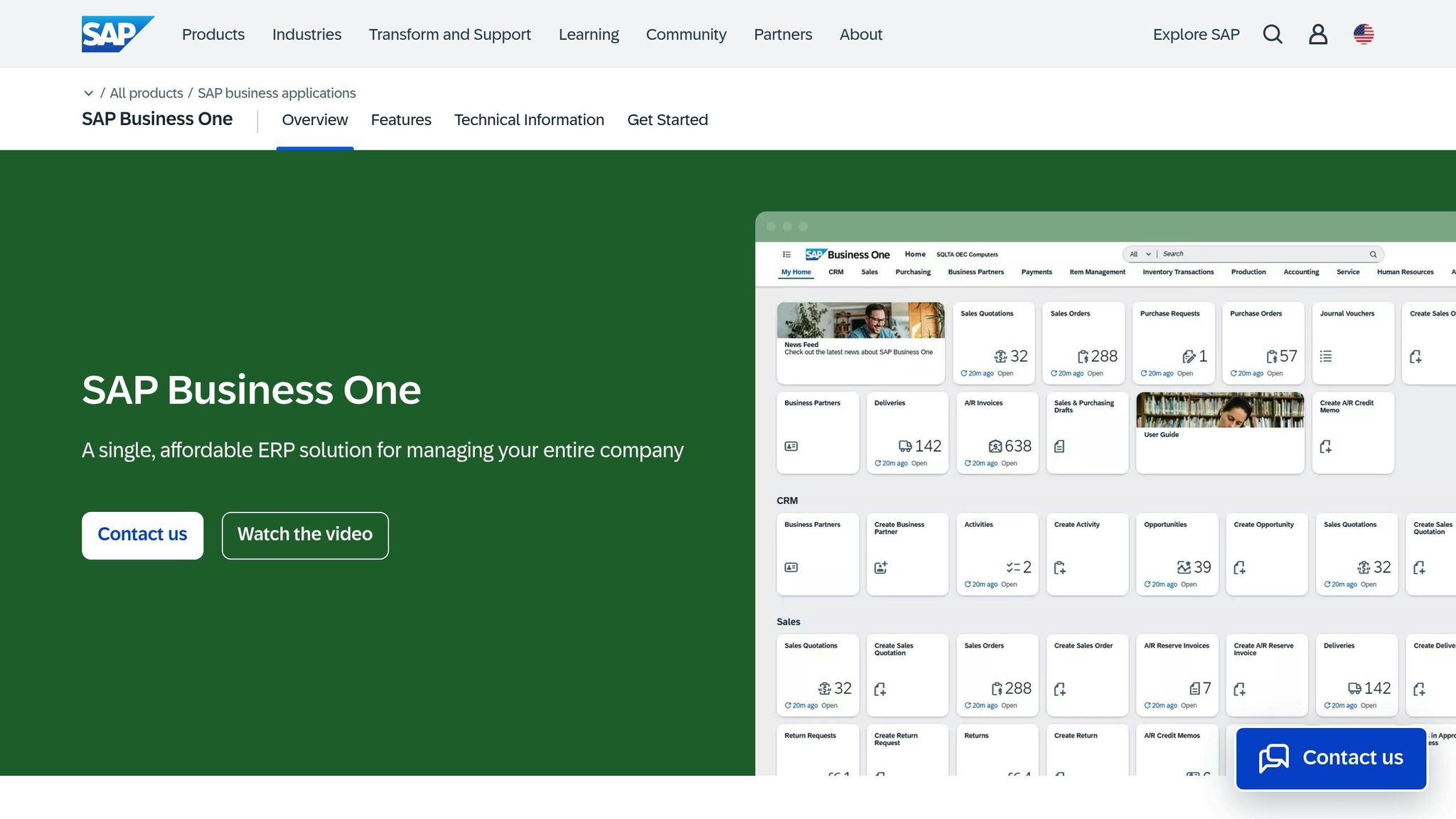
SAP Business One is designed to simplify vendor cost management for small and medium-sized enterprises (SMEs). This all-in-one ERP solution integrates procurement, financial management, and vendor relationship tools, helping businesses make smarter purchasing decisions.
Vendor Cost Management Features
SAP Business One brings procurement under one roof, offering real-time insights into spending and vendor performance. Its tools cover the entire procurement process, helping businesses spot cost-saving opportunities and monitor spending against budgets.
Customizable dashboards display key metrics like top vendors, year-to-date purchases, and open orders. These visuals allow procurement teams to quickly identify trends and make informed decisions.
Core procurement tools automate tasks like creating purchase orders, processing goods receipts, and managing recurring purchases. The system can generate purchase quotes automatically, email them to vendors, and store critical documents for compliance and audits. It also supports multiple currencies and handles special expenses with ease.
The MRP wizard is a standout feature, analyzing inventory levels to generate purchase requests when stock dips below set thresholds. This automation prevents stockouts and overstocking, which can strain cash flow and increase storage costs.
With intelligent demand forecasting, businesses can use historical sales data and market trends to maintain ideal inventory levels. This helps reduce carrying costs and ensures companies buy the right quantities at the right time.
The accounts payable management feature simplifies invoice processing by automatically creating invoices based on purchase orders and receipts. It also handles cancellations and credit memos with proper references, minimizing errors and speeding up payments.
SAP Business One leverages automation and real-time data to improve vendor collaboration, making procurement more efficient.
Pricing Structure
SAP Business One offers two deployment options, each with its own pricing model.
- The on-premise version starts at around $3,000 per user, though additional costs for hardware, software, and implementation services should be considered. This option allows businesses full control over their data and system customization.
- The cloud version follows a subscription-based model with monthly or yearly fees per user. This eliminates the need for significant hardware investments and IT infrastructure while offering automatic updates and remote access.
Implementation costs depend on factors like company size, complexity, and specific customizations. Thanks to its modular design, businesses can start with essential features and expand over time, spreading costs instead of making a large upfront investment.
Customization and Scalability
SAP Business One’s modular design lets businesses implement only the features they need and add more as they grow. This flexibility makes it a cost-effective choice for companies looking to scale without paying for unnecessary tools.
The platform supports scalability for users, accommodating small teams or larger organizations with 50+ employees without sacrificing performance. As businesses grow, they can easily add users and expand functionality to meet new demands.
For companies with global aspirations, SAP Business One supports multi-currency, multi-language, and multi-legislation capabilities, making it a strong fit for international operations or global supplier relationships.
The system also allows businesses to create customized reports tailored to their specific vendor management needs. Whether modifying existing reports or building new ones, companies can track the metrics that matter most to them.
Support for Vendor Collaboration
SAP Business One strengthens vendor relationships with integrated vendor portals. These portals give suppliers real-time access to orders, invoices, and performance metrics, reducing errors and improving communication.
The portals include automated workflows for purchase order creation, approvals, and compliance monitoring, all protected by secure access controls. Vendors receive instant notifications about order changes, payment approvals, and compliance issues, helping to avoid delays and miscommunication.
Built-in collaboration tools make it easy for procurement teams and suppliers to communicate directly and resolve issues efficiently. All interactions are centralized, ensuring a clear record of vendor communications.
The system also tracks vendor performance metrics, such as delivery times, product quality, and pricing. These insights help procurement teams negotiate better terms, identify top-performing suppliers, and make informed decisions about vendor partnerships.
With these features, SAP Business One offers a robust solution for managing vendor costs. Next, we’ll explore the pros and cons businesses should weigh when choosing a vendor cost management platform.
Advantages and Disadvantages
Every ERP tool has its own set of strengths and challenges when it comes to managing vendor costs effectively.
Oracle NetSuite stands out for its wide-ranging features and ability to scale, making it a strong choice for growing businesses that need advanced vendor management. On the flip side, its complexity can be overwhelming for smaller teams, and customizing the system often requires technical expertise, which can drive up costs.
Microsoft Dynamics 365 Business Central integrates seamlessly with the Microsoft ecosystem, which can reduce training time and improve user adoption. It also offers excellent financial management tools alongside vendor cost tracking. However, if your business relies on non-Microsoft systems, integration can be tricky, and subscription costs can pile up quickly for larger teams.
Sage X3 ERP is known for its flexibility and tailored features, especially for industries like manufacturing and distribution. Its multi-currency and multi-site capabilities make it ideal for global operations. That said, the user interface feels dated compared to newer systems, and finding skilled consultants for implementation and support can be difficult in certain areas.
Odoo ERP appeals to businesses with its modular design and open-source foundation, allowing companies to start small and scale as needed. The community edition offers basic vendor management for free, while the enterprise version includes advanced features. However, the free version comes with limited support, and performance can suffer as data grows.
SAP Business One offers enterprise-level functionality tailored for small and medium-sized businesses. Its MRP wizard and demand forecasting tools are excellent for managing inventory costs. The platform is stable and reliable, but its steep learning curve and high licensing fees can be challenging for businesses with tighter budgets.
| ERP Tool | Key Advantages | Primary Limitations |
|---|---|---|
| Oracle NetSuite | Extensive cloud-based features, scalable, real-time reporting | Complex to use, costly customization, steep learning curve |
| Microsoft Dynamics 365 Business Central | Smooth Microsoft integration, user-friendly interface, strong financial tools | Limited compatibility with non-Microsoft systems, rising subscription costs |
| Sage X3 | Industry-specific features, supports multi-currency and global operations | Dated interface, hard-to-find skilled consultants, complex implementation |
| Odoo | Modular and open-source, scalable pricing, flexible expansion | Limited free support, performance issues with large datasets |
| SAP Business One | Advanced inventory tools, stable platform, designed for SMEs | High licensing fees, steep learning curve |
When it comes to cost and implementation complexity, these tools vary significantly. A common focus across these ERPs is their ability to enhance vendor collaboration while managing costs. For example, Oracle NetSuite and SAP Business One offer advanced vendor portals with real-time communication tools. Odoo provides basic collaboration features through its community modules, while Sage X3 is more focused on streamlining internal processes rather than external vendor interaction.
Ultimately, choosing the right ERP tool depends on balancing your business’s functionality needs, budget, and internal resources. Businesses with complex global operations may find Oracle NetSuite worth the investment, while smaller or growing companies might lean toward Odoo’s flexibility or SAP Business One’s robust features for small and medium enterprises.
Final Recommendations
Choosing the right ERP tool for vendor cost management hinges on factors like your business size, industry needs, and budget. Our analysis highlights various solutions tailored to meet the diverse demands of U.S. businesses.
For small businesses operating on tight budgets, Odoo ERP offers an affordable starting point. Its community edition provides basic vendor management features for free, letting companies test its capabilities before committing to paid upgrades. However, as your data volume increases, you may need to invest in technical support to address any performance issues.
Mid-market companies may find Microsoft Dynamics 365 Business Central a practical choice, especially if they already use Microsoft Office 365 or other Microsoft tools. Its seamless integration with the Microsoft ecosystem can cut down on training time and implementation costs. The platform’s financial management tools are excellent for tracking vendor expenses, but keep in mind that subscription costs will rise as your team expands.
For manufacturing and distribution businesses with operations across multiple locations, Sage X3 ERP stands out. Its multi-currency capabilities and industry-specific features are ideal for managing the complexities of global supply chains. However, be prepared for an older user interface and potentially higher consulting fees during setup and ongoing maintenance.
Established companies might consider Oracle NetSuite for its scalability and SAP Business One for its inventory management strengths. Oracle NetSuite excels in real-time reporting, making it a solid choice for businesses aiming for rapid growth or handling intricate vendor relationships. On the other hand, SAP Business One’s advanced inventory and demand forecasting tools can help reduce procurement costs for businesses managing significant inventory levels.
For those prioritizing vendor collaboration, both Oracle NetSuite and SAP Business One offer advanced vendor portals and real-time communication tools to streamline interactions.
It’s worth noting that while Oracle NetSuite and SAP Business One deliver robust features, their high licensing fees and longer implementation periods might be a drawback compared to more agile solutions like Odoo and Dynamics 365. Microsoft Dynamics 365 Business Central is particularly praised for its quick deployment, especially for businesses already familiar with the Microsoft ecosystem. In contrast, platforms like Sage X3 and Oracle NetSuite often require more detailed planning and configuration. These considerations around cost and deployment should play a key role in your decision-making process.
To make the most of your ERP investment, consider working with experienced implementation specialists. AorBorC Technologies can assist with tailored ERP setups and offer guidance for effective vendor cost management. For more information, visit AorBorC Technologies.
FAQs
How can ERP tools enhance collaboration with vendors, and what features should I prioritize to improve supplier communication?
ERP tools play a crucial role in improving collaboration with vendors by enabling real-time communication, boosting transparency, and automating essential processes. These features allow businesses to tackle issues promptly, minimize procurement risks, and foster stronger relationships with their suppliers.
When evaluating ERP systems, look for features such as vendor portals, electronic data interchange (EDI), shared dashboards, and automated workflows. These tools not only make communication more seamless but also ensure that all parties have access to the latest information. They simplify critical tasks like tracking orders and managing invoices. By incorporating these capabilities, businesses can enhance supply chain operations and build lasting, productive relationships with their suppliers.
What should businesses consider when deciding between on-premise and cloud-based ERP solutions for managing vendor costs?
When weighing the options between on-premise and cloud-based ERP systems for vendor cost management, businesses need to consider factors like management needs, cost structure, and scalability. Each approach comes with its own set of trade-offs that can impact operations and budgets differently.
On-premise ERP systems often demand a bigger commitment from internal IT teams, as they handle maintenance, upgrades, and infrastructure. In contrast, cloud-based solutions simplify things with automated updates and reduced IT workload, making them easier to manage for many organizations.
Cost is another major factor. Cloud-based ERPs generally have lower upfront costs, thanks to subscription-based pricing, which can be appealing for businesses looking to manage budgets more flexibly. On-premise systems, however, might require a larger initial investment but offer greater control over data and the ability to customize the system extensively.
The right choice depends on your company’s goals, resources, and priorities. If you’re looking for flexibility and room to grow, a cloud-based ERP might be the smarter option. But if having full control over your system and data is essential – and you have the resources to manage it – an on-premise solution could be a better fit.
How do ERP tools help businesses save with early payment discounts and avoid going over budget?
ERP tools make it easier for businesses to benefit from early payment discounts by automating payment schedules and ensuring payments are made on time. This approach not only helps secure these discounts but also supports steady cash flow, which is crucial for financial stability.
Beyond that, ERP systems enhance budget management by minimizing errors and offering real-time financial insights. With features like streamlined expense tracking and accurate forecasting, businesses can steer clear of unplanned overspending and stay aligned with their financial objectives.