
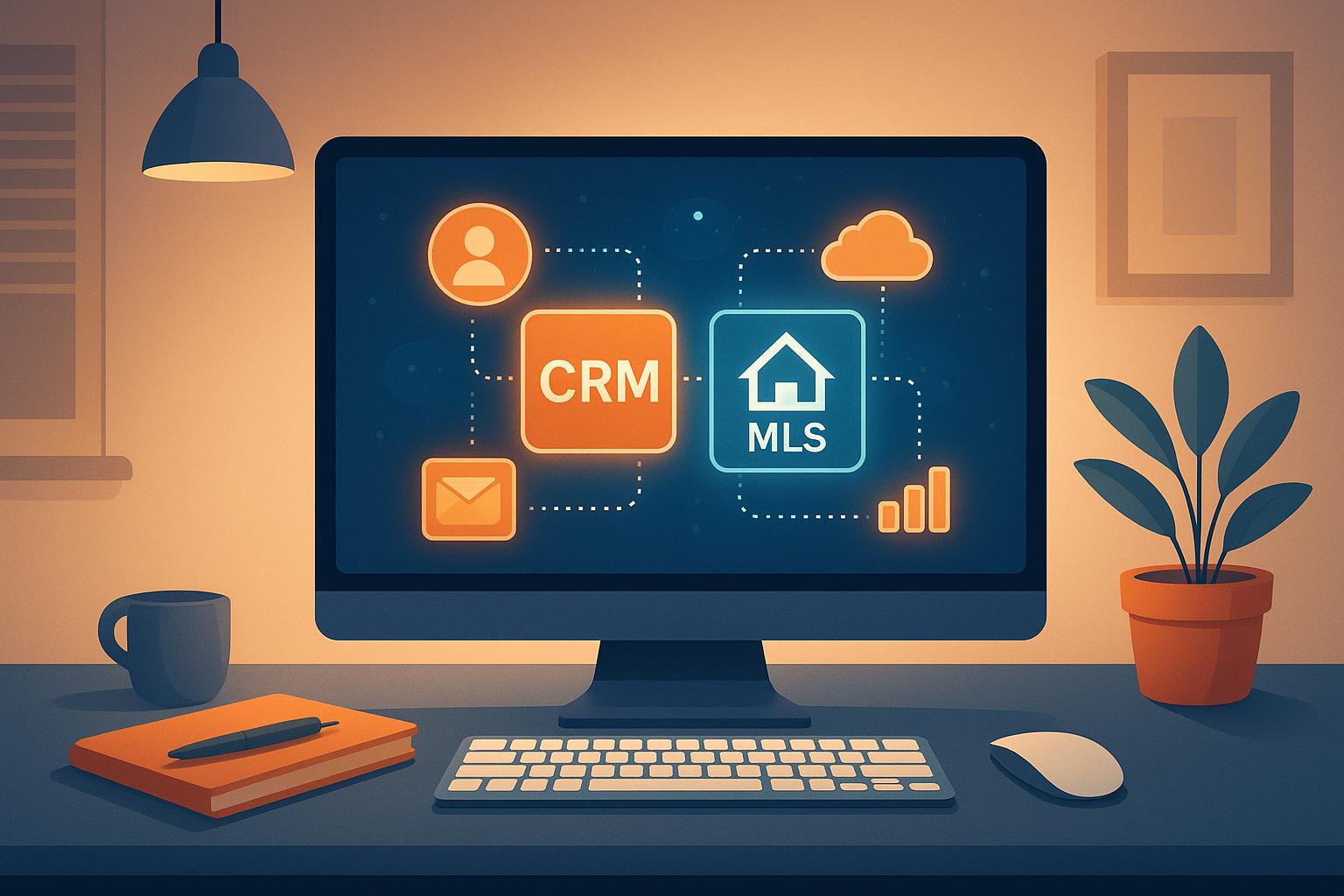
Integrating Zoho CRM with MLS platforms simplifies real estate operations by combining client management and property data into one system. This setup eliminates manual data entry, improves property-client matching, and streamlines workflows for agents and brokers. Here’s what you need to know:
- Zoho CRM: A tool for managing leads, automating follow-ups, and organizing sales pipelines. It supports integrations with tools like Zillow and IDX Broker.
- MLS Platforms: Centralized databases for real estate listings, offering real-time property data essential for market analysis and client service.
- Integration Benefits:
- Automatic updates for listings and client preferences.
- Improved reporting and analytics to track performance and trends.
- Enhanced data accuracy and compliance with real estate standards.
To set up, you’ll need Zoho CRM’s Professional edition, MLS API credentials, and proper data preparation (e.g., formatting addresses, dates, and measurements). Certified Zoho partners can assist with customization, automation, and ongoing support.
Requirements and Setup for Integration
Bringing Zoho CRM and MLS platforms together requires the right tools, standardized data, and continued support. These elements ensure a smooth and functional connection between the two systems.
Technical Requirements
To integrate Zoho CRM with MLS platforms, you’ll need at least the Professional edition of Zoho CRM. This version unlocks access to APIs, custom fields, and automation features crucial for handling real estate data. The Standard edition may lack many of these advanced tools, making it less suitable for MLS connectivity.
MLS access credentials are equally important. Most MLS platforms require active membership and specific API permissions. Some systems also mandate that agents hold an active real estate license and may charge additional fees based on API usage.
Middleware or custom connectors will bridge the gap between Zoho CRM and your MLS platform. Since MLS platforms often have unique API frameworks, specialized connectors are typically required.
Additionally, ensure you have active MLS membership, accurate API credentials, and a secure, high-speed HTTPS connection. For teams managing large volumes of listings, sufficient network bandwidth is essential to avoid disruptions during data synchronization.
Finally, align your data with U.S. real estate standards to prevent integration issues.
Data Preparation for U.S. Real Estate Teams
Preparing your data for integration means standardizing it to fit U.S. real estate conventions. Poorly formatted data can lead to errors or even failed integrations.
- Date Formatting: Use the MM/DD/YYYY format for listing dates, closing dates, and contract deadlines. Many MLS systems will reject non-compliant formats.
- Currency Display: Show all monetary values in USD with comma separators, e.g., $1,250,000. This ensures compatibility with tools like mortgage calculators and financial reports.
- Address Standardization: Follow USPS guidelines for addresses, including proper ZIP code formats (5-digit or ZIP+4), state abbreviations, and consistent street formatting. For example: "123 Main Street, Apt 4B, Chicago, IL 60601-1234."
- Measurement Units: Convert property measurements to imperial units, such as square feet and acres, to align with U.S. standards.
- Custom Field Mapping: Accurately map fields like MLS numbers, property types, and listing statuses between systems. Many teams create custom dropdown menus in Zoho CRM to reflect the terminology used by their specific MLS.
Working with Zoho Partners
Once your technical setup and data preparation are complete, working with certified Zoho partners can take your integration to the next level. These experts can tailor Zoho CRM to handle complex real estate workflows and manage connections to multiple MLS platforms.
AorBorC Technologies, for instance, specializes in customizing Zoho CRM for real estate teams. Their expertise helps avoid common setup mistakes and ensures smooth, ongoing integration. They also provide support to address any issues that might arise after implementation.
Certified partners understand the unique requirements of different MLS systems across the U.S. They can customize Zoho CRM workflows to meet specific regional needs, especially for MLS platforms with distinct data structures or reporting requirements.
These professionals can also develop advanced features, such as automated lead scoring based on property views, custom reports combining MLS and CRM data, or mobile apps for on-the-go access to integrated information. Additionally, they offer training to help teams make the most of features like automated client matching and market analysis.
Regular maintenance is crucial, as both Zoho CRM and MLS platforms frequently update their systems. Certified partners monitor these updates and adjust integrations as needed, ensuring uninterrupted operations.
The cost of professional integration services often pays off quickly by improving efficiency and reducing manual data entry, making it a smart choice compared to a DIY approach.
Step-by-Step Integration Guide
With your technical setup ready and data formatted correctly, it’s time to connect Zoho CRM with your MLS platform. This process unfolds in three main phases, each building on the last to create a seamless integration. Once the API connection is established, the next step is configuring Zoho CRM to align with your real estate workflows.
Connecting Zoho CRM to MLS Platforms
The first step is obtaining API credentials from your MLS platform. Most MLS systems provide these through their developer portal or member services. You’ll typically get an API key, secret token, and endpoint URL – these serve as the bridge between the two systems.
In Zoho CRM, go to Setup > Developer Space > Connections and create a new connection. Choose "Custom Service" since most MLS platforms aren’t pre-integrated into Zoho’s library. Enter the API credentials provided by your MLS.
The authentication process depends on your MLS platform. Some use OAuth 2.0, requiring you to log in to your MLS account during setup to generate a secure token. Others rely on direct API key authentication. If you’re using OAuth, the token will refresh automatically for ongoing access.
If this process feels overwhelming, middleware solutions can simplify things. These tools handle the complex API translations between Zoho CRM and MLS platforms. Typically, you only need to input your credentials for both systems and choose the data fields you want to sync.
After setting up the connection, test it by importing a small batch of listings – start with recent entries from the past week. If you encounter authentication errors, check that your MLS membership is active and that API access hasn’t been restricted by your MLS administrator.
Setting Up Zoho CRM for Real Estate Workflows
Once the API connection is live, it’s time to adjust Zoho CRM to reflect your MLS data structure. The Deals module often serves as the central hub for managing listings and transactions.
Create custom fields to match the structure of your MLS data. Key fields might include:
- MLS Number (single-line text)
- Property Type (dropdown: Single Family, Condo, Townhouse, etc.)
- Square Footage (number field)
- Lot Size (decimal field for acres)
- Listing Status (dropdown: Active, Pending, Sold)
For addresses, break them into separate fields like Street Address, City, State, and ZIP Code. Use dropdowns for the State field with standard two-letter abbreviations (e.g., CA, TX, FL) to ensure consistency.
Price fields should display in USD with comma separators. Create fields for List Price, Sale Price, and Price Per Square Foot. Use Zoho’s formula fields to calculate price per square foot automatically by dividing the list price by the square footage.
To streamline operations, set up automation rules. For example, assign listings to specific agents based on location or property type. You can also create email alerts for status changes, like when a listing moves from Active to Pending, or when new listings meet a client’s criteria.
The Contacts module can be customized to manage both buyers and sellers. Add fields like Buyer Preferences (property type, price range, preferred locations) and Seller Information (current property details, selling timeline). This data is essential for automated client matching.
Use custom layouts to tailor the interface for different team roles. For instance, listing agents might prioritize marketing fields and showing feedback, while buyer agents focus on client preferences and showing history. Transaction coordinators might need layouts that emphasize closing details and documentation.
Testing and Validating the Integration
After customizing workflows, thorough testing ensures everything runs smoothly. Testing confirms data accuracy, synchronization speed, and the reliability of your integration under real-world conditions.
Start with a controlled test environment by using a small sample of 10-20 listings. Choose entries that represent a variety of property types and statuses to get a comprehensive view.
Data accuracy testing involves comparing field-by-field data between your MLS platform and Zoho CRM. Pay close attention to numerical fields like prices and square footage, ensure dates follow the MM/DD/YYYY format, and verify that currency displays correctly with commas. Since most integrations sync every 15-30 minutes, test this by updating a listing in your MLS and timing how long it takes to reflect in Zoho CRM.
Automation testing is equally important. For instance, change a listing status from Active to Pending and confirm that notifications are sent to the right team members. Test lead assignment rules by creating sample listings in different regions or price brackets.
For teams handling high volumes, volume testing is critical. If your market sees over 100 new listings daily, simulate this volume to ensure the system doesn’t lag or crash. Keep an eye on API usage to avoid unexpected fees.
Test error handling by introducing problematic scenarios, like syncing listings with missing fields or invalid data formats. A well-designed integration should log these errors and continue processing other listings without interruption.
Document any data discrepancies you encounter during testing. Issues like truncated text, incorrect date formats, or missing property photos can often be resolved by tweaking field mappings or data transformation rules.
Finally, conduct user acceptance testing by having your team work with the system. Agents can create contacts, update listings, and generate reports using the integrated data. Their feedback often highlights practical issues that technical tests might overlook.
To maintain long-term reliability, schedule regular data audits. Many real estate teams run weekly reports to compare metrics between their MLS and CRM systems. This proactive approach helps catch small problems before they escalate into major issues.
Benefits of CRM-MLS Integration for U.S. Real Estate
Integrating CRM systems with MLS platforms streamlines operations, improves client experiences, and supports business growth for real estate professionals across the United States.
Increased Efficiency and Automation
One of the standout advantages of CRM-MLS integration is the elimination of time-consuming manual data entry. Without integration, agents often spend hours updating listings and client records. With this system in place, that time can be redirected to activities that drive revenue, like meeting clients or showing properties.
Automation also transforms lead generation. For example, when new MLS listings match a client’s preferences saved in Zoho CRM, the system automatically creates opportunities and sends personalized property alerts. This happens as soon as the listing goes live, giving agents a head start in competitive markets.
Additionally, status updates and follow-ups become effortless. When a listing status changes – say, from Active to Pending – the CRM updates the deal, notifies team members, and adjusts marketing campaigns accordingly. This ensures everyone stays on the same page without manual intervention.
Another major perk? New listings are automatically loaded into Zoho CRM with all relevant materials, such as photos, disclosures, and listing sheets. This eliminates the need for agents to manually download and organize marketing resources, making it easier to match clients with properties and generate detailed reports.
Better Client Matching and Reporting
CRM-MLS integration takes client matching to the next level by analyzing preferences like location, budget, property type, and specific features (think swimming pools or garage spaces). Instead of manually sifting through listings, agents can focus on building relationships while the system handles the heavy lifting.
The integration also enhances reporting capabilities. Teams can analyze which property types attract the most interest, evaluate marketing channel performance, and track conversion rates from inquiry to closing. These insights help agents fine-tune their strategies and allocate resources more effectively.
Market analysis becomes even more insightful when MLS data is combined with client information. Agents can create reports that show how long similar properties stay on the market, average sale prices in specific neighborhoods, and seasonal trends that impact buyer behavior. This data not only helps agents make informed pricing recommendations but also empowers clients to make confident decisions.
Geographic reporting is another game-changer. By leveraging MLS location data, agents can assess which neighborhoods generate the highest commissions, monitor inventory levels, and even pinpoint emerging markets before competitors do.
Compliance and Data Accuracy
Beyond improving efficiency, integration ensures data accuracy and compliance – two critical factors in real estate. When property details like square footage or lot size flow directly from the MLS to Zoho CRM, the risk of errors from manual entry is drastically reduced. This consistency is essential for maintaining trust and avoiding misrepresentation.
Integration also creates comprehensive audit trails. Every change to property details, client communications, and transaction records is logged with timestamps and user IDs. These records are invaluable during compliance audits or legal reviews.
Fair housing regulations are easier to uphold with integrated systems. By tracking all client interactions and property suggestions, agents can demonstrate that recommendations are based solely on client preferences, ensuring equal treatment for all.
Data backup and recovery processes are streamlined as well. Instead of managing separate backups for MLS and CRM data, teams can implement unified strategies to protect their information, ensuring business continuity even during system outages.
Finally, integration supports transaction compliance by flagging incomplete documentation or missing disclosures. As deals progress in Zoho CRM, the system verifies that all required MLS documents are attached and properly executed, helping to prevent delays in closing and ensuring a smooth transaction process.
sbb-itb-058cafb
Best Practices for Smooth Integration
Integration is just the beginning. To truly get the most out of your system and keep things running smoothly, you need strategies that enhance performance and support your daily operations. These tips will help you maintain efficiency well beyond the initial setup.
Setting Up CRM for Real Estate Teams
To make your CRM work seamlessly with your real estate processes, start by designing custom pipelines that reflect your actual workflows. For example, you might create stages like "Initial Consultation" and "Closed" for buyers to track progress effectively. This approach ensures your Zoho CRM-MLS integration delivers measurable results.
Streamline your day-to-day tasks with automation rules. Automate lead assignments and updates based on criteria like location or lead status. For instance, you can set up an automation where a lead marked as "Under Contract" triggers follow-up notifications, keeping your team on track without manual effort.
Use custom fields to tailor MLS data to your business needs. Add fields for details like commission splits, referral sources, preferred showing times, or client communication preferences. You can also map MLS-specific data, such as HOA fees or property taxes, to dedicated fields, making it easier for agents to access critical information.
Don’t forget to optimize for mobility. Adjust mobile layouts and implement territory management tools to assign leads by ZIP code, ensuring no overlap or confusion. Test your automations and workflows on mobile devices to confirm they function well during property visits or while on the go.
Maintaining Data Accuracy and Quality
Good data is the backbone of any successful real estate operation. Make it a habit to conduct monthly audits to clean up duplicates, update key information, and ensure your database remains reliable.
Set up validation rules to catch errors before they happen. For example, enforce correct phone number formats, verify email addresses, and flag unrealistic property values. Automate processes to clean up missing or duplicate data, and limit edits to critical fields to maintain consistency.
Regular user training is essential, even after onboarding. Schedule team meetings to introduce new features, address common data entry mistakes, and share tips for better workflows. Providing quick reference guides – accessible from mobile devices – can help reinforce these practices and keep everyone aligned.
Working with Experts for Long-term Success
While setting up your system is important, working with experts can take your integration to the next level. Professionals can help you implement advanced features like automated drip campaigns or custom dashboards, making your system even more powerful.
Consider advanced customizations to expand your system’s capabilities. This might include creating mobile apps for client property searches, automating market analysis reports, or developing specialized dashboards that offer brokers a clearer view of team performance.
Certified partners provide ongoing support to help you scale as your business grows. Whether you’re handling more transactions, adding team members, or expanding into new areas, they can ensure your system evolves without requiring a complete overhaul, protecting your investment and setting you up for future success.
Finally, invest in training and knowledge transfer to empower your team. Comprehensive training sessions can go beyond the basics, teaching your staff how to use advanced features, analyze data, and troubleshoot common issues. This ensures your team gets the most out of the integration and stays ahead of the curve.
Conclusion: Getting the Most from Zoho CRM-MLS Integration
Integrating Zoho CRM with MLS platforms offers real estate professionals a solid edge in today’s fast-paced market. By combining a robust customer relationship management system with real-time property data, agents can strengthen client relationships and close deals more efficiently. Here’s a breakdown of why this integration matters and how to make the most of it.
Key Takeaways
Preparation is everything. Before launching, ensure your data is organized, your team understands the workflows, and your system meets all operational needs. This upfront work saves time, avoids headaches, and ensures everything runs smoothly from day one.
Automation is a game-changer. By cutting down on repetitive tasks, agents can focus on what truly matters – building relationships, showing properties, and closing deals. Plus, with mobile access, productivity doesn’t stop, whether you’re at a property or meeting clients elsewhere.
Accuracy and compliance are non-negotiable. Integrated systems help maintain clean, up-to-date data and adhere to regulations. Automated updates and validation rules protect your business from costly errors and build trust with clients.
Customization matters. Tailored workflows and pipelines mean the system adapts to your business, not the other way around. This flexibility encourages faster adoption and positions your team for long-term success as your business grows.
Choosing the Right Partner
The right partner can make all the difference in turning a basic integration into a fully optimized solution. Real estate workflows are complex, and CRM-MLS integration requires specialized expertise to unlock its full potential.
AorBorC Technologies stands out as a trusted partner for Zoho CRM customization tailored specifically to real estate needs. They provide ongoing support, ensuring your system evolves alongside your business. From mapping custom fields to creating advanced automation rules, their team understands the unique challenges real estate professionals face.
A long-term partnership is invaluable. As MLS platforms update, regulations shift, or your business expands, having a reliable partner ensures your integration continues to deliver results. This relationship protects your investment and allows you to focus on growing your business without worrying about technical setbacks.
Training and support are equally crucial. A knowledgeable partner ensures your team is equipped to use the system confidently and effectively. Instead of wrestling with confusing features, agents can leverage advanced tools to boost their performance and stand out in the market.
Ultimately, integrating Zoho CRM with MLS platforms isn’t just about adopting new technology – it’s about redefining how you connect with clients and grow your business. With careful planning, expert implementation, and ongoing support, this integration becomes the backbone of your success in an increasingly competitive industry.
FAQs
What are the main advantages of integrating Zoho CRM with MLS platforms for real estate professionals?
Integrating Zoho CRM with MLS platforms gives real estate professionals instant access to property listings and deal updates, simplifying the way they manage listings and sales opportunities. This connection cuts out the need for repetitive manual data entry, saving time and minimizing errors – potentially improving productivity by as much as 60%.
On top of that, it strengthens client relationships by centralizing lead management and keeping track of every interaction. With streamlined workflows and quicker deal closures, this integration not only improves sales performance but also elevates client satisfaction.
How can real estate teams maintain accurate and compliant data when integrating Zoho CRM with MLS platforms?
To keep data accurate and compliant during the integration of Zoho CRM with MLS platforms, real estate teams should establish validation rules within Zoho CRM. These rules help reduce errors and ensure data consistency. Regular data audits are also crucial for spotting and correcting any inconsistencies, maintaining the quality and reliability of your data.
On top of that, features like encryption, audit logs, and compliance settings play a key role in protecting sensitive information and meeting legal and privacy standards. Automating data cleansing and hygiene processes can further improve accuracy and ensure the integrated system operates efficiently.
How do certified Zoho partners help optimize the integration of Zoho CRM with MLS platforms?
Certified Zoho partners are essential for achieving seamless integration between Zoho CRM and MLS platforms. They bring specialized knowledge to customize and implement solutions that match the specific needs of real estate businesses, ensuring workflows are efficient and data remains reliable.
With their guidance, real estate professionals can simplify operations, boost productivity, and make the most out of Zoho CRM’s features. Partnering with certified experts allows businesses to get the best return on their CRM investment, helping them stay competitive in the fast-paced U.S. real estate market.