
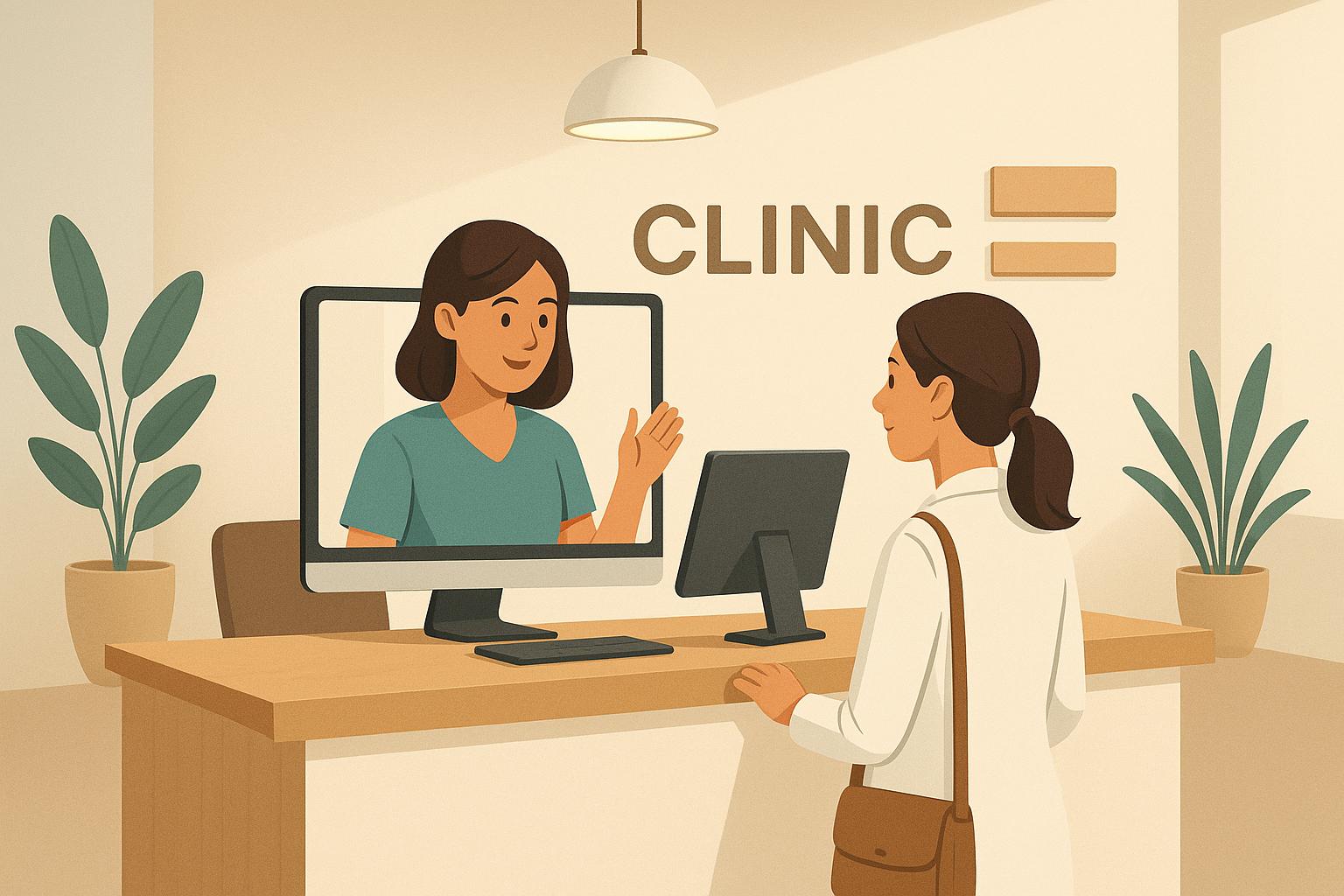
Zoho Bookings simplifies appointment scheduling for clinics by offering online booking, automated reminders, and telehealth integration. It reduces administrative workload, minimizes no-shows, and improves patient convenience. Key features include:
- 24/7 Online Booking: Patients can book anytime, avoiding long phone wait times.
- Customizable Pages: Tailor booking pages to match your clinic’s branding and services.
- Multi-Location Management: Handle schedules for multiple branches or providers in one system.
- Automated Reminders: Reduce missed appointments with email and SMS notifications.
- Telehealth Support: Seamless integration with Zoom, Google Meet, and more for virtual consultations.
- Data Security: HIPAA-compliant systems ensure patient privacy.
Zoho Bookings also integrates with tools like Google Calendar, Stripe, and PayPal, offering payment processing and calendar synchronization. Clinics can set up recurring appointments, buffer times, and unique schedules for different locations or services. With its user-friendly interface and robust functionality, Zoho Bookings enhances clinic operations and patient satisfaction.
For clinics in the U.S., Zoho Bookings supports date formats (MM/DD/YYYY), USD currency, and HIPAA compliance. It’s a practical solution for modernizing your clinic’s scheduling process.
Core Features of Zoho Bookings for Clinics
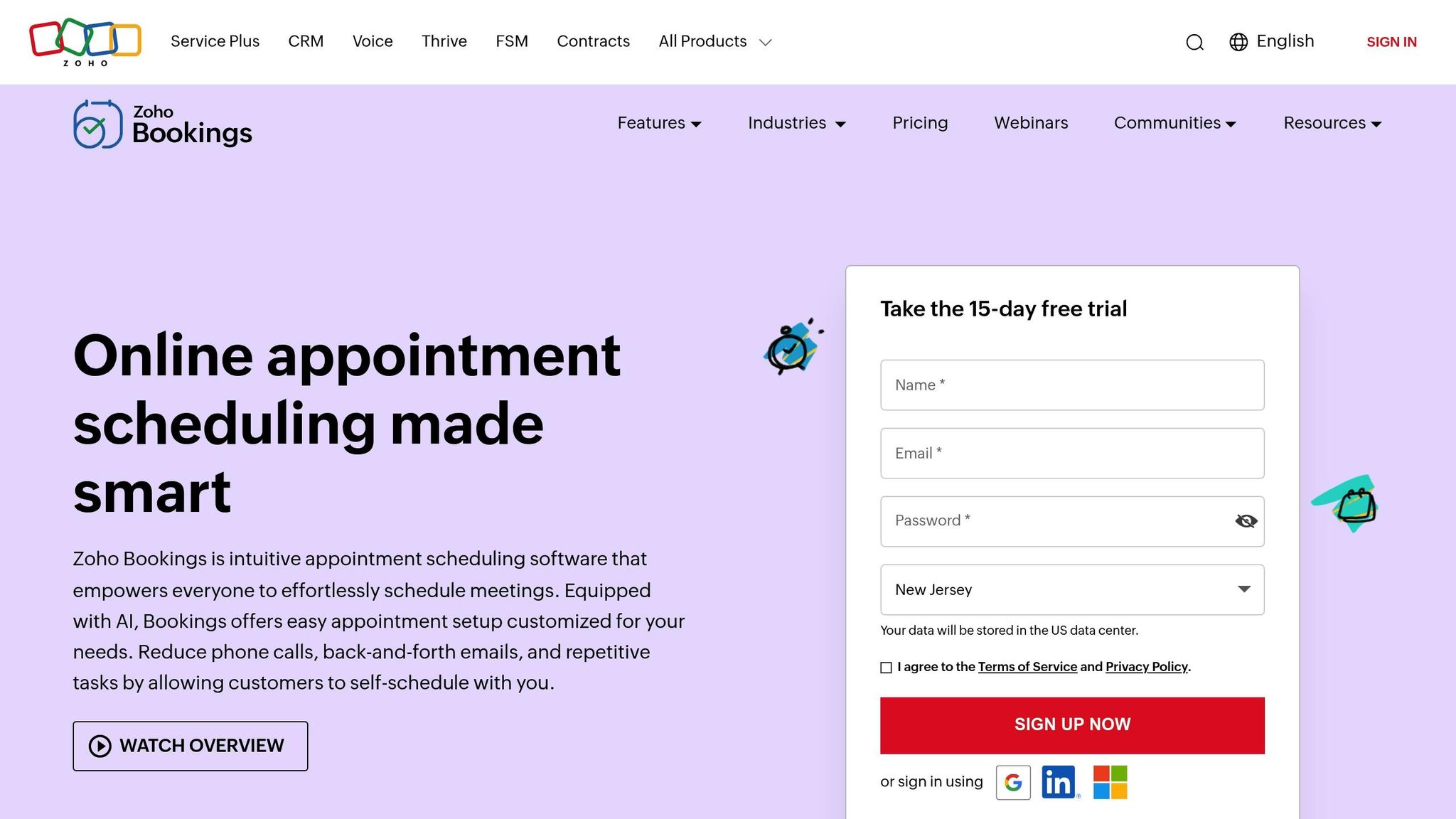
Zoho Bookings is designed with medical practices in mind. With over 16 million appointments scheduled globally and a new booking made every 4 seconds, it’s a dependable choice for clinics. Its features aim to enhance patient access and streamline operations, addressing the unique scheduling needs of healthcare providers.
Patient Self-Scheduling and Custom Booking Pages
Patients can easily schedule appointments using personalized booking pages tailored to your clinic’s branding and services. For instance, a dermatology clinic can have a completely distinct appearance and setup compared to a general medicine practice, even if both use the same system.
This feature is especially helpful for patients with busy schedules, as it allows them to book appointments outside regular office hours, offering much-needed flexibility.
Multi-Location and Staff Calendars
Managing multiple clinic locations or healthcare providers is simplified with Zoho Bookings’ workspace system. Each workspace can represent a specific branch, department, or specialized team, all under one platform. The system even allows custom labels to align with your clinic’s operations.
For example, a downtown location might offer same-day appointments, while a suburban branch may require bookings to be made 24 hours in advance. Zoho Bookings handles these differences seamlessly within one account.
Staff calendar management includes granular permission controls, so front desk staff can oversee appointments for their specific location without accessing sensitive data from other branches. Real-time synchronization with Google Calendar, Outlook Calendar, and Zoho Calendar ensures that schedules stay up-to-date and avoids double-bookings.
The team scheduling feature provides flexible options for patients. They can view collective staff availability, select their preferred provider, or let the system automatically assign an appointment based on availability and specialization.
Automated Notifications and Integrations
Automated notifications and reminders help reduce no-shows and last-minute cancellations while improving communication. The system allows you to send up to three customized reminders via email and SMS before each appointment. These aren’t generic – they can include appointment details, clinic branding, and specific instructions tailored to different visit types.
Notifications cover all appointment statuses, such as booked, completed, canceled, rescheduled, or unattended. Follow-up emails can also be sent automatically, which is ideal for sharing post-visit instructions or scheduling follow-up care.
Zoho Bookings integrates with various SMS gateways through Zoho Flow, including CEQUENS, Textbelt, GatewayAPI, Clickatell, ClickSend, and others. This flexibility lets you choose your preferred SMS provider for patient communication.
Telehealth Support and Virtual Consultations
In today’s healthcare landscape, virtual consultations are a must. Zoho Bookings connects seamlessly with popular video platforms like Zoom, Google Meet, and Microsoft Teams. When patients schedule telehealth appointments, the system automatically generates and includes meeting links in their confirmation emails.
The booking process for virtual visits mirrors that of in-person appointments, but patients receive video conference details instead of physical location information. This consistent experience eliminates confusion and allows patients to switch between virtual and in-person visits with ease.
Secure Patient Data Management
Protecting patient data is non-negotiable, and Zoho Bookings takes this responsibility seriously with enterprise-grade security measures that align with HIPAA compliance. The platform securely stores appointment records, patient contact details, and any clinical notes you choose to include.
Access to data is controlled through a permission system, ensuring staff members only see information relevant to their role and location. This approach not only safeguards patient privacy but also keeps your practice running efficiently.
Appointment data can be exported for analysis or integrated with your existing electronic health record (EHR) system. Detailed logs of all appointment activities are maintained, supporting both operational reporting and compliance documentation.
Automation workflows can also be set up for each workspace to handle tasks like CRM syncing, invoice creation, and follow-up scheduling. These workflows minimize manual data entry while ensuring consistent communication and record-keeping across your practice. These features pave the way for a smooth and efficient setup process, which is explored next.
Step-by-Step Guide to Setting Up Zoho Bookings
Now that you’ve explored Zoho Bookings’ features, let’s dive into the step-by-step process of configuring it for your clinic. With just four steps, you can tailor Zoho Bookings to fit your clinic’s workflow seamlessly.
Setting Up Your Clinic Profile and Business Hours
Your clinic profile is the cornerstone of all patient interactions within Zoho Bookings. Begin by navigating to the Settings section in your dashboard and selecting Business Profile. Here, input your clinic’s essential details: name, address, contact information, and upload your logo to ensure consistent branding across all patient communications.
Configuring business hours is simple yet flexible. For clinics with multiple locations, you can set unique operating hours for each site. The system also supports variations like different hours for each day, lunch breaks, and distinct schedules for specific services or providers. For example, if your clinic offers evening telehealth consultations on Tuesdays and Thursdays until 8:00 PM but closes at 5:00 PM on other weekdays, Zoho Bookings can easily accommodate these differences.
Time zone settings are particularly crucial for clinics in the US, where patients might book from various regions. Assign the appropriate time zone – Eastern, Central, Mountain, or Pacific – for each clinic location to avoid scheduling mishaps. The system automatically adjusts appointment times to reflect the patient’s local time while adhering to your clinic’s schedule.
Creating Services and Assigning Providers
Defining your clinic’s services is a key step. Head to the Services section in the settings and choose One-on-One Services for individual consultations. Clearly name each service to ensure patients immediately understand what’s offered.
For each service, specify its duration and include buffer times to allow smooth transitions between appointments. For instance, a routine check-up might take 30 minutes with a 10-minute buffer, while a more detailed consultation could require 60 minutes with a 15-minute buffer before and after. Use the Assign Staff option to allocate specific healthcare providers to each service, ensuring the system only displays time slots when those providers are available.
Organizing services into categories like Preventive Care or Specialist Consultations is especially helpful for larger practices. You can also set prices for each service in US dollars or leave them blank if payments are managed separately through your billing system.
Decide on the booking type for each service – whether appointments are confirmed instantly or require staff approval. Instant booking works well for routine visits like annual check-ups, while approval-based bookings might be better for specialized procedures that need additional preparation.
Adding Booking Links and Payment Integration
Your booking page is the bridge between your clinic and patients. Zoho Bookings generates a unique URL for your booking page, which you can embed on your website or share across various platforms. The page automatically adopts your clinic’s branding, creating a cohesive experience for patients.
For website integration, you have multiple options: embed the page as an iframe, link it as a separate page, or use a booking widget. Many clinics find success by adding a prominent "Schedule Appointment" button to their website’s header or footer, directing patients to the booking page.
Integrating payment options like Stripe or PayPal allows you to collect co-pays, consultation fees, or deposits upfront. This reduces the workload for your front desk staff and ensures payments are secured before the appointment. Payments are processed securely, and funds are deposited directly into your clinic’s account based on your payment processor’s schedule.
While Stripe handles most credit and debit card transactions, PayPal can be a great alternative for patients who prefer it. You can also enable partial payments for costly procedures or require full payment for specific services.
Setting Up Notifications
Timely notifications help reduce no-shows and keep everyone informed. Zoho Bookings lets you send up to three reminders (via email or SMS) for each appointment. A typical setup might include a confirmation sent immediately after booking, a reminder 24 hours before the appointment, and a final reminder 2 hours prior.
Tailor notification templates to match your clinic’s needs. For instance, telehealth appointment reminders should include video links and any technical instructions, while in-person visit reminders might highlight parking details or preparation steps. You can create different templates for each service type, ensuring patients receive relevant information.
Staff notifications are equally important. Front desk staff can get instant updates about new bookings or cancellations, while providers might prefer daily summaries of their schedules. Zoho Bookings integrates with various SMS gateways through Zoho Flow, including CEQUENS, Textbelt, GatewayAPI, Clickatell, and ClickSend, giving you flexibility in choosing a communication provider.
For US clinics, SMS notifications must comply with healthcare regulations, including opt-out options for patients. Zoho Bookings automatically adjusts for time zones, ensuring reminders are sent at the correct local time, no matter where your SMS gateway is located.
Improving Workflows with Zoho Bookings
Once your clinic has set up Zoho Bookings, the next step is making the most of it to streamline workflows, boost efficiency, and improve patient satisfaction. These tips will help you make your scheduling system work harder for your practice.
Syncing Calendars and Managing Recurring Patients
Keeping calendars synced is essential to avoid double bookings and ensure everyone on your team is on the same page. With Zoho Bookings, when a patient schedules an appointment, it’s automatically added to the provider’s personal calendar. Likewise, any personal events added by the provider will block out availability in the booking system.
For patients who require regular follow-ups or ongoing care, Zoho Bookings offers a "Create a recurring schedule" feature. This tool simplifies long-term care by letting you set appointments to repeat daily, weekly, or monthly based on the patient’s needs. For instance, you can set up recurring follow-up sessions for a treatment plan, ensuring consistency without manual scheduling. Just remember to set clear end dates and include buffer times to keep the schedule running smoothly.
Speaking of buffer times, they’re especially helpful for recurring appointments. Adding 10-15 minutes before and after these sessions gives your staff time to review notes, prepare, and document updates without feeling rushed.
Cancellation policies for recurring appointments are another key detail. Establish clear guidelines, such as requiring cancellations or rescheduling at least 24 hours in advance. This gives your clinic enough time to fill the slot while remaining fair to patients dealing with emergencies.
These adjustments not only improve scheduling but also provide better insights into your operations, which we’ll look at next.
"Zoho Bookings has been a godsend for my business, not only is the rate competitive. It works well with my WordPress site, integrates with my Zoho Invoices and Google Calendar, takes payments, and offers me the full functionality of text message reminders too." – Gray Kinnney, BSRP, Inc
Using Analytics for Better Operations
Once your schedule is running smoothly, analytics can help you fine-tune your clinic’s operations. Zoho Bookings offers appointment history and patient notes, but integrating it with Zoho CRM or Zoho Analytics unlocks deeper insights into patterns and trends.
Use analytics to track key metrics that enhance both efficiency and patient care. For example, monitor no-show rates by provider or service type to identify trends. Examine revenue data across services to pinpoint growth opportunities. Measure staff productivity by looking at appointment volumes and utilization rates to ensure schedules are optimized.
Patient retention analysis is another valuable tool. It helps you understand how well your clinic maintains long-term relationships. Look at how often patients return for follow-ups, which services drive repeat visits, and identify patients who might benefit from proactive outreach.
To stay on top of this data without feeling overwhelmed, set up automated reports. Weekly or monthly summaries emailed directly to your management team can keep everyone informed without the need for constant dashboard monitoring. Focus on just a few critical metrics to keep things manageable and actionable.
Using Mobile Interfaces for Easy Access
Mobile access changes how both your staff and patients interact with your scheduling system. The Zoho Bookings mobile app lets staff manage appointments, check patient details, and handle last-minute changes from anywhere in the clinic.
For patients, a mobile-friendly booking experience is crucial. Most people now schedule appointments on their phones, so make sure your booking page works seamlessly on different screen sizes. The process should be quick and easy, with minimal typing required, and payments should go through smoothly on mobile browsers.
For staff, mobile access means they can respond to urgent booking needs from wherever they are. This flexibility can make a big difference in patient retention, especially when handling same-day cancellations or emergency bookings.
Keep push notifications limited to urgent updates, like system issues or last-minute changes, to avoid overwhelming your team. Routine updates, such as confirmations, can be sent via email instead.
If your clinic operates across multiple locations, the mobile interface makes it easy to manage appointments for all sites. Managers can monitor booking trends, identify locations needing extra support, and adjust resources in real time.
Additionally, the mobile app supports offline functionality for tasks like viewing schedules and patient details. This ensures your team can keep things moving even if there’s a temporary internet outage, though booking new appointments will still require an active connection.
sbb-itb-058cafb
Practical Considerations for US Clinics
Operating a clinic in the United States comes with specific standards and regulations that your scheduling system must meet. Addressing these details early on helps avoid confusion for staff and patients while keeping your practice aligned with healthcare compliance requirements.
Setting US Date, Time, and Currency Formats
To ensure clarity and professionalism, always use US formats: MM/DD/YYYY for dates, a 12-hour clock for time, and USD with commas and two decimal places for currency. For example, display dates as 10/31/2023 and prices as $150.00 to avoid misunderstandings.
To set this up in Zoho Bookings:
- Click the Gear icon in the top-right corner of your dashboard and go to Organization Profile.
- Set your business location to "U.S.A." to automatically configure USD as your base currency.
- In the Date Format dropdown, choose MM/DD/YYYY.
- For currency settings, specify the Currency Symbol ($), set Decimal Places to two, and select formatting that includes commas for thousands and dots for decimals.
These settings influence how information like appointment confirmations, billing details, and email communications appear to both staff and patients. Consistent formatting not only improves communication but also reflects a professional image, helping to build trust and confidence in your clinic.
Meeting HIPAA and Data Privacy Requirements
Beyond formatting, safeguarding patient data is critical for clinics in the United States. Compliance with HIPAA (Health Insurance Portability and Accountability Act) is mandatory, which means your scheduling system must handle sensitive information securely. Zoho Bookings includes built-in protections like SSL encryption and secure servers, but proper setup is key.
Here are some steps to ensure compliance:
- Understand Data Collection: When patients book appointments, they often share personal details like names, contact information, and basic health data. This information is encrypted during both transmission and storage, reducing the risk of breaches.
- Set Access Controls: Limit access based on staff roles. For example, front desk staff can manage appointments but shouldn’t view detailed patient notes, while providers can access full patient records. This follows the HIPAA principle of minimum necessary access.
- Audit Trails: Zoho Bookings maintains logs of system activity, allowing you to track who accessed patient information and when. Regularly reviewing these logs can help demonstrate compliance during audits or identify potential privacy issues.
- Business Associate Agreements (BAAs): Depending on how much patient health information is processed through your scheduling system, you may need a BAA with Zoho. While basic appointment scheduling typically involves fewer privacy concerns, practices collecting detailed health data through booking forms should confirm the legal protections in place.
- Data Retention Policies: Align your system’s data retention settings with HIPAA and your state’s medical record laws. For example, configure the system to retain appointment records for the required period and securely delete outdated information. This might involve archiving older data or automating deletion for specific records.
- Two-Factor Authentication (2FA): Enabling 2FA for staff accounts adds an extra layer of security, especially if staff access the system from personal devices or remote locations. This reduces the risk of unauthorized access.
Zoho Bookings Implementation and Support Services
Expert implementation of Zoho Bookings takes its already powerful scheduling capabilities and tailors them to meet the unique demands of your clinic. Setting up Zoho Bookings for healthcare environments requires a deep understanding of HIPAA compliance, intricate workflows, and system integrations. While the earlier sections explored the platform’s features, professional implementation ensures these tools deliver maximum efficiency for your clinic’s operations.
How Expert Partners Simplify Implementation
Working with experienced Zoho partners brings specialized technical and healthcare knowledge to the table. These experts are well-versed in addressing challenges like managing schedules for multiple providers and integrating Zoho with both internal systems and third-party tools, such as electronic health record (EHR) systems. Their expertise speeds up the implementation process, allowing your team to stay focused on delivering quality patient care.
The process begins with a thorough assessment of your clinic’s scheduling needs. Partners review your patient flow, pinpoint inefficiencies, and design workflows that align with your specific requirements. This could involve creating customized booking forms for different appointment types, setting up automated reminders to reduce no-shows, or configuring dashboards to track essential performance metrics.
But it doesn’t stop at basic setup. Expert partners can extend Zoho Bookings’ functionality by developing custom integrations that link your scheduling system to other practice management tools. They can also create mobile apps for seamless staff access and design advanced reporting tools to analyze patient trends and clinic performance.
Of course, even the best system is only as effective as the people using it. That’s why training is a key component of the implementation process. Partners provide comprehensive training programs to ensure your staff can confidently navigate the system, troubleshoot common issues, and use it to streamline daily workflows.
"We also offer Deluge script and Advanced training in Zoho." – AorBorC Technologies
The goal isn’t just a one-time setup; it’s building a long-term partnership. For instance, mobile app development services allow clinics to manage appointments and access patient data on the go – an invaluable tool for practices with multiple locations or providers who are constantly mobile.
"We’ll be there to provide continuous support." – AorBorC Technologies
This ongoing support is crucial as your clinic grows or evolves. Whether you’re adding new services, opening additional locations, or refining workflows, having a dedicated technical partner ensures your system can adapt quickly without the need for a complete overhaul. This kind of support lays the foundation for a more integrated and efficient clinic operation.
AorBorC Technologies‘ Expertise for Clinics
Among the available Zoho partners, AorBorC Technologies stands out for its tailored services that unlock the full potential of Zoho systems. Specializing in Zoho CRM customization and Zoho One implementation, they offer healthcare practices a comprehensive approach to digital transformation. Their team of Zoho Certified Developers not only understands the technical intricacies of the platform but also has deep experience with the specific needs of medical practices.
One example of their expertise is MediTracker, a Zoho Marketplace application they developed specifically for healthcare. This hands-on experience enables them to address challenges related to clinic workflows, patient data management, and system integrations with confidence.
AorBorC Technologies also provides ERP implementation services for clinics that need to integrate scheduling with other critical functions like billing, inventory management, and financial reporting. Their offerings extend to Google Apps setup and WordPress plugin development, helping clinics create a unified digital ecosystem. This might include developing custom patient portals, automating workflows that sync appointment data with your website, or building advanced reporting tools to deliver actionable insights.
With their comprehensive services and healthcare expertise, AorBorC Technologies equips clinics to not only streamline operations but also adapt to changing demands with ease.
Conclusion: Transforming Clinic Operations with Zoho Bookings
Digital scheduling is reshaping how clinics operate and care for their patients. With Zoho Bookings, clinics can achieve noticeable improvements in efficiency and patient satisfaction, making it a powerful tool for healthcare providers looking to modernize their workflows. This shift in scheduling practices plays a key role in the broader digital transformation discussed throughout this guide.
Key Takeaways
Using automated appointment scheduling can significantly reduce administrative tasks while improving the overall patient experience. Clinics benefit from smoother workflows, freeing staff to focus on patient care instead of managing phone-based scheduling. The platform’s 24/7 online booking feature allows patients to book appointments whenever it’s convenient for them, leading to fewer delays and higher satisfaction levels.
Automated reminders help reduce no-shows, protecting clinic revenue – a benefit even for smaller practices. Centralized scheduling also prevents double-bookings and ensures better utilization of provider availability.
The platform’s integration with telehealth tools like Zoom and Google Meet enhances access to care, aligning with the needs of modern healthcare delivery.
Affordability is another standout feature. Zoho Bookings offers free and budget-friendly plans, giving even small clinics access to features typically reserved for larger organizations. Clinics often report a 20% boost in patient engagement after adopting Zoho Bookings, thanks to tools like custom booking pages, automated confirmations, and flexible rescheduling options. These features collectively create a smoother, more patient-friendly experience.
Next Steps for Clinics
Now is the time to take action. Start by assessing your clinic’s scheduling challenges and identifying the Zoho Bookings features that can make an immediate difference – whether it’s reducing no-shows, improving staff efficiency, or enabling telehealth services.
Expert guidance can make the transition smoother. AorBorC Technologies specializes in tailoring Zoho Bookings for medical practices, ensuring the system is configured to meet your clinic’s unique needs right from the start.
When planning your implementation, think about how Zoho Bookings can integrate with your clinic’s other tools. Whether it’s connecting to ERP systems for billing and inventory or creating custom mobile apps for on-the-go access, a well-integrated system can streamline operations and improve overall efficiency. Partnering with technical experts can ensure your scheduling software becomes an essential piece of your clinic’s digital infrastructure.
As healthcare continues to evolve toward more patient-centered, tech-enabled care, clinics that adopt modern scheduling tools like Zoho Bookings will be better equipped to meet patient expectations and achieve long-term efficiency. With the right tools and support, your clinic can turn scheduling into a strategic advantage.
FAQs
How does Zoho Bookings help clinics stay HIPAA-compliant and safeguard patient information?
Zoho Bookings is built to align with HIPAA requirements, offering features that safeguard electronic Protected Health Information (ePHI). It provides secure registration forms for collecting sensitive patient data and implements robust security measures, such as encryption and access controls, to protect this information.
Zoho takes a hands-off approach to health data, ensuring it does not collect or store patient information for its own use. This allows healthcare providers to use Zoho Bookings with confidence, knowing they can manage appointments efficiently while maintaining the privacy and security of their patients’ information.
Can Zoho Bookings work with our clinic’s current Electronic Health Record (EHR) system?
Zoho Bookings can connect with various Electronic Health Record (EHR) systems, typically through third-party tools or platforms that enable data synchronization. This makes it easier to link patient appointments with clinical records. Plus, Zoho Bookings integrates effortlessly with other Zoho apps and external tools like Zoho Flow or Zapier, letting you automate workflows and simplify scheduling alongside your current systems.
These integrations allow clinics to handle appointments and patient data more efficiently, ensuring smoother operations and an improved experience for both patients and staff.
How does Zoho Bookings help clinics manage appointments across multiple locations and providers?
Zoho Bookings streamlines appointment management for clinics operating across multiple locations by letting you manage all addresses under a single account. This setup simplifies the process of coordinating schedules between different sites. You can also assign specific services and providers to each location, minimizing scheduling conflicts and keeping operations running smoothly.
Another standout feature is the collective booking option, which allows patients to book appointments with multiple staff members at once. This is particularly handy for clinics offering team-based care or multi-service visits, enhancing both efficiency and the overall patient experience.