

ERP post-training support is the key to making your ERP system work for you long-term. It ensures employees stay confident, productive, and fully engaged with the system after initial training. Without it, users forget up to 80% of what they learn within a week, leading to underutilized systems and wasted investments.
Why It Matters:
- Boost productivity by 15% and decision-making speed by 25%.
- Reduce support costs by 30% and system downtime by 40%.
- Increase employee satisfaction by 20% and lower turnover by 15%.
What It Includes:
- Support Channels: Helpdesk, live chat, email, phone, and remote troubleshooting.
- Self-Help Resources: Video tutorials, searchable guides, and user forums.
- Role-Based Support: Tailored assistance based on specific job functions.
- Feedback Systems: Surveys and follow-ups to identify and fix training gaps.
Best Practices:
- Regular, short training sessions to refresh skills.
- Keep support materials updated with system changes.
- Recognize user achievements to maintain engagement.
Investing in ERP post-training support ensures your system delivers results, minimizes errors, and keeps your team connected. Whether you handle it in-house or work with experts like AorBorC Technologies, this ongoing effort is essential for long-term success.
Core Elements of Effective Post-Training Support
Creating a solid post-training support system requires a well-thought-out approach to keep users engaged and productive. Each component plays a role in making the ERP system an integral part of everyday operations, working together to ensure users feel supported long after the initial training.
Support Channels
A good support system starts with providing multiple ways for employees to get help when they need it. Different people have different preferences and schedules, so relying on a single method just doesn’t work.
A multichannel support setup might include helpdesk systems, email, phone support, live chat, and even remote troubleshooting. For instance, live chat is perfect for quick questions, while email works better for more detailed or complex issues.
In the U.S., where flexible work schedules and remote setups are increasingly common, 24/7 support is becoming more of a necessity than a luxury. While round-the-clock staffing may not always be possible, automated systems can step in to handle basic inquiries or direct urgent issues to the right place.
A centralized helpdesk system is also a game-changer. It tracks and manages support tickets, ensuring no issue goes unresolved. Plus, it provides insights into common problems and resolution times. As ProjectLine explains:
"We can help you address issues and get back to work quickly. Our Help Desk guarantees a response based on priority. And if we need to escalate tickets with the ERP publisher, we know who to contact for the fastest response."
- ProjectLine
Remote troubleshooting adds another layer of efficiency. By accessing users’ systems directly, support teams can solve problems faster and with fewer misunderstandings.
Self-Help Resources
Giving users the tools to solve problems on their own not only reduces the number of support tickets but also boosts their confidence. Self-help resources let employees find answers at their own pace, which is especially handy during late nights or busy periods.
Some common self-help tools include video tutorials, knowledge bases, and user forums. Each has its strengths and weaknesses:
| Resource Type | Pros | Cons |
|---|---|---|
| Video Tutorials | Visual, engaging, and easy to follow | Time-consuming to create and update |
| Knowledge Base | Quick to search and reference | Needs frequent updates to stay useful |
| User Forums | Community-driven, peer-to-peer support | May lack expert oversight |
For visual learners, video tutorials are a great way to break down complex tasks into easy-to-follow steps. Knowledge bases, on the other hand, act as searchable libraries where users can quickly find troubleshooting guides, process instructions, and FAQs. User forums create a space for employees to share tips and tricks, often offering practical advice based on their day-to-day experiences.
Role-Based Support
Not all ERP users have the same responsibilities, so a one-size-fits-all approach to support won’t cut it. Role-based support ensures that assistance is tailored to the specific needs of each job function, making it easier for users to find relevant information.
Role-based access control (RBAC) can make support both more secure and more effective. By limiting access to only the functions a user needs, RBAC reduces confusion and the risk of errors. For example, an Accounts Payable Clerk might need detailed instructions on entering invoices, while a Financial Controller might need guidance on generating reports and analyzing data.
Customizing training materials and support processes for each role can make a big difference. Guides like "How to Process Invoices for AP Clerks" or "Month-End Reporting for Controllers" ensure users get the help they need without having to sift through irrelevant information.
Feedback Systems
A great support system doesn’t just react to problems – it evolves based on user feedback. Regular input from employees helps identify training gaps and improve support processes, ensuring the system stays relevant and effective.
Feedback can be collected through surveys, scheduled check-ins, or follow-ups after support interactions. This structured approach helps uncover hidden challenges and training needs. For example, tracking common issues across departments might reveal where additional resources or updates are required.
Acting on feedback also builds trust. When users see their suggestions leading to real improvements, they feel more valued and engaged. Feedback systems can even highlight "super users" – employees who have mastered the ERP system and can mentor others. These individuals often provide practical, real-world insights that enhance the overall support network.
Best Practices for Maintaining User Engagement
Keeping ERP users engaged requires consistent training and adaptable support. Even the most well-designed systems can lose their effectiveness if users aren’t actively involved. These strategies help bridge the gap between initial training and long-term expertise.
Regular Training and Practice
One of the most effective ways to sustain user engagement is through ongoing, bite-sized training sessions. Skills fade over time, and without regular practice, users can forget essential processes and shortcuts.
Short training modules – lasting 15 to 20 minutes – fit easily into busy schedules without causing major disruptions. These sessions can focus on specific tasks, such as new feature updates or advanced tips for existing workflows, making learning manageable and practical.
Interactive practice in a simulated environment is another great way to build user confidence. By working with mock data, employees can explore system features and refine their skills without worrying about mistakes affecting live operations. Some companies even host monthly "ERP practice hours", where users can test out features in a no-pressure setting.
Peer-to-peer learning adds an extra layer of support. Pairing experienced users with less confident team members encourages knowledge sharing and teamwork. These informal exchanges often reveal helpful tricks and shortcuts that formal training might overlook.
Recording training sessions and creating a library of self-paced resources ensures users can revisit topics whenever they need a refresher. Video tutorials are particularly useful, as they allow users to pause, replay, and follow along at their own speed.
Adapting Support for Changing Needs
As ERP systems evolve, so do the needs of their users. Regular updates, new features, and shifting business processes mean that training and support must keep pace.
Surveys, feedback forms, and regular check-ins can help identify where users are struggling or need additional resources. This insight ensures that training materials address real challenges and stay relevant.
Keeping documentation up to date is crucial. Outdated guides or instructions can frustrate users and lead to disengagement. A systematic review of training materials ensures they align with current workflows and system functionality.
Different departments often develop unique ways of using the ERP system. Tailoring support to these specific needs can make training more effective. For instance, while the accounting team may need advanced reporting guidance, the warehouse team might benefit from tutorials on updated inventory features.
"Effective change management relies on updated training that eases transitions to new workflows and responsibilities."
Offering flexible training formats ensures accessibility for all learning styles. Some users may prefer self-guided online tutorials, while others thrive in hands-on workshops or one-on-one coaching. Providing multiple options allows everyone to find a format that suits them best.
Recognizing User Success
Acknowledging user achievements is a powerful way to maintain engagement. When employees feel their efforts are noticed and appreciated, they’re more likely to stay motivated and continue developing their skills.
Highlighting "power users" through titles, internal case studies, or team challenges can inspire others to deepen their ERP knowledge. These champions often become valuable resources for their colleagues, spreading best practices across the organization.
Structured skill assessments and certifications give users clear goals to work toward. By breaking progress into levels – like beginner, intermediate, and advanced – employees can celebrate milestones and see tangible evidence of their growth.
Recognizing how ERP expertise translates to improved productivity can also boost engagement. When users see a direct connection between their skills and better job performance or business results, they’re more motivated to keep learning and improving. Celebrating these wins reinforces the value of their efforts and strengthens their commitment to the system.
Monitoring and Improving Support Systems
Building on the earlier discussion of proactive post-training support, maintaining a strong ERP system requires continuous monitoring and improvement. Without these efforts, even a well-designed support system can lose its edge over time.
Tracking System Usage
Understanding how users interact with your ERP system can uncover areas where additional support or training might be needed. Simply put, monitoring user behavior can reveal patterns that feedback forms or surveys might miss.
For example, tracking login frequency, session duration, and navigation paths can help identify users who may not be fully utilizing the system or are struggling with routine tasks. If certain modules or features consistently show low usage, it could point to gaps in training or unclear workflows. Similarly, monitoring error rates and task completion times can highlight areas where users face the most challenges.
Performance metrics like transaction processing speeds or the frequency of report generation are also invaluable. If users avoid generating reports or take too long to complete standard tasks, it’s a sign that targeted training could resolve these issues.
With real-time dashboards and analytics, ERP systems make it easier to track these metrics. This data isn’t just for IT teams – it can help executives make informed decisions about where to allocate training resources.
Testing user knowledge through quizzes, assessments, or practical exercises can also confirm if the training objectives are being met. These evaluations should reflect the real-world scenarios users encounter in their daily work. Beyond just training, these insights can also guide improvements in data quality and security practices.
Maintaining Data Quality and Security
Data quality is a cornerstone of ERP effectiveness. Poor data doesn’t just frustrate users – it can erode trust in the system. According to the 2022 Global Data Management Research Report by Experian, 85% of organizations reported that poor-quality data negatively impacted their operations. Regular monitoring and maintenance can prevent these problems from spiraling.
Metrics for data quality should include accuracy, completeness, consistency, timeliness, and relevance. While automated tools can flag errors, human oversight is essential to provide context and judgment. Dashboards that track data quality in real time can help spot trends and address issues before they escalate.
Security monitoring is just as critical, especially with the rise in cyber threats. In 2021, the average number of cyberattacks per company rose by 31% compared to the previous year. A 2024 Verizon study found that 68% of data breaches involved unintentional human errors, emphasizing the need for ongoing user education.
"When data is the very foundation of your business, poor-quality data are cracks in that foundation." – Matthew Cawsey, Author
Regularly reviewing access controls and role-based permissions is another key step. Employee turnover, promotions, or departmental changes can create vulnerabilities if access rights aren’t updated promptly. Routine audits – both technical (like backup integrity) and operational (like data entry accuracy) – can uncover hidden issues that daily monitoring might miss.
Training on data hygiene and security practices shouldn’t be a one-time event. Topics like password management, phishing awareness, and proper data handling need to be revisited regularly to keep employees informed and vigilant.
"Given the centralization of critical business data and functions, every business should consider ERP system security a major legal and financial concern." – Christina Morrison, Author
Cloud-based ERP systems often include features like multi-factor authentication, automatic updates, and continuous monitoring. While these tools enhance security, organizations must still follow best practices and remain vigilant to ensure consistent protection.
Monitoring outcomes and security assessments also highlight the importance of keeping training materials up to date.
Keeping Training Materials Current
ERP systems are constantly evolving, with updates, patches, and new features rolling out regularly. Outdated training materials can confuse users and hinder system adoption. A structured approach to maintaining these resources ensures they remain relevant and effective.
When system updates are introduced, it’s essential to assess their impact on different user groups and business processes. Not every update will require extensive retraining, but major changes to workflows or interfaces should be accompanied by updated training materials.
Clear and timely communication about updates is equally important. Users need to know about changes in advance and have access to updated resources before new features are implemented. Using multiple communication channels ensures that the message reaches everyone who needs it.
Training content, whether it’s video tutorials, written guides, or interactive demonstrations, should be reviewed and refreshed regularly to align with system changes. Blended training approaches – combining online resources, in-person sessions, and on-the-job support – can cater to different learning preferences and schedules.
User feedback is invaluable for identifying gaps in training materials. Regular surveys or informal check-ins can reveal which resources are most helpful and which need improvement. Keeping track of version control for training materials is also critical to avoid confusion. Outdated guides should either be archived or clearly marked to prevent accidental use.
Collaboration between training teams, system administrators, and vendor support can ensure that training updates align with both technical requirements and organizational goals. Regular evaluations of training effectiveness – using user assessments, system metrics, and performance indicators – help confirm whether the materials are meeting their objectives. This ensures users stay confident and productive as they navigate their ERP journey.
sbb-itb-058cafb
Working with Expert Support Providers
When it comes to ERP systems, internal teams often struggle with the lack of dedicated post-training resources. This is where expert support providers step in, turning basic functionality into a well-oiled system that drives results. By combining deep technical expertise, established methods, and focused resources, these professionals help businesses get the most out of their ERP systems.
Benefits of Professional Support
Expert providers bring a wealth of experience from various industries, allowing them to align ERP systems with unique business objectives while avoiding costly mistakes in configuration. Their approach ensures smoother implementation processes, managing tasks like data migration, system setup, and user training with minimal disruptions. They know how to streamline workflows, often running tasks in parallel to save time and reduce operational downtime.
One standout benefit is customization and optimization. These professionals tailor ERP systems to fit specific business needs, automating processes and integrating third-party tools in ways that would take internal teams years to master.
The financial upside is hard to ignore. Companies that customize ERP training for specific departments see a 30% boost in user proficiency within just a few months. Targeted, role-specific training reduces errors by up to 40%, helping employees feel more confident and capable. Organizations that invest in tailored ERP training also report 50% higher user satisfaction compared to those using generic programs.
Another major challenge that professional support tackles is change management. Transitioning to a new system can be daunting, but expert consultants ease the process by offering customized training and overseeing the entire transition. This hands-on approach often leads to a 60% drop in system-related errors, directly improving productivity and cutting costs.
"Knowledge often emerges from the collaboration of people with very different ways of looking at their field" – Ross Dawson
These benefits highlight the value of working with experienced providers, paving the way for specialized solutions like those offered by AorBorC Technologies.
AorBorC Technologies‘ Services
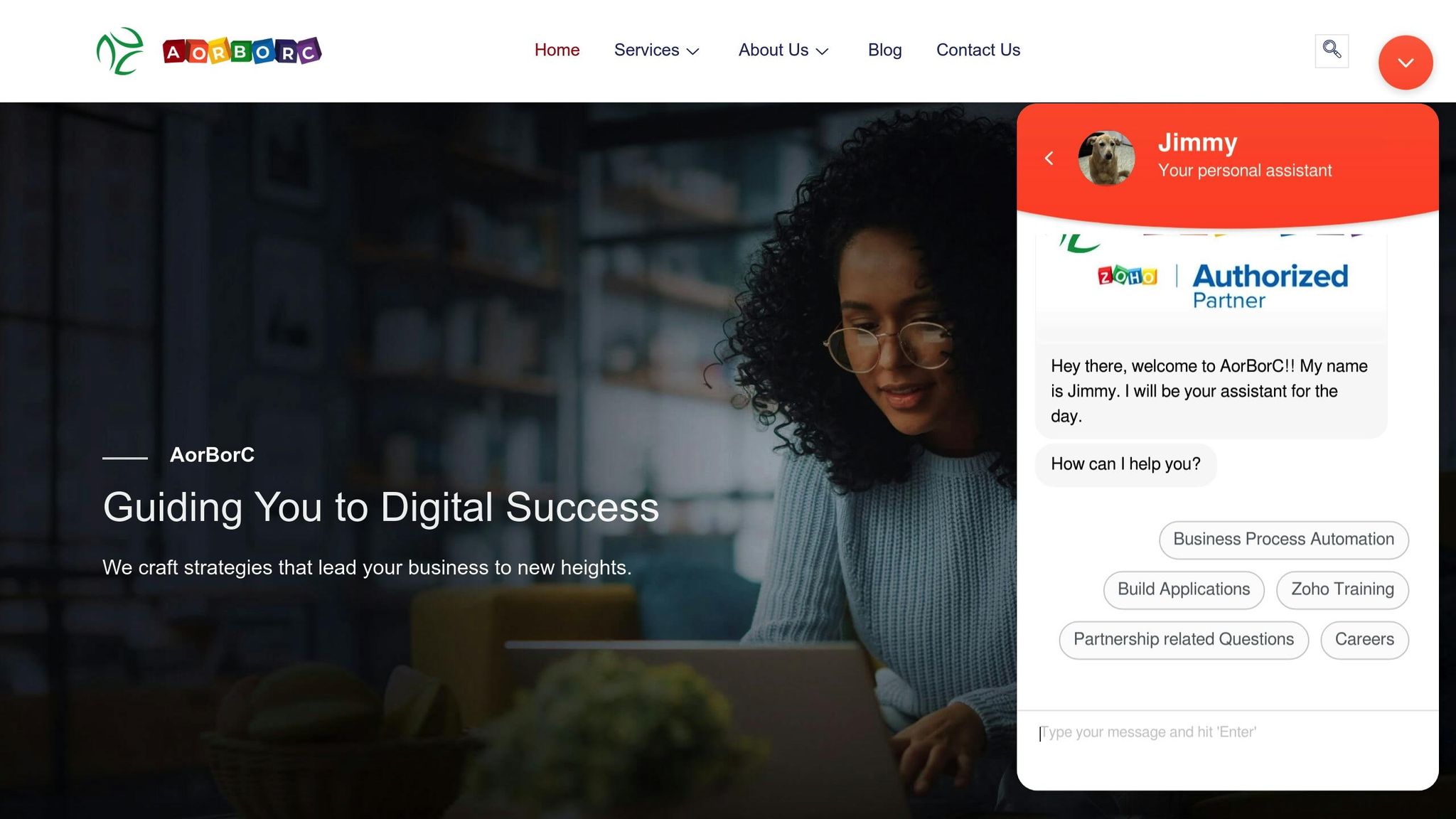
AorBorC Technologies is a prime example of how expert post-training support can turn an ERP investment into a long-term success story. Since 2013, they’ve been delivering practical, scalable ERP solutions that cater to specific business needs.
ERP Implementation and Customization lies at the heart of their services. AorBorC specializes in Odoo ERP, an open-source platform trusted by millions. Beyond standard implementation, they offer custom module development, tailoring business processes to fit exact workflows and requirements.
"At AorBorC, we simplify the digital world for your business… From increasing visibility to optimizing your operations, we’re your one-stop solution for all things digital." – AorBorC Technologies
Their expertise extends to Zoho Integration and Customization. As a Zoho partner since 2013, AorBorC provides everything from Zoho CRM customization to Zoho One implementation. They integrate Zoho apps with websites, ERP systems, and other platforms, ensuring seamless workflows. For example, their "Pretty Parlour" Zoho Creator app offers salon owners tools for appointment scheduling, customer management, service catalogs, and staff scheduling.
AorBorC also excels in Ongoing Support and Training. After the initial launch, they remain available to help teams adapt to system updates and business growth. Their YouTube channel provides valuable tutorials on advanced Zoho and Deluge scripting, giving users the tools they need to stay ahead.
Their flexible service model caters to businesses of all sizes and budgets. Services are offered on a project basis, without the need for long-term commitments. Plus, their focus on automation and process improvement ensures that systems are not only implemented but continuously refined to meet evolving business needs.
Conclusion
ERP post-training support plays a crucial role in making sure your ERP investment delivers real results. Studies show that well-structured ERP training leads to on-time, on-budget implementations, while companies that invest in post-training support see fewer system-related errors.
The main point here is clear: achieving ERP success takes ongoing effort. Continuous training and support are the backbone of every improvement strategy outlined earlier.
Organizations that excel with ERP systems do so by standardizing key tasks, encouraging collaboration across departments, and keeping data accurate. As systems grow and change, having access to expert guidance becomes essential. These experts bring tried-and-true methods, deep industry knowledge, and specialized resources that in-house teams may not have. They help fill knowledge gaps caused by staff turnover, maintain data integrity, and ensure your ERP system evolves with your business while staying true to its original goals. Companies that tailor training to specific departmental needs often see a 30% boost in user proficiency within a few months and report 50% higher satisfaction rates compared to those that rely on one-size-fits-all training.
As businesses adapt to a shifting digital world, ERP systems are becoming indispensable for success. By combining ongoing training, targeted support, and strong data management practices, your ERP system can keep up with changing demands and drive operational excellence. Choosing to invest in thorough post-training support – whether through your own team or partners like AorBorC Technologies – does more than just maintain your system. It creates a long-term competitive edge that grows stronger over time.
FAQs
How can businesses evaluate the success of their ERP post-training support?
Businesses can measure the effectiveness of their ERP post-training support by keeping an eye on key metrics and listening to user feedback. Metrics like system usage rates, task completion times, and error reduction offer a clear picture of how well users are adapting. By tracking these over time, you can spot areas where users might need extra help.
Feedback is another powerful tool. Surveys, satisfaction scores like CSAT and NPS, and regular check-ins can reveal how users feel about the system. Plus, comparing performance data – such as order processing times or system uptime – before and after training can show how your support efforts are paying off. These practices help ensure your ERP system stays effective and continues to meet your business’s changing needs.
What challenges do companies face when setting up role-based support in ERP systems?
Implementing role-based support in ERP systems isn’t without its challenges. One major hurdle is resistance to change. Employees often hesitate to embrace new workflows, which can slow down adoption and disrupt proper access management. This reluctance can leave gaps in how the system is used, ultimately affecting its effectiveness.
Another issue stems from insufficient training and engagement. If users aren’t properly involved or trained, it can lead to security risks and poorly structured support systems. To address these challenges, it’s crucial to focus on clear communication, offer thorough training, and provide ongoing support. These steps help create a secure and efficient ERP system that works for everyone.
How does AorBorC Technologies improve ERP post-training support for businesses?
AorBorC Technologies takes ERP post-training support to the next level by offering personalized assistance designed to meet your specific business needs. Their team of experts is dedicated to ensuring a seamless transition and adoption of your ERP system. They provide ongoing troubleshooting, opportunities for continuous learning, and proactive advice to help you get the most out of your ERP investment.
Committed to your long-term success, AorBorC Technologies delivers thorough support to tackle challenges as your business grows and changes. This ensures your ERP system stays effective and aligned with your evolving objectives.